Figure 7-13
Double-sided Printing
Document ID: OMM-00165 Rev. C Pro 32r Operations Guide 152
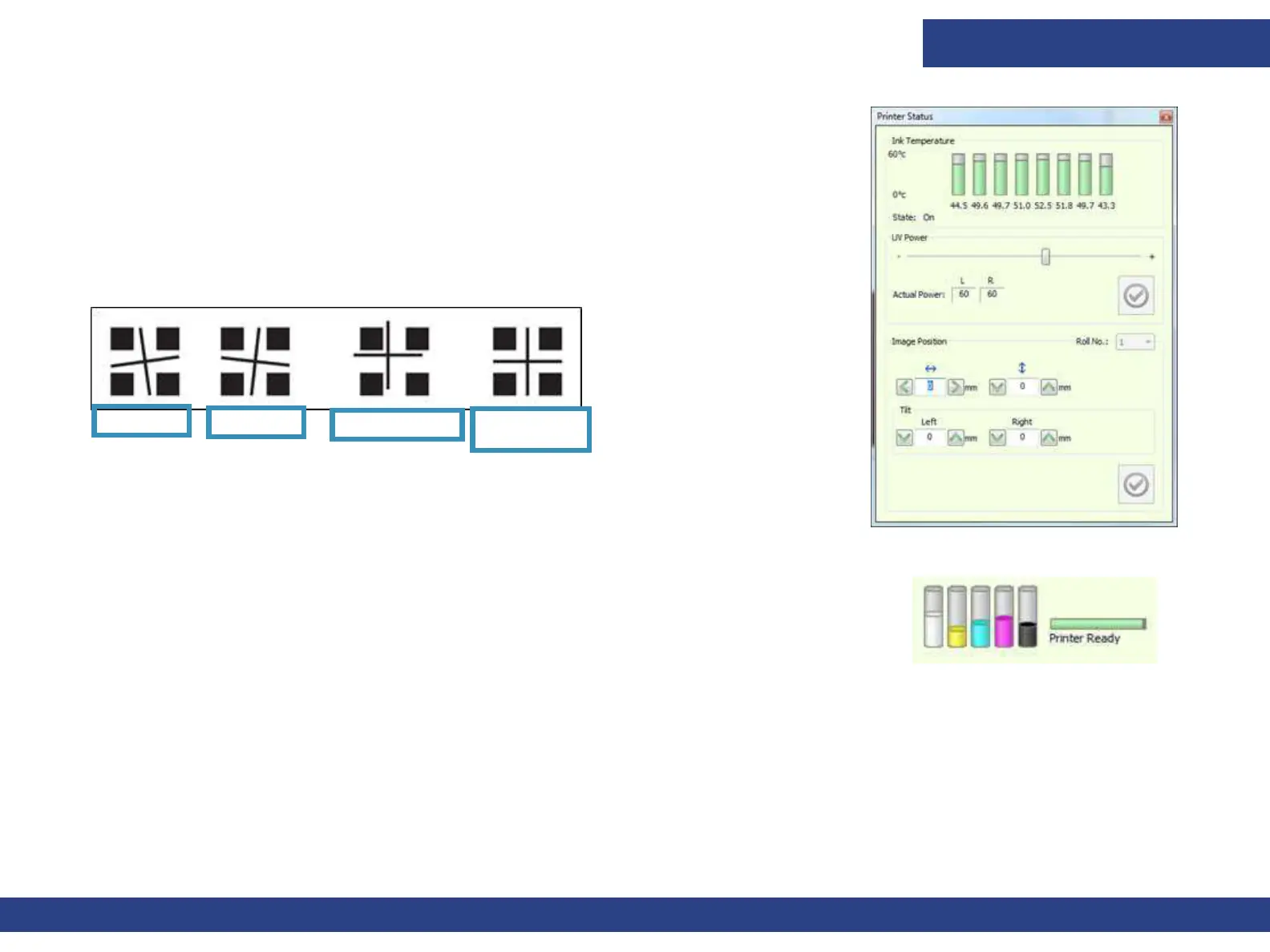
8. In the Image Position spin boxes, set the required adjustment according to the
print result.
9. Resume printing, constantly checking the registration. If required, you can adjust
the image position during printing.
Examples:
Tilt Left – Insert a positive value in the Left spin box.
Tilt Right – Insert a positive value in the Right spin box.
Misregistration - Insert a positive value in the left-right spin box, and a negative value in
the up-down spin box.
NOTE: You can also open the Printer Status window by double clicking the
Ink Level icon on the bottom right side of the screen.
Figure 7-14
Tilt Left Tilt Right Misregistration
Good
Registration
Figure 7-15



 To Next Page