Double-sided Printing
Document ID: OMM-00165 Rev. C Pro 32r Operations Guide 159
7.3.3
Figure 7-25
Blockout - Head-to-Tail - Print Side A
1. Load and collect the media properly.
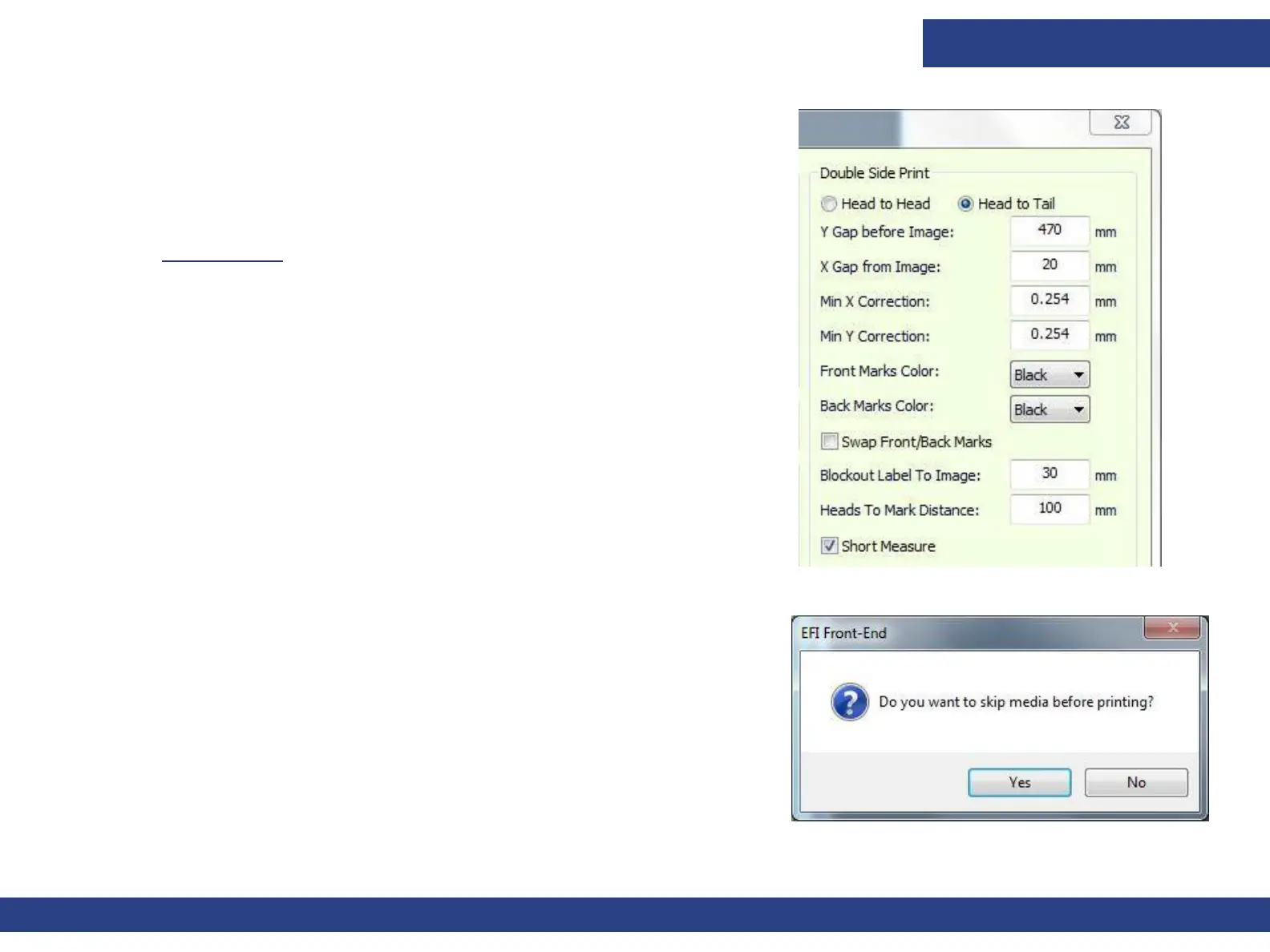
2. From the Preferences dialog box, in the Double Side Printing group,
choose the Head To Tail radio button.
EFI recommends that you check the Short Measure check box. (See
Short Measure.)
3. Open a job and in the Job Settings dialog, select the Double-side
check box and then the Blockout option.
4. Print Side A.
Figure 7-26
The skip media prompt displays.
5. Choose Yes, and the Media advances by 50 cm before the printing starts.
Choose No, and the print starts immediately.
NOTE: Make sure that there is at least 50 cm of collected media on the
core. This is to prevent the media from detaching from the
core at the end of Side B printing.



 To Next Page