Software Overview
Document ID: OMM-00165 Rev. C Pro 32r Operations Guide 60
4.5.6 Motion Control - Alarms and Warnings
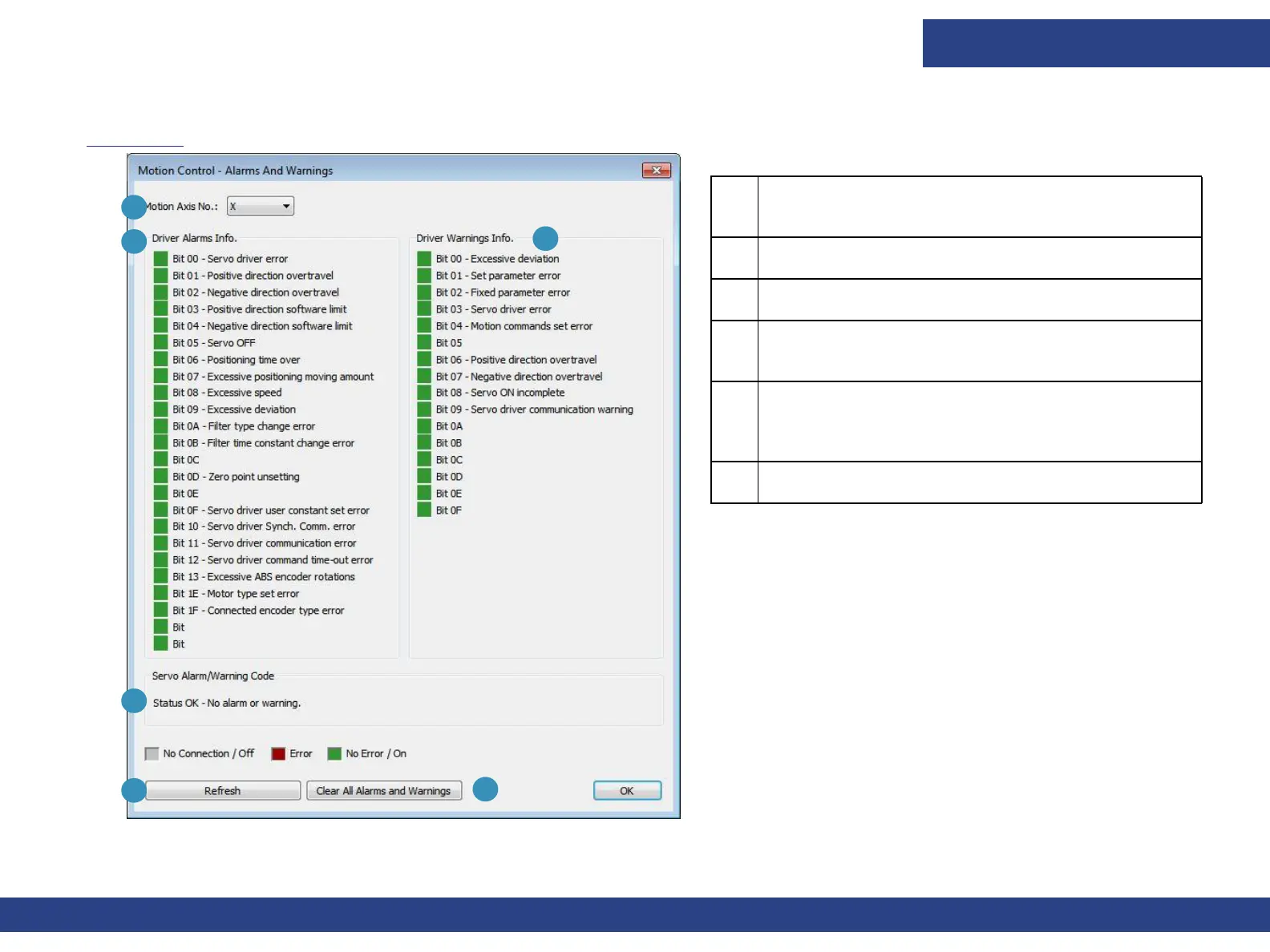
Figure 4-14 shows the Main Control – Alarms And Warnings dialog box. This window is for the information only.
1 Motion Axis No. The motor whose alarms and/or
warnings are displayed.
2 List of alarms
3 List of warnings.
4 Status: This is displayed when no alarms or
warnings are shown.
5 Refreshes the window and displays any alarms or
warnings. If the warnings or alarms persist, shut
down the printer and restart it.
6 Clear All Alarms and Warnings. Clears the alarms
and warnings that are displayed.
3
1
2
5
Figure 4-14 Alarms and Warnings Dialog Box
6
4



 To Next Page