Printer Setup
Document ID: OMM-00165 Rev. C Pro 32r Operations Guide 82
5.2.4 Initialization Procedure
When performing an initialization, the H(eight) Motor raises to the highest point (factory defined), and then the
carriage
returns to the previous height value.
The printer can print on a vast variety of media with different thicknesses. The H motor enables an accurate carriage
height adjustment for any media.
It is controlled only by the software and adjusted through:
• The Init procedure
• The H MOTOR group box in the control panel
• The Media Settings dialog box
5.2.4.1 Carriage H(eight) Motor Group Box
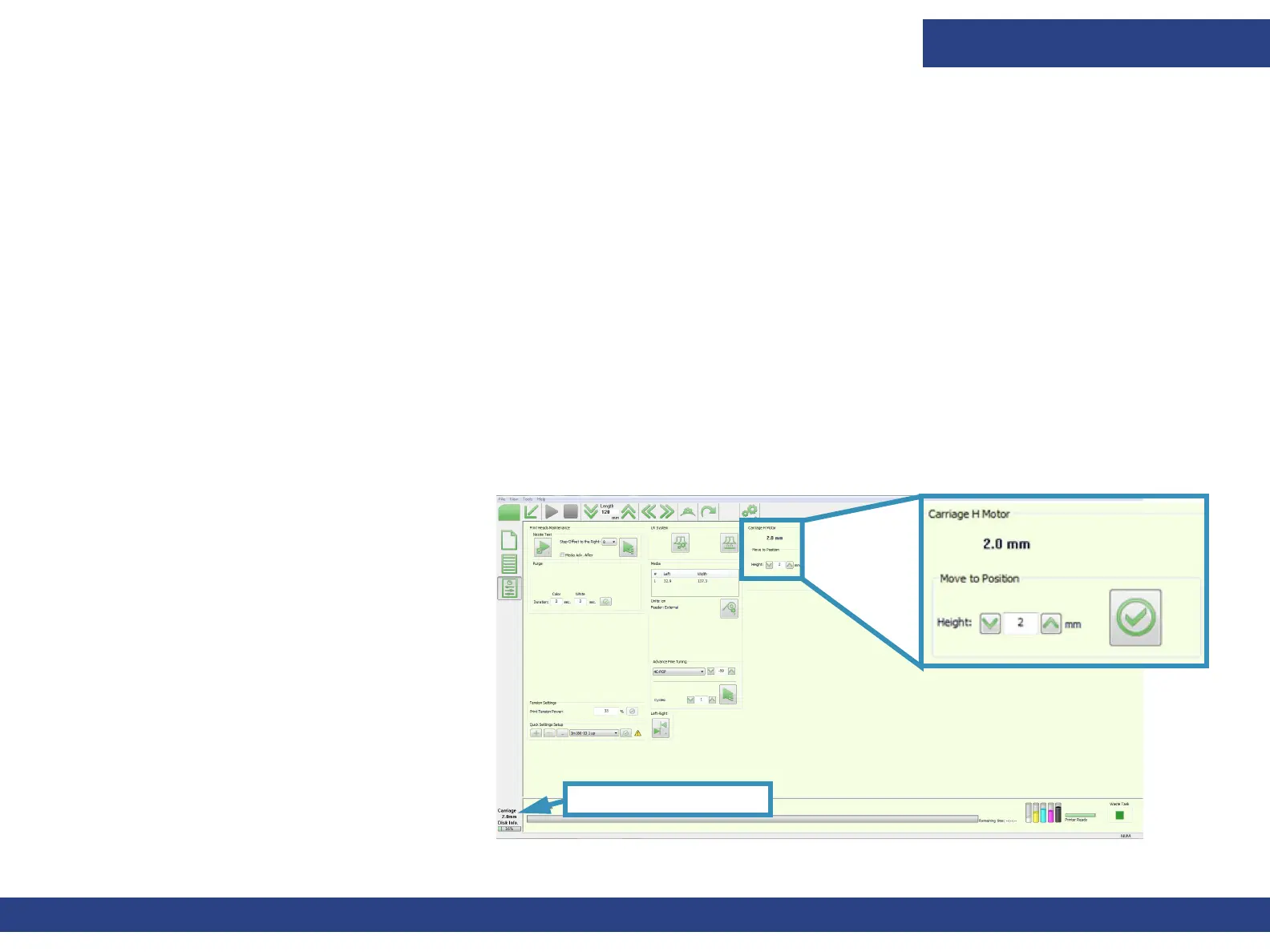
Carriage height is displayed at the bottom left corner of the window and can be adjusted using the carriage H motor field
on the Front-end window. The minimum carriage height is 1.6 mm, and the optimal carriage height is 1.6mm - 2.0mm
above the media being used, keeping in mind that the lower the gap is set, the greater the chance of carriage strikes. The
H motor can be adjusted during the printing process.
Figure 5-8 : Carriage H Motor Fields
Carriage Height Display
1. To raise or lower the Carriage H(eight)
Motor, enter a value in the Height field.
2. Choose Apply.
NOTE: Do NOT set the Carriage
height below 1.6mm.
NOTE: When changing the H motor
height during printing, the
Left-Right parameter should
be changed accordingly.



 To Next Page