Printer Setup
Document ID: OMM-00165 Rev. C Pro 32r Operations Guide 89
5.3.4 Left-Right Calibration Procedure
The printer prints bidirectionally. That is, each carriage pass prints (both right-to-left and left-to-right).
The two directions must be aligned in order to retain accurate and well-calibrated printing results.
To do that, you have to perform a left-right calibration test.
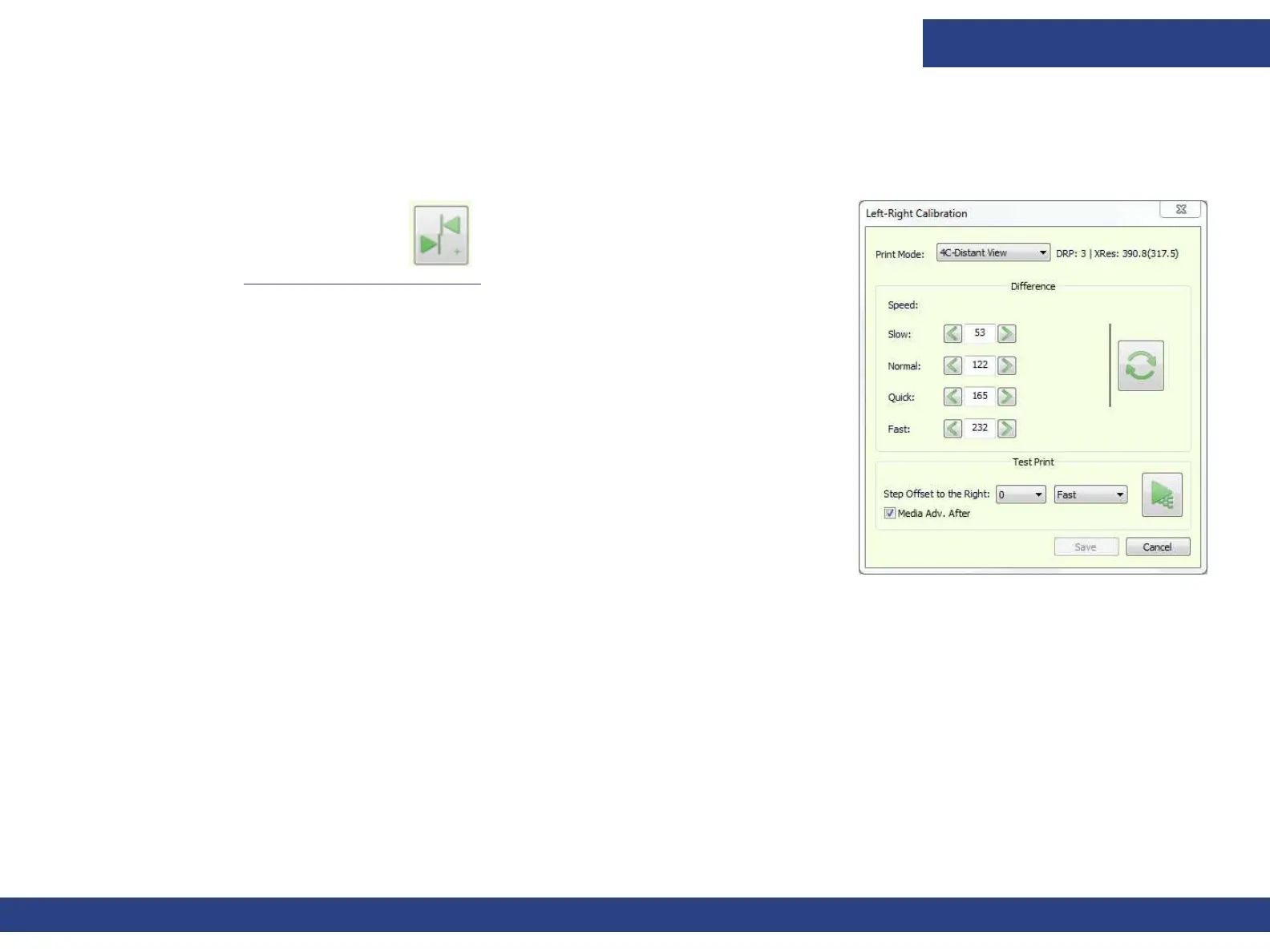
1. Choose the Left – Right icon to open the Left – Right Calibration dialog
box. (See Left-Right Calibration Dialog for details.)
Figure 5-17
2. Select the Print Mode, Step Offset to the Right, and Speed. Then choose the
Print Pattern button.
• The test pattern includes a fixed scale to represent the number you need to add
to or subtract
from the value in the relevant spin box.
• The ideal calibration is that where the highest concentration of color is in the
area of '0'. Your aim is to get the most concentrated area of the pattern around
0, with a tolerance of ±16.
• For example: you are calibrating for 3PassFine Print Mode, in Fast speed.
• If the most concentrated area of the pattern is around -16, subtract 16 from
the Fast value, and print the Pattern again to see if it moved to the 0 area.
• If the most concentrated area of the pattern is around +32, add 32 from the
Fast value, and print the Pattern again to see if it moved to the 0 area.



 To Next Page