Printer Setup
Document ID: OMM-00165 Rev. C Pro 32r Operations Guide 91
5.3.5 Auto Left–Right
The Auto Left-Right feature enables the automatic change of the Left – Right value when changing the carriage height,
especially during printing and working with the wrinkle detector feature. To calculate the Left – Right value for change
of height, you have to calibrate the drop velocity.
NOTE: Calibrate and activate this feature when working with the wrinkle detection feature (in the General group
box in the Preferences dialog box).
Calibration is carried out by printing the Left–Right calibration pattern at two heights – 2 mm and 3 mm. The drop velocity is calculated
from the difference between the two values. Once calculated, the Left-Right calibration is automatically applied at any change of the
carriage height, of up to 3 mm.
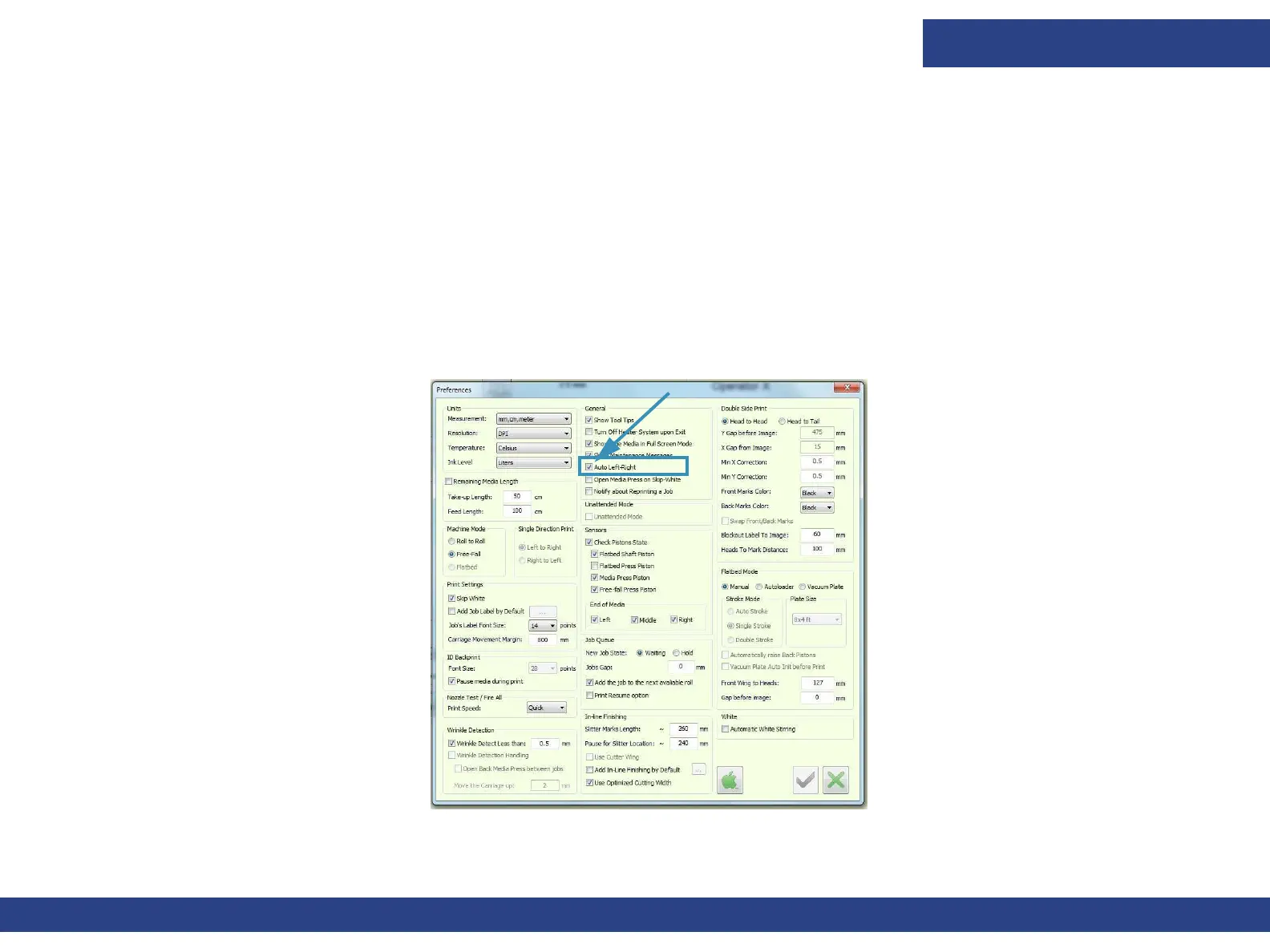
1. To enable this feature, from the Preferences dialog box, check the Auto Left-Right check box, and choose OK.
Figure 5-19 : Auto Left-Right Check Box on Preferences Dialog Box



 To Next Page