- AB620A5035
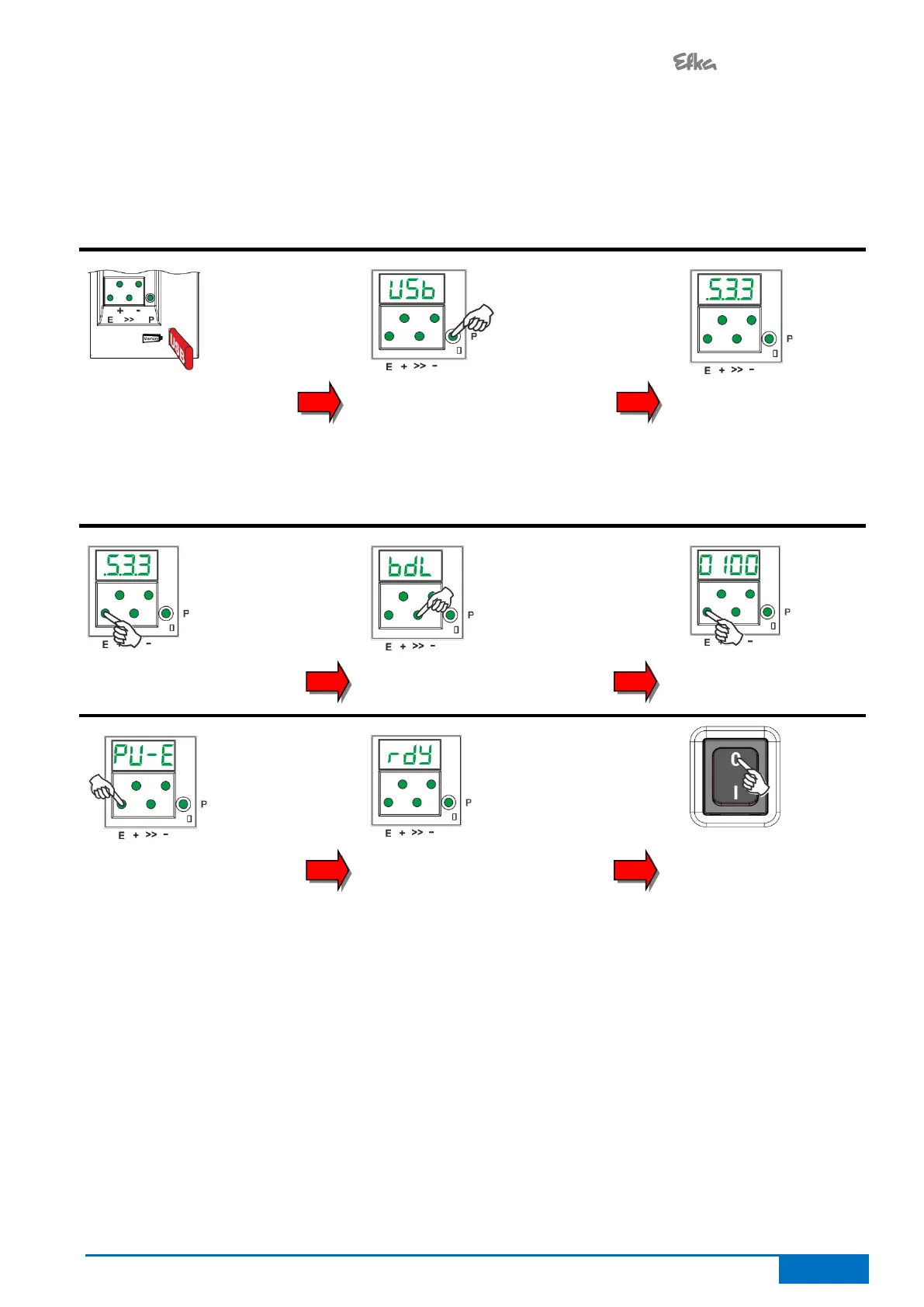
5.1.4 Restoring the parameter backup from the USB stick
This process does not change the actual parameter settings. To load the backup to the current parameter
setting, execute Chapter 5.1.2 "Restoring parameters from backup". (After this process)
Insert the USB stick with
the file "0100DATA.PAB"
Wait until "USB" shows on
the display and press the P
key
Use the +/- buttons to get to
parameter F-533. (".5.3.3"
is shown on the display)
Use the +/- buttons
to get to parameter
F-533. (".5.3.3" is
shown on the
display)
Press the E button once
Press the E button once,
to execute the backup
process
When the process is
completed, "rdy" is
displayed for 1 second


 To Next Page