E L A N H O M E S Y S T E M S
INSTALLATION MANUAL
© ELAN Home Systems 2009 • All rights reserved. Page 49
S86A
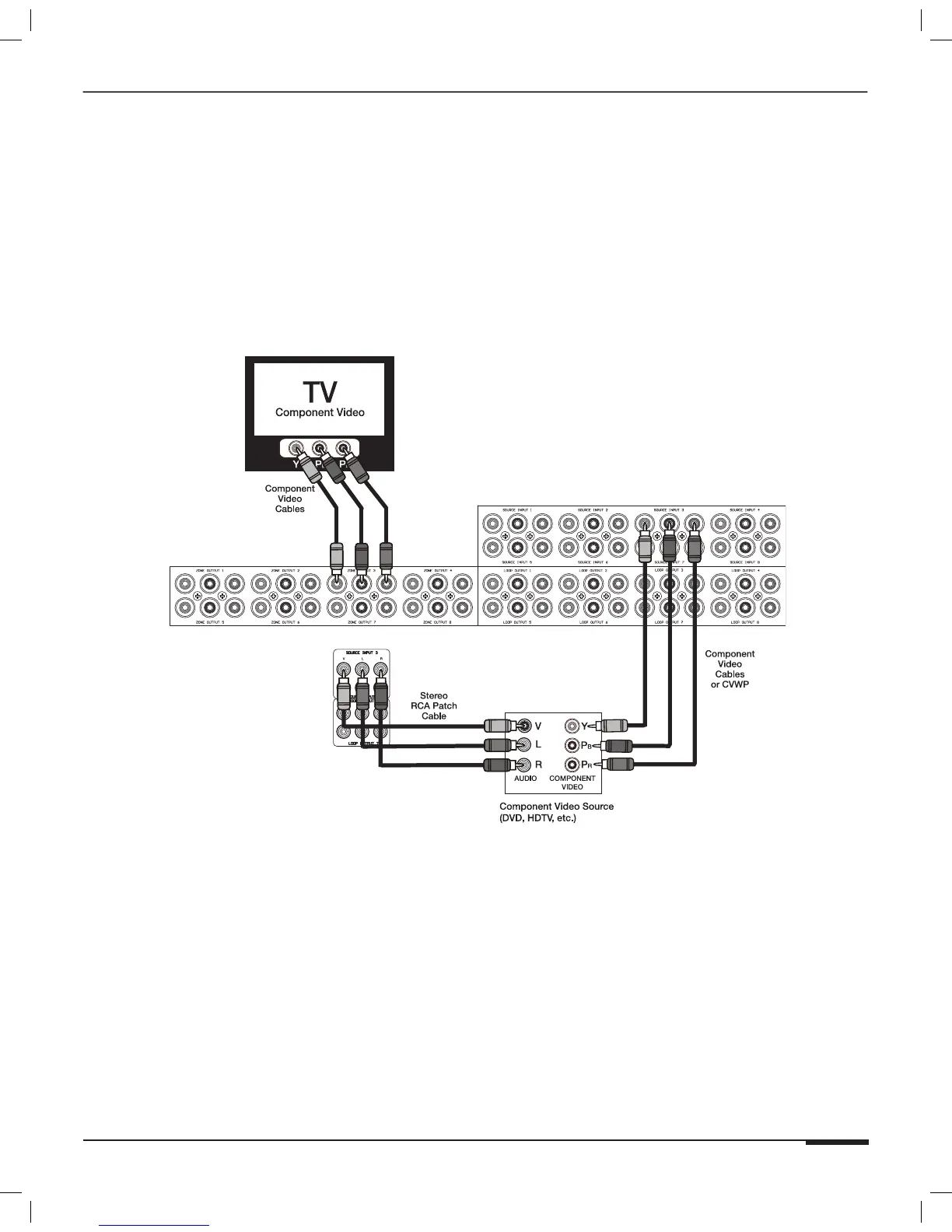
Advanced Video Switching-Component Video
V85 Component Video Controller
Use an ELAN V85 (or multiple V85s) to switch component video. Up to 8 sources can be switched to up to 32 loca-
tions using multiple V85s. Connect RCA audio patch cables from a source to the S86A’s Source Audio Inputs.
Connect component video cables from the source to the V85’s Component Video Inputs. Control using IR (see All IR
Out Port Connections) or RS-232 (see RS-232 Connections) is possible.
Note: The S86A is used to switch composite video only in this
application. Use ELAN’s V85 Component Video Controller to
switch component video.
S86A
V85
Figure 3-41: Advanced Video Switching Connectiions
Note: The V85 also has an optional CAT-5 Zone Output that is
compatible with CVWP Receive Wallplates.



 To Next Page