25
25EN
EPIR3 User Manual v1.3
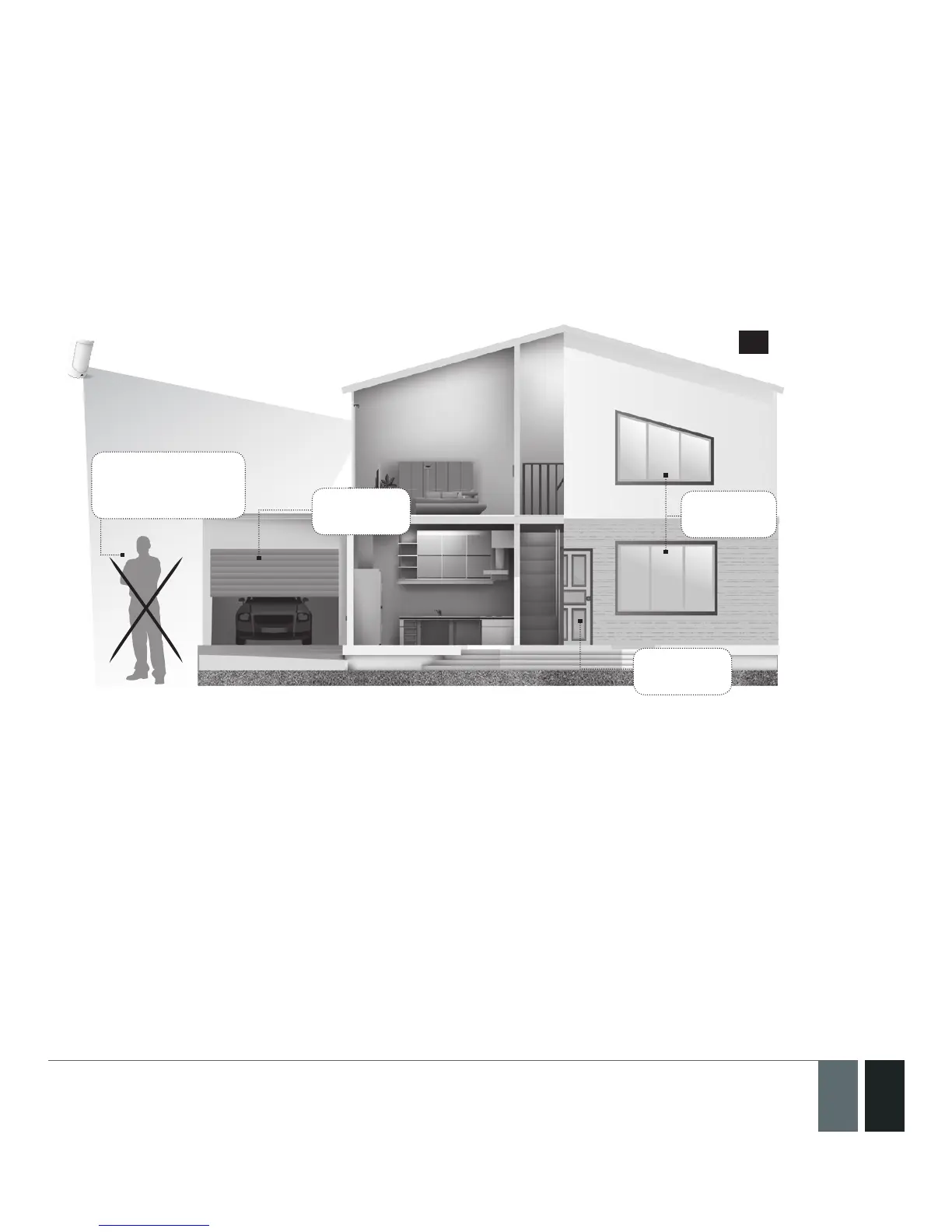
Before arming the system it is necessary to close all doors and windows in the secured area and move yourself
away from the movement detection eld.
Alternatively, you can arm/disarm your EPIR3 system by sending an SMS text message (see section 4. HOW
TO PRO GRAM THE SYSTEM USING YOUR MOBILE PHONE) as well as using a wireless keypad EKB3W (see
section 3.3.3. How to arm the system by EKB3W and 3.3.4. How to disarm & turn o alarm by EKB3W)
or a wireless keyfob EWK1/EWK2 (see section 3.4.1. How to arm the system by EWK1 or EWK2 and 3.4.2
How to disarm & turn o alarm by EWK1 or EWK2).
Close all
doors
Close all
doors
Don’t stand in
movement sensor
detection zone
Close all
windows
58
2.12. A 15 second delay allows you to leave the premises
When you arm the system via your phone, a keyfob or a keypad, the system will give you a 15 second delay before
it activates, giving you time to leaving the premises. You can change the time delay at any time (see ELDES Con-
guration Tool software’s Help section).
The red LED on the detector lens will start to blink, indicating the time delay is in operation and you must leave
room. The red light will go o after 15 seconds when the system will be armed.
2.13. Receiving an alarm call
When the detector is armed and motion is detected in the room, the system will send a SMS text message to User
1 and then ring the user until the call is answered. If the call is not answered after several rings (predetermined
by your mobile phone operator) the system will hang up. If the call is not picked up by User 1, the system will ring
all the pre-programmed numbers in order of priority starting with User 2 until a user picks up or the call expires.
If the rst user is “busy” or “out of radio coverage”, the system will also ring the next pre-programmed number.
When a call is answered, the system will activate the remote microphone so you can listen to what is happening



 To Next Page