6
6 EN
EPIR3 User Manual v1.3
1. 7-STEP START GUIDE
OVERVIEW
This section tells you how to install the EPIR3 system quickly by following the very basic instructions consisting of
only 7 steps. For step-by-step device programing using software, please refer to section 2. QUICK START GUIDE.
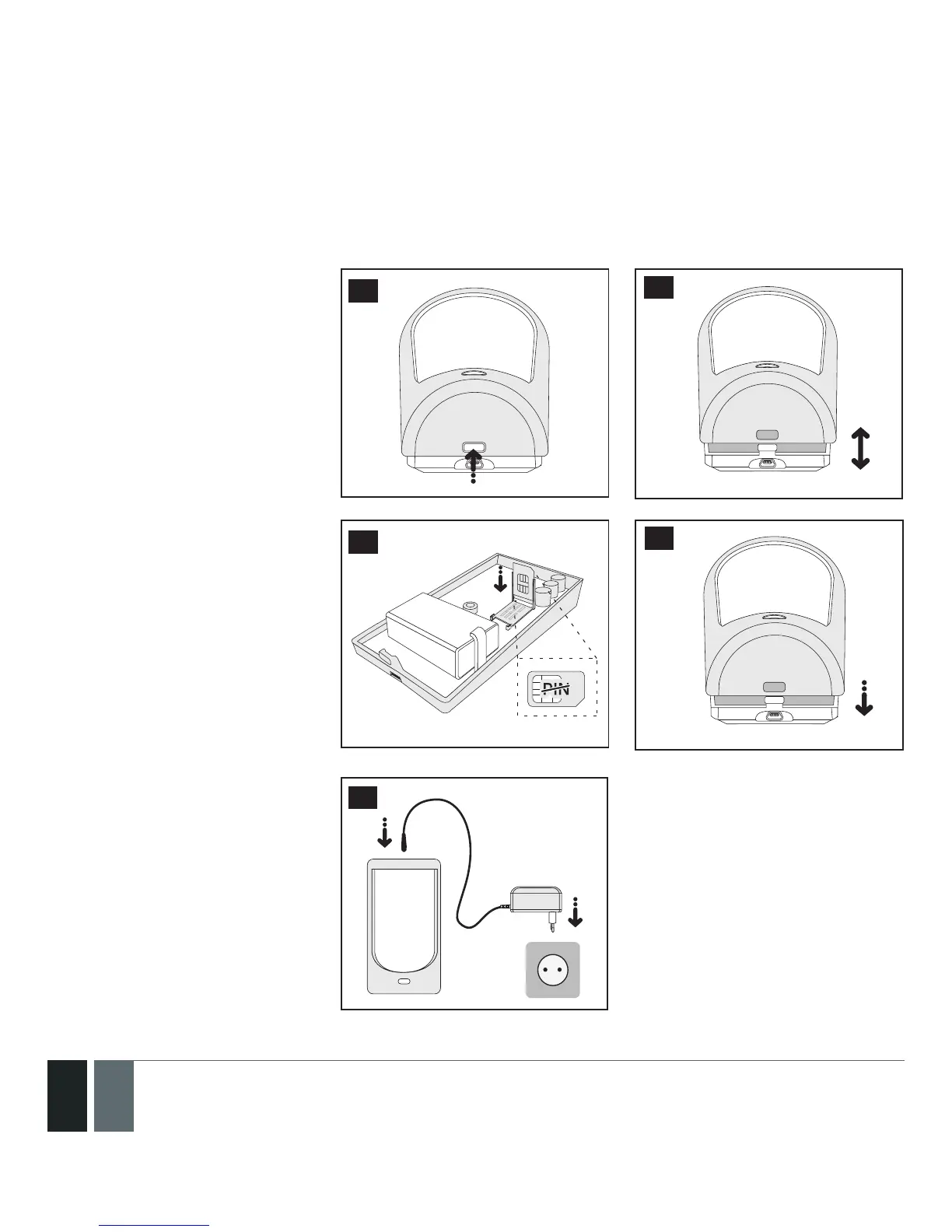
1. Remove the front cover of the
device.
3
2. Open the SIM card holder by rst
sliding the the cover to the right
then hinging it upwards. Then
insert the SIM card with disabled
PIN code request into the holder.
Ensure that gold contacts are
face down when SIM card cover
is ipped back down and slide
the SIM card cover back to lock-
SIM card in place. Close the front
cover afterwards.
4
5
3. Plug the power supply connec-
tor into the device and insert
the plug into the mains socket
7



 To Next Page