9
9EN
EPIR3 User Manual v1.3
7. To arm your system dial the
device SIM card’s phone number
and wait until it rings three
times and then drops the call.
This means the system is now
successfully armed. To disarm
the system, dial the SIM card
and wait until it rings once and
then drops the call. The system
is now successfully disarmed. In
both cases be sure to wait until
the system automatically drops
your call. Again in both cases
the user will receive a short SMS
text message each time the
system is successfully armed or
disarmed.
13
2. QUICK START GUIDE
OVERVIEW
This section tells you how to install the EPIR3 system quickly and easily and covers all the procedures required for
full system operation. The alarm system functions via the GSM network, so you will rst need to purchase a SIM
card so you can ‘talk’ to and program your device via your mobile phone. Due to the dual element technology of
a built-in PIR sensor, the device features the pet immunity against the animals of up to 40 kg weight in order to
prevent them from causing false alarms while moving within the secured premises.
How to expand your system with additional wireless devices
Your EPIR3 system has a built-in wireless module providing expansion capabilities to your system by pairing ad-
ditional ELDES wireless devices to it. However, the EPIR3 system can operate fully without any wireless devices
paired to it.
This section does not cover the procedures for adding wireless devices to the system. If you intend to use the
wireless devices with your EPIR3 system, follow the instructions for setting up the EPIR3 in this section then refer
to section 3: HOW TO MANAGE THE WIRELESS DEVICES.
Step-by-step system installation
2.1. How and where to x the holder to the wall
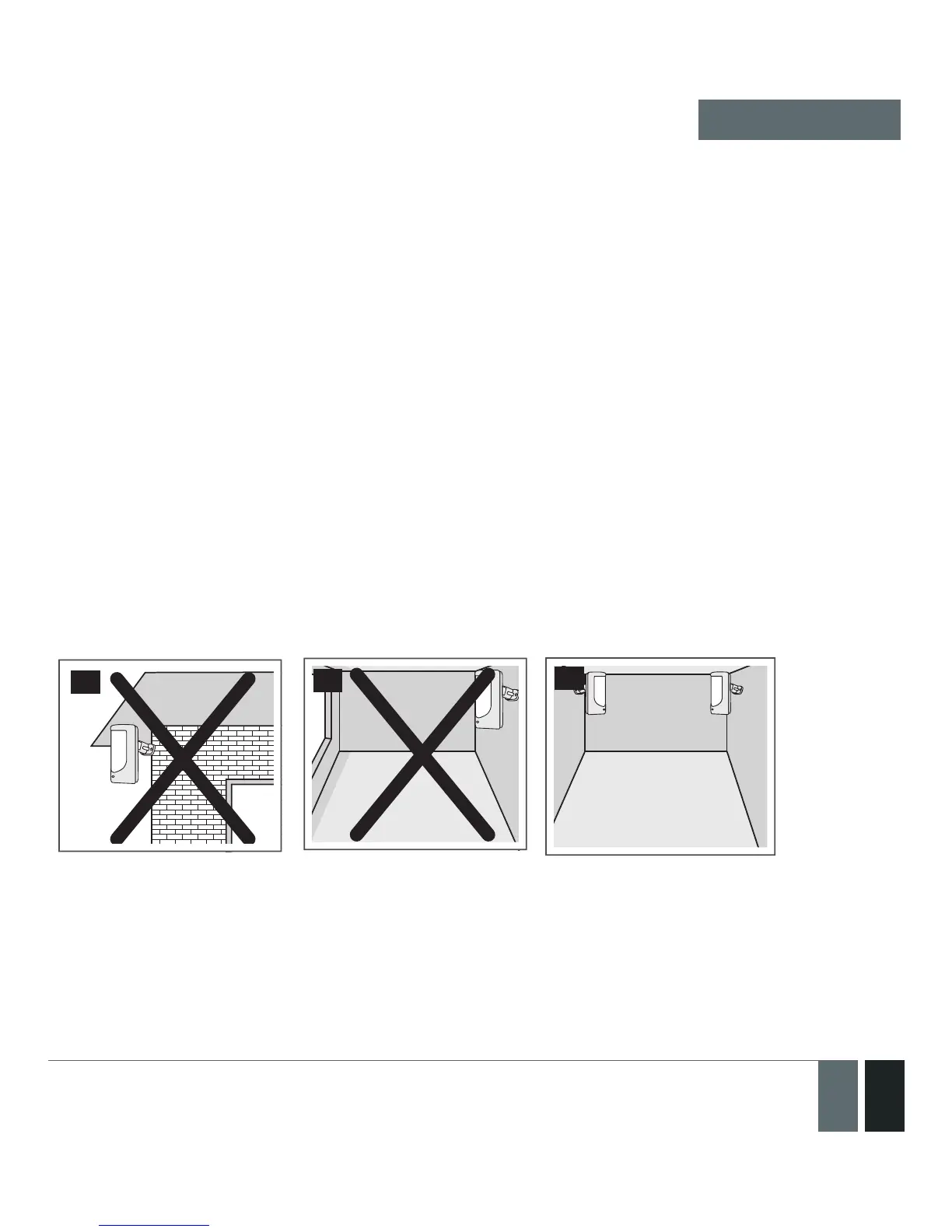
The system should be installed indoors, in stationary environment ONLY. Choose a location where unauthor-
ised entry is most likely.
14
15
16
To prevent false alarms, avoid installing the unit in the following locations:
• With the lens facing direct sunshine, for instance in front of windows
• Places with high temperature uctuations, such as near replaces, boilers, ovens etc
• Anywhere with high dust or air ow
• In an area surrounded by metal or thick walls where the GSM connection may be lost
QUICK START GUIDE



 To Next Page