42
42 EN
EPIR3 User Manual v1.3
Zone LED section - A (ashing)
Zone LED section - B
(illuminated continously)
Zone LED 1 = 1 Zone LED 7 = 12
Zone LED 2 = 2 Zone LED 8 = 18
Zone LED 3 = 3 Zone LED 9 = 24
Zone LED 4 = 4 Zone LED 10 = 30
Zone LED 5 = 5
Zone LED 6 = 6
3.4. EWK1 and EWK2 wireless keyfob overview
EWK1/EWK2 is a wireless keyfob intended for using with EPIR3 alarm system. EWK1/EWK2 keyfob features four
congurable buttons intended to operate according to individual needs. After the button is pressed, EWK1/EWK2
internal buzzer’s sound signal (and red indicator; on EWK2 only) conrms a successfully carried out command. The
status of the sent command can be checked by attempting to receive the feedback signal from the alarm system.
This can be performed by pressing down the same button and holding it for 3 seconds. 3 short sound signals indi-
cate a successfully carried out command while 1 long beep stands for failed command and feedback signal failure.
By default one pair of buttons is already congured to arm and disarm the alarm system.
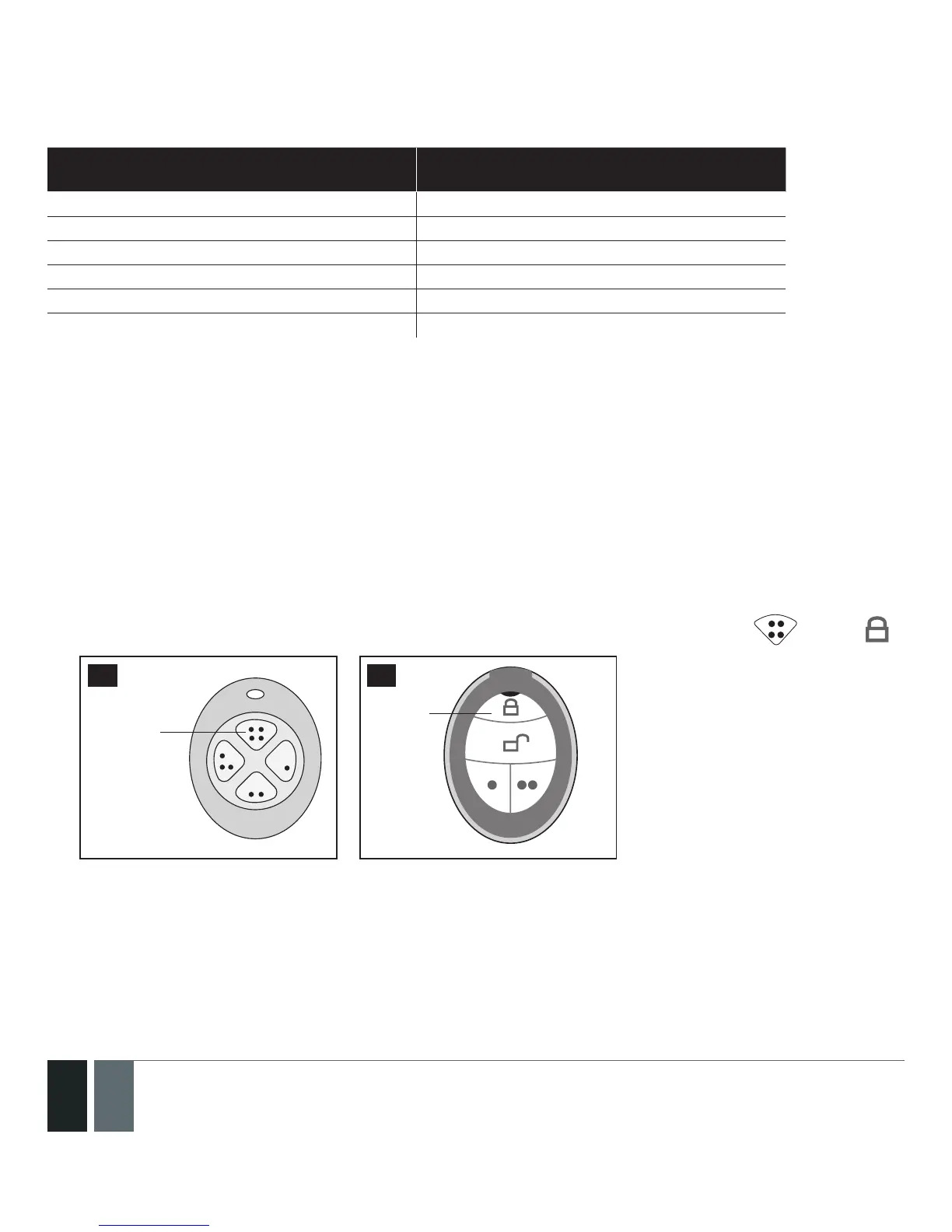
3.4.1. How to arm the system by EWK1 or EWK2
1. To arm the system, press 1 of 4 keyfob buttons set to arm the system (by default, EWK1 – ;EWK 2 - ).
Arm the
system
73 74
Arm the
system
2. The system will initiate the exit delay countdown (by default – 15 seconds) intended for user to leave the
secured area.



 To Next Page