ADL 2010 / 01 32/57 599 72 63-27
9 DIAGNOSTIC SYSTEM
This mode allows to check appliance operations and to read alarms.
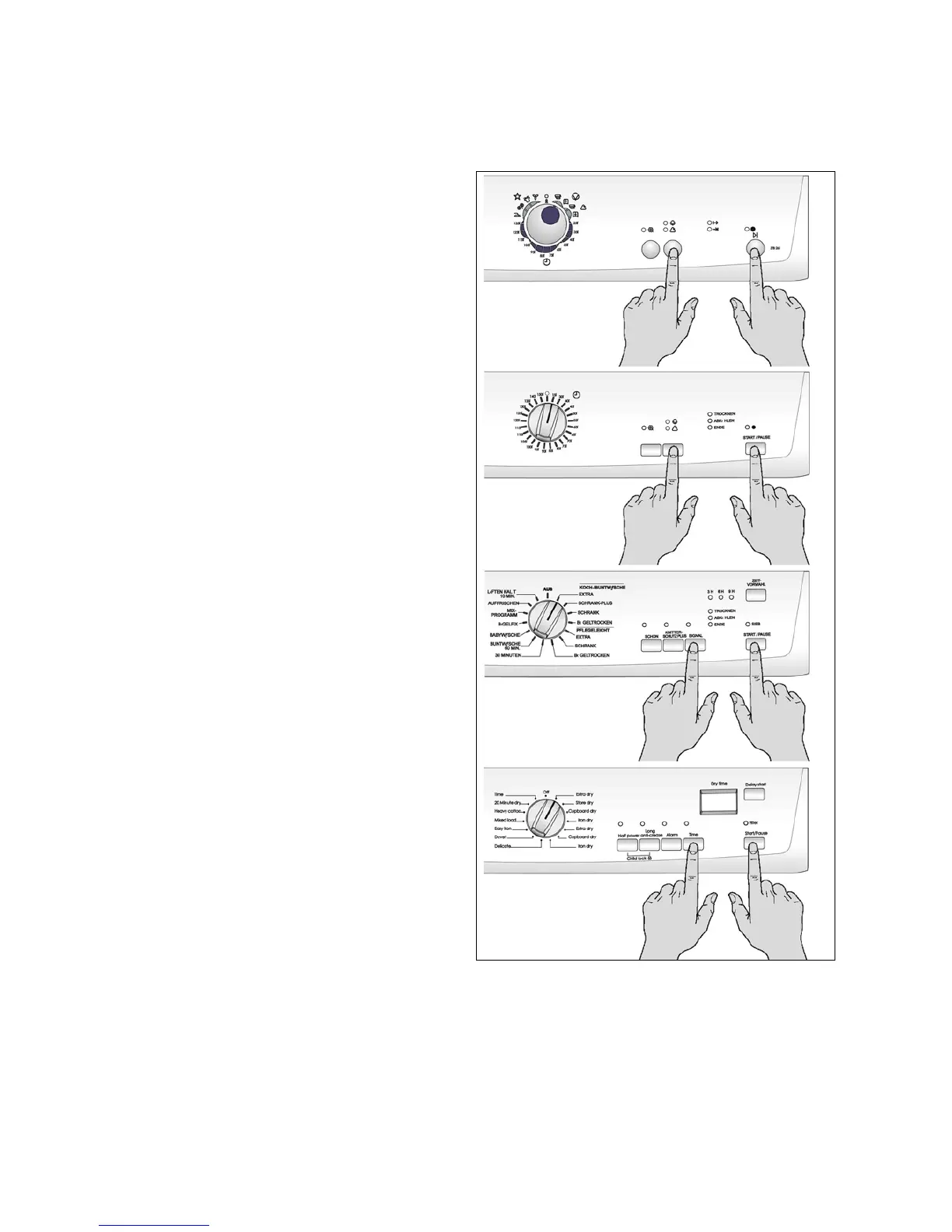
9.1 Accessing diagnostics
1. The appliance must be turned off.
2. Turn the appliance on, turning the programme
selector by one position in a clockwise direction.
3. Wait until the LEDs light up and the buzzer
sounds, then press the START/PAUSE button
and the first button to the left of it simultaneously.
Warning: this operation must be carried out
withinn 5 seconds!
4. Keep pressing the buttons until the LEDs start to
flash and the buzzer sounds.
9.2 Quitting the diagnostics system
To quit the diagnostics system, turn the programme selector to position zero, turn the appliance on so as to
reset all the functions, then turn the appliance off again.





 To Next Page