ADL 2010 / 01 46/57 599 72 63-27
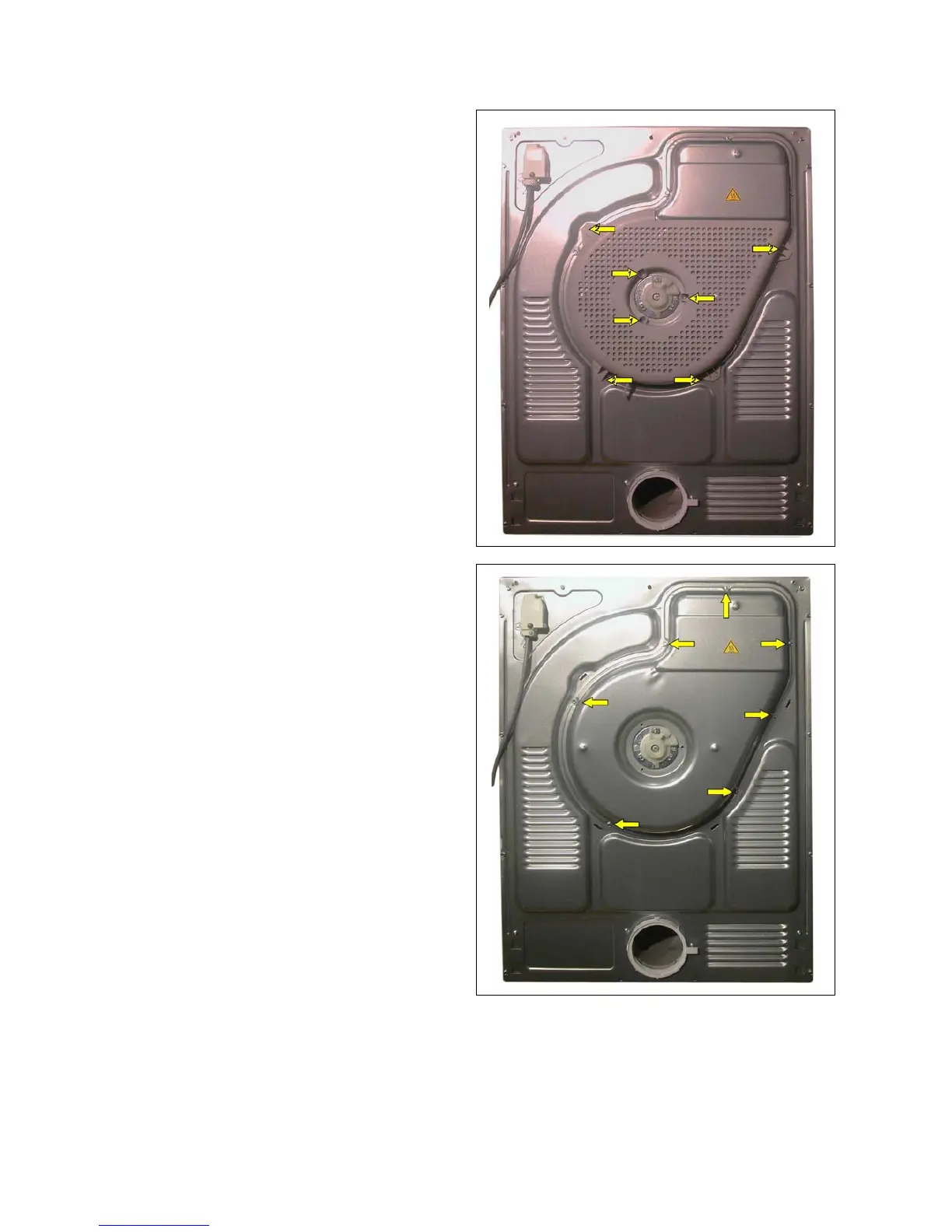
13.11 Back panel cover
1. Remove the worktop (see paragraph).
2. Unfasten the three screws (1) fixing the back
panel guard (made of plastic) at the centre.
3. Use a screwdriver to release the hooks that
fasten it on the outside. (2)
4. Unfasten all perimeter screws fixing the back
panel cover.
The figures show a conductivity sensor tumble dryer with rear brush; in machines that are not fitted with a
rear brush the procedure is exactly the same.





 To Next Page