Handling in Operation
BA_Elmasteam_8_Vers.07.2016 © Elma Schmidbauer GmbH
1. Turn the rotary knob completely in the direction
wet
(A) for
100% saturated steam.
2. Turn the rotary knob completely in the direction
dry
(B)
for
100% dry steam.
3. Turn the rotary knob during the steam operation towards
wet or dry to adjust the mixing ratio.
7.4 Programme Selection
INFORMATION
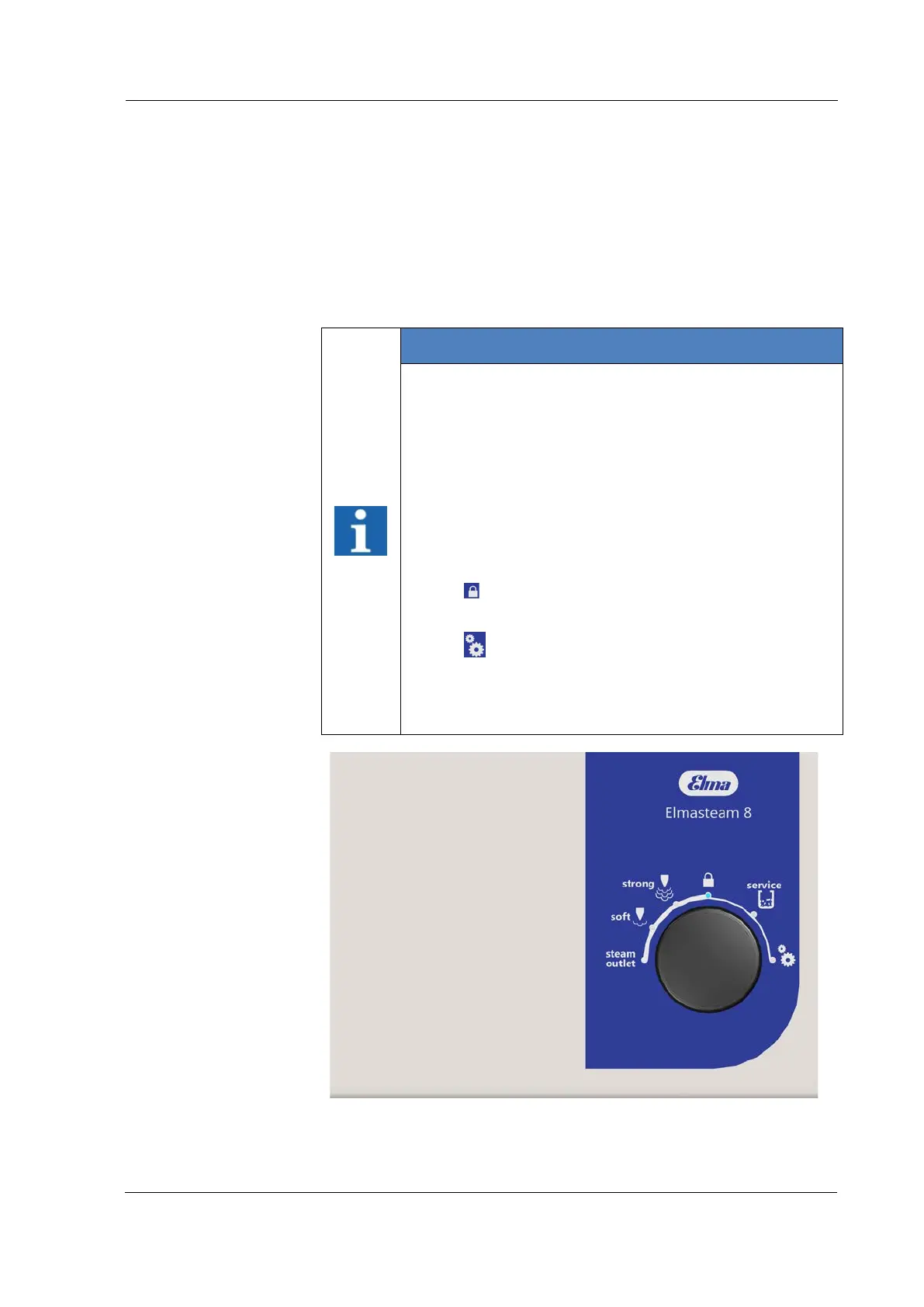
Rotary knob for programme selection:
Turn the rotary knob to select the function and press the
rotary knob to confirm the selection.
The selected programme lights up as blue on the
display segment (point).
The programmes:
• steam outlet
• soft
• strong
•
lock
• service (descaling)
•
Setting
are described in the following chapters.
The device is pre-set to the factory settings (Table
Chapter 7.4.6.1 Settings).
Figure 7.4: Rotary knob, programme selection



 To Next Page