Handling in Operation
BA_Elmasteam_8_Vers.07.2016 © Elma Schmidbauer GmbH
7.4.4 Selecting lock
INFORMATION
The selected programme lights up as blue on the
display segment (point).
The time setting for the function lock is pre-set at the
factory and can be amended in the programme
settings (Chapter 7.4.6 Settings).
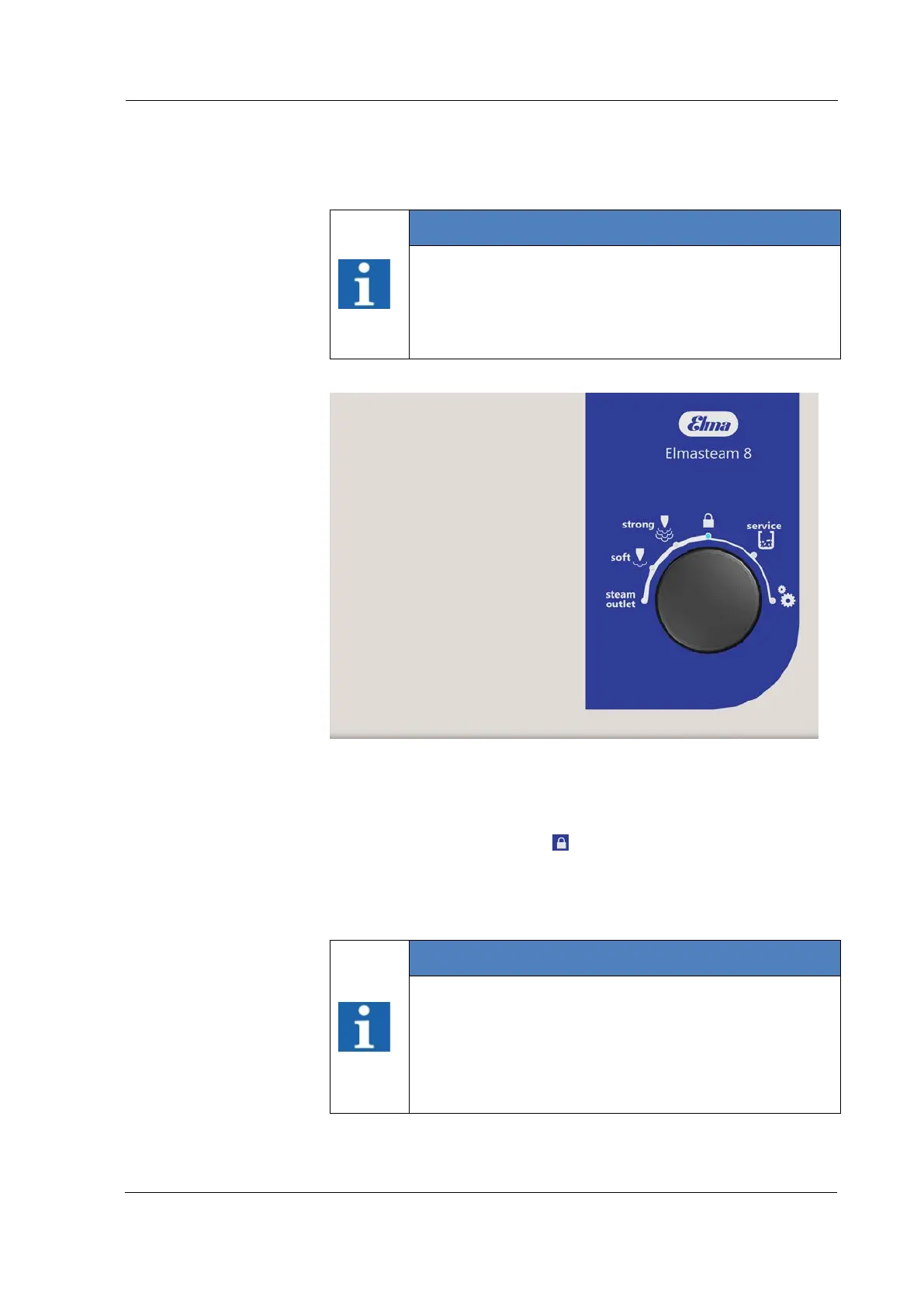
Figure 7.4.4: Program selection lock
Utilise the function lock for application pauses, to avoid accidental
steam discharges.
1. Set the rotary knob to
lock.
2. Press the rotary switch to confirm.
3. The steam button and foot switch are deactivated.
INFORMATION
The device switches automatically to lock after the set
time has expired.
The steam application is ready for use once you have
selected the soft, strong or steam outlet programmes.
After the interval time to eco, the pressure reduces to
3 bar (Chapter 7.4.7 Settings).
Lock



 To Next Page