Handling in Operation
© Elma Schmidbauer GmbH BA_Elmasteam_8_Vers.07.2016
7.4.6 Settings
INFORMATION
The selected programme lights up as blue on the
display segment (Point).
Settings for the following programmes are displayed
on the pressure gauge:
1=soft,
2=strong,
3=time to lock
4=time to eco,
5=water hardness (lime),
6=chlorine content and
8=factory setting
The device has been pre-set at the factory. The
factory settings can be amended. Utilise the table
(Chapter 7.4.6.1 Settings) for this.
After every adjustment, or after 45 seconds, the device
switches to the function
lock.
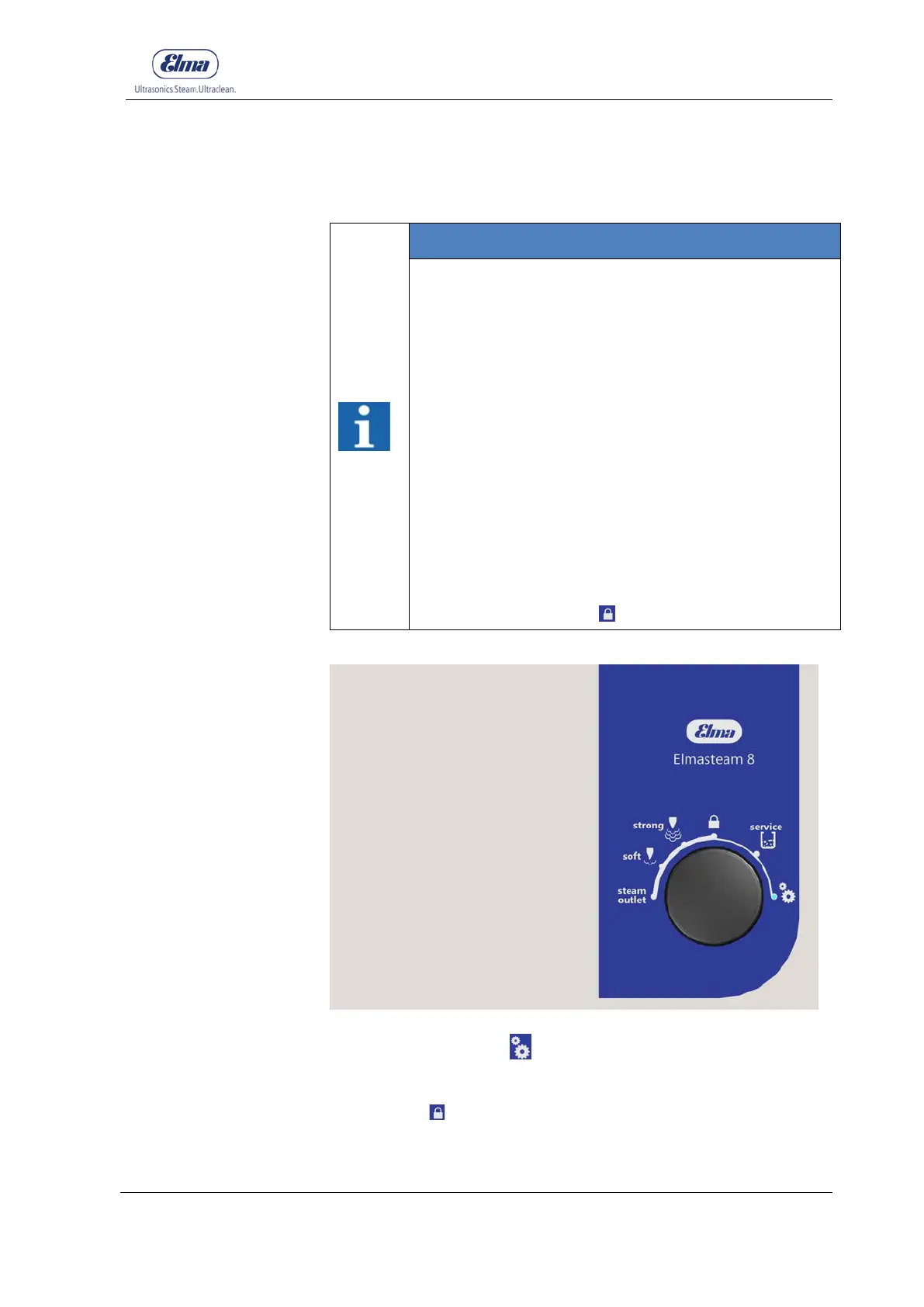
Figure 7.4.6.1: Programme selection, settings
Use the programme for
settings to amend the settings. Utilise
the table (Chapter 7.4.6.1 Settings) for this. Turning the rotary
knob via settings or steam outlet away, then the device will
switch to the
lock function.



 To Next Page