Handling in Operation
BA_Elmasteam_8_Vers.07.2016 © Elma Schmidbauer GmbH
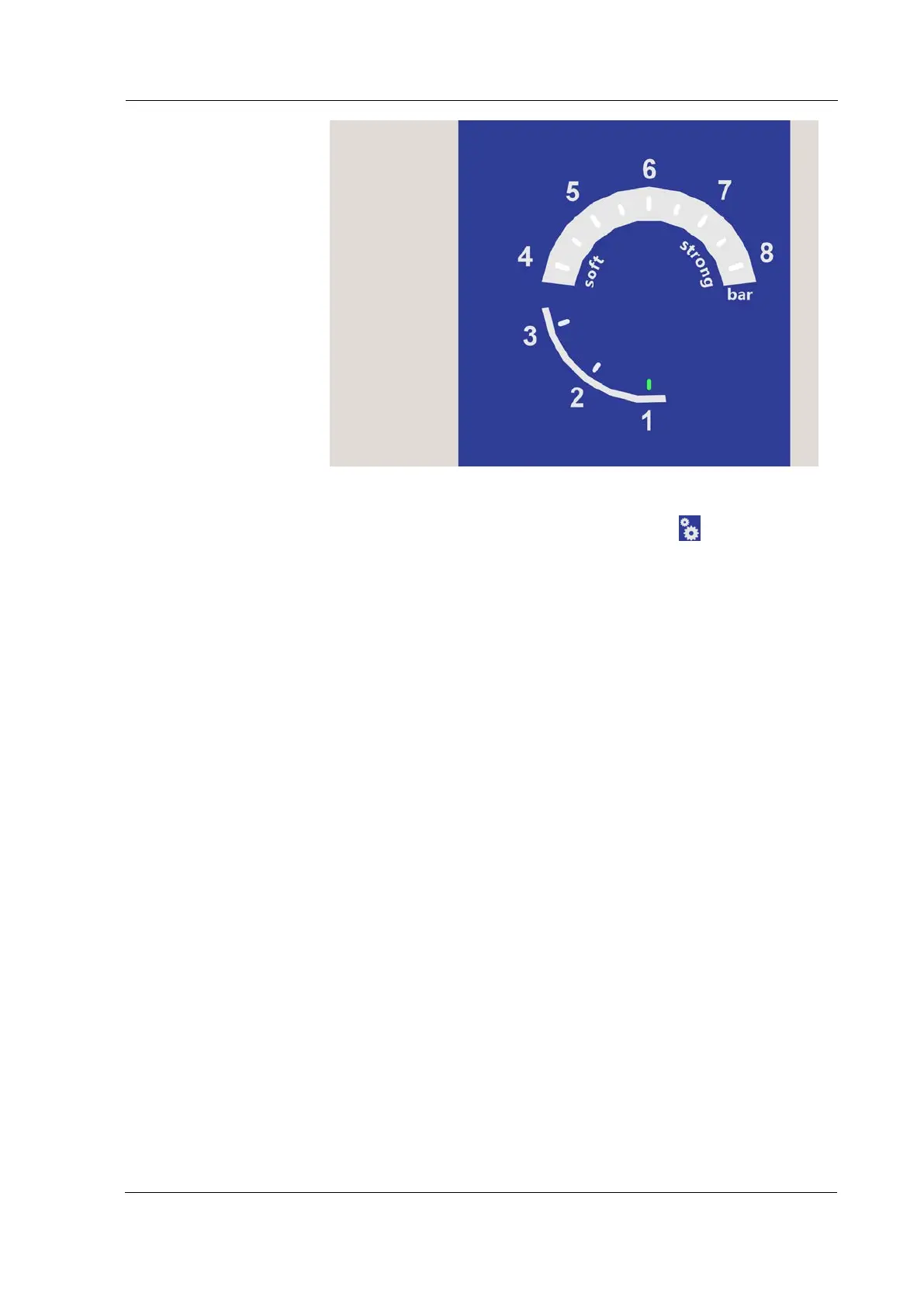
Figure 7.4.6.2: Gauge display, settings programme 1-8
1. Set the rotary knob (Figure 7.4.6.1) on
settings.
2. Press the rotary knob (Figure 7.4.6.1) for 2 seconds to
confirm.
To change the device settings, utilise the table for
settings (Chapter 7.4.6.1 Settings)!
3. The scale of values 1 (adjust steam to
soft
) flashes on the
gauge (Figure 7.4.6.2).
4. Turn the rotary knob until the scale of values on the
pressure gauge indicates the programme number to be
amended.
Programme numbers:
1
= Set steam pressure for
soft
4-6 bar
2
= Set steam pressure for
strong
6-8 bar
3
= Set time for time to
lock 0-105 minutes
4
= Set time for time to
eco* 0-7 hours
5
= Set measured
Water hardness * 0-20°dH
6
= Set measured
chlorine content* 0-200 mg/l
8
= Reset to
factory default
settings
5. Press the rotary knob to confirm the programme number.
The last value set will be displayed on the gauge.
This value will turn green on the scale of values.
6. Turn the rotary knob to amend the value. The possible
setting is displayed on the pressure gauge by the flashing
values. If you exceed or are under the possible setting
range, then the values will not flash any more. Turn back



 To Next Page