Safety / Maintenance / Repair Works
BA_Elmasteam_8_Vers.07.2016 © Elma Schmidbauer GmbH
8.2 Flush the Pressure Vessel
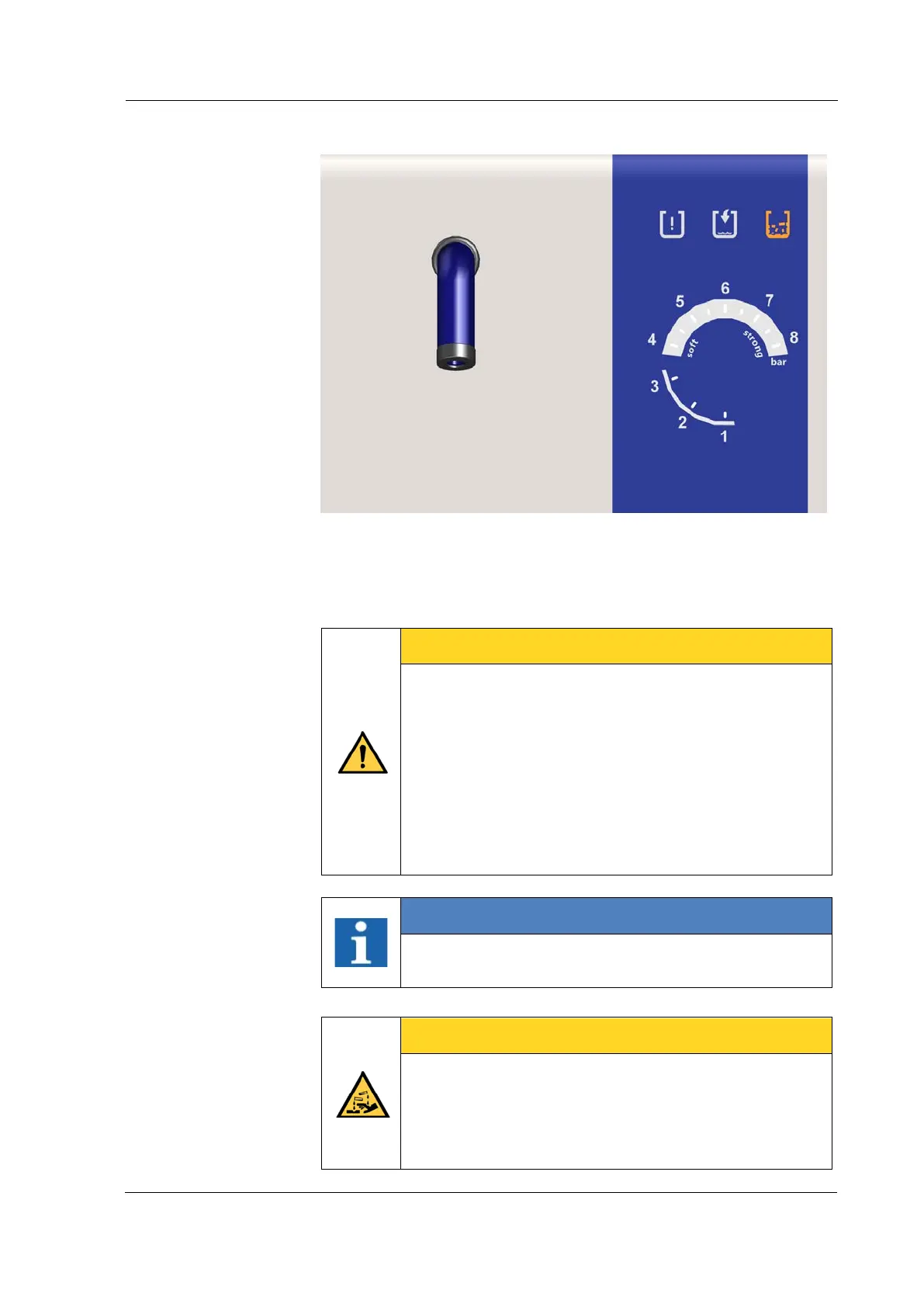
Figure 8.2: Operating display, service (descaling)
Depending on the local water quality. The operating display for
service (descaling) signals when descaling is required. The device
must be flushed through in the descaling step 2 (Chapter 7.4.5
Service (descaling).
CAREFUL
Overpressure in the pressure vessel!
Loss of safety function!
• Flush through the pressure vessel (Chapter 7.4.5.
Service/descaling).
• Calcium deposits (in hard calcium content water)
can lead to a loss of the safety function on the
safety valve.
• The operator and/or owner is responsible for the
regular flushing in the descaling programme.
INFORMATION
Use the flushing set (Figure 8.2) to flush the pressure
vessel (flushing set included in the scope of delivery).
CAREFUL
Risk of injury!
Injuries can be caused by chemical burns on the skin!
• Never fill chemicals into the device!
• Only utilise potable water or DI water (1.5 l with 3%
pure citric acid) for descaling!



 To Next Page