101
Sewing with PC Design Cards (Optional)
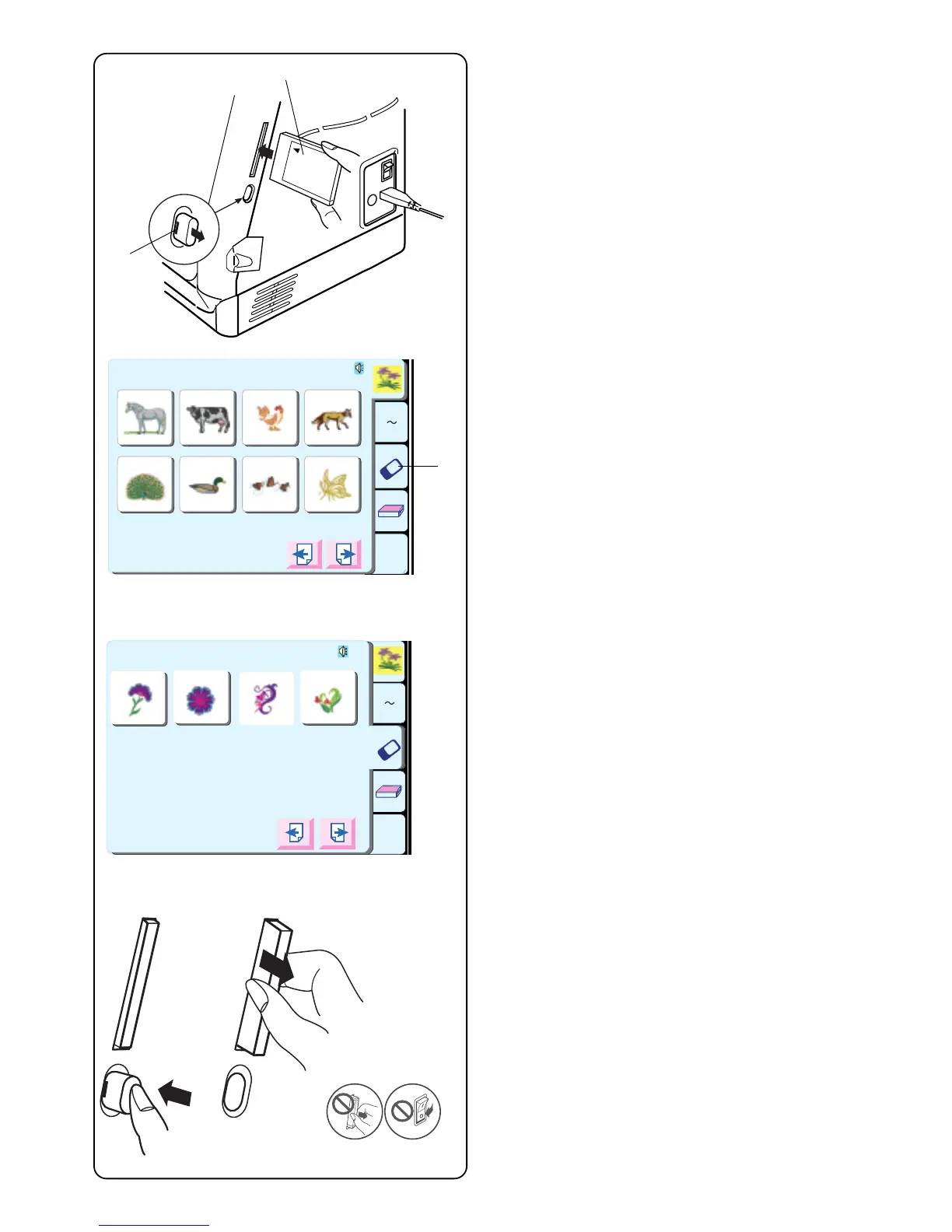
Inserting the Card
Insert PC design card q into slot with front side facing
you. Push card in until it clicks and the card eject button
w pops out. (You should see a red bar on the button.)
Selecting from a PC Design Card
Touch the “PC Design Card” key e.
The PC design selections window opens. Designs
programmed on the card will appear. Select a design.
Ejecting the Card
Push in the card eject button. Remove PC design card
from the slot.
CAUTION: Do not turn off the power switch or eject the
card when warning messages or hourglass icon is
displayed.
q
w
A Z
Edit
1 2 3 4
5 6 7 8
Designs
Hoop Size A(F): 126
X
110mm
Edit
A Z
PC Card NO.1001
2
1
3
4
Hoop Size A(F): 126
X
11 0m m
e



 To Next Page