39
A Z
2 3
4
5 6
7 8 9
10
11 12
A
Auto
Adjust
3
1
Zigzag Stitch
2 3
4
5 6
7 8 9
10
11 12
1
Zigzag Stitch
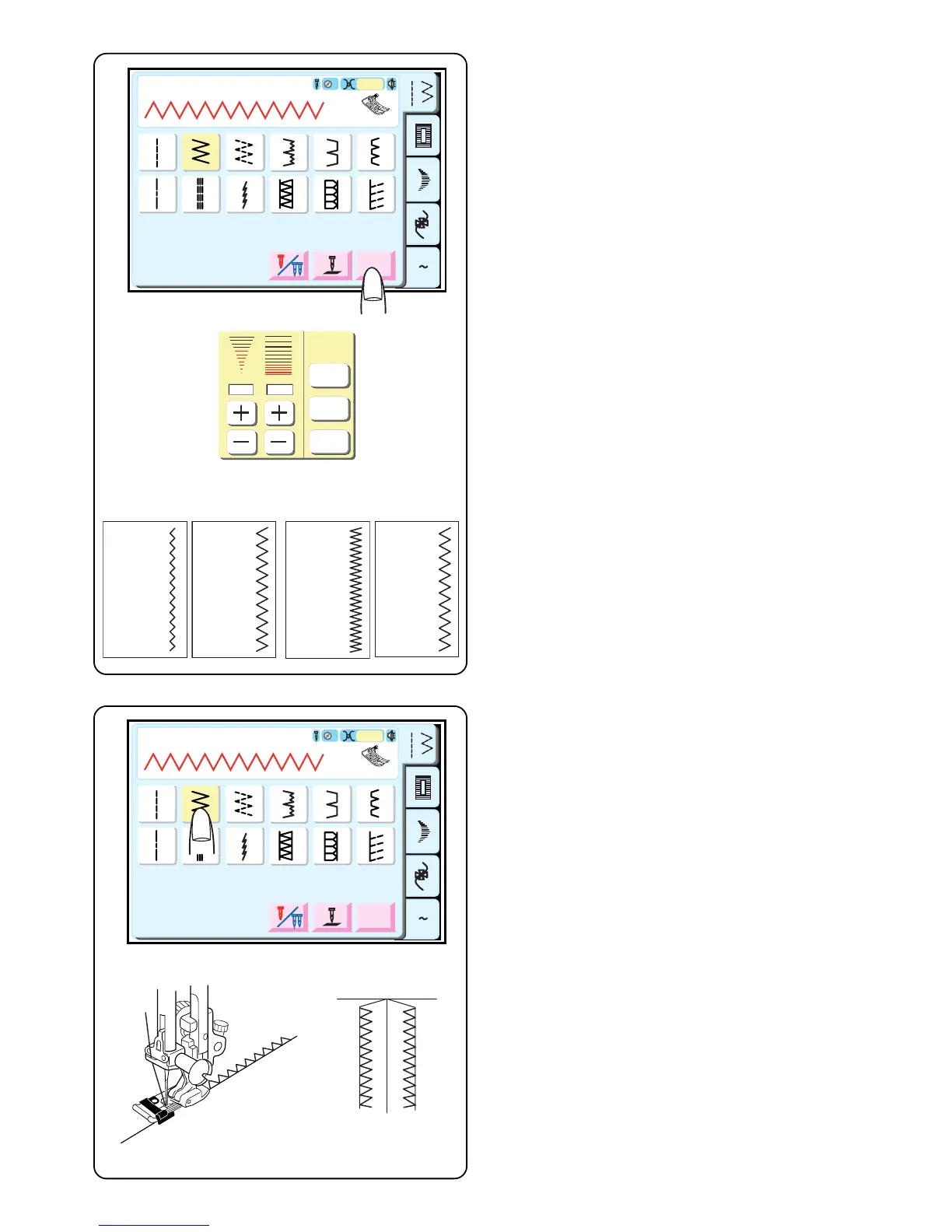
The zigzag stitch is a very versatile stitch. Simply change
its width and length. Use the zigzag to finish raw seam
edges, sew narrow hems, sew satin stitch appliqué and
create beautiful monograms.
Select 2.
Adjusting Stitch Width and Length
Touch “Adjust” key. (See page 33 for explanation
regarding operation of keys.)
Touch the “+” or “–” keys to change the stitch width and
length.
q Narrower width (lower number)
w Wider width (higher number)
e Shorter stitch (lower number)
r Longer stitch (higher number)
NOTE: Settings can be altered during sewing.
A Z
2 3
4
5 6
7 8 9
10
11 12
A
Auto
Adjust
3
1
Zigzag Stitch
2 3
4
5 6
7 8 9
10
11 12
1
5.0 1.50
Default
Cancel
OK
Default
Cancel
OK
q
wer
Overcasting
Simple zigzag stitching is used for finishing raw seam
edges (overcasting) on most woven fabrics to prevent
fabric from unraveling. This is the fastest way to finish an
edge.
Select 2.
Attach overlock foot C.
• Do not set the stitch width lower than 5.0 when using
overlock foot C because the needle could hit wires
on the foot.
NOTE: Default stitch width is 5.0.
Place the fabric edge against the black guide on the foot.
Sew.



 To Next Page