112
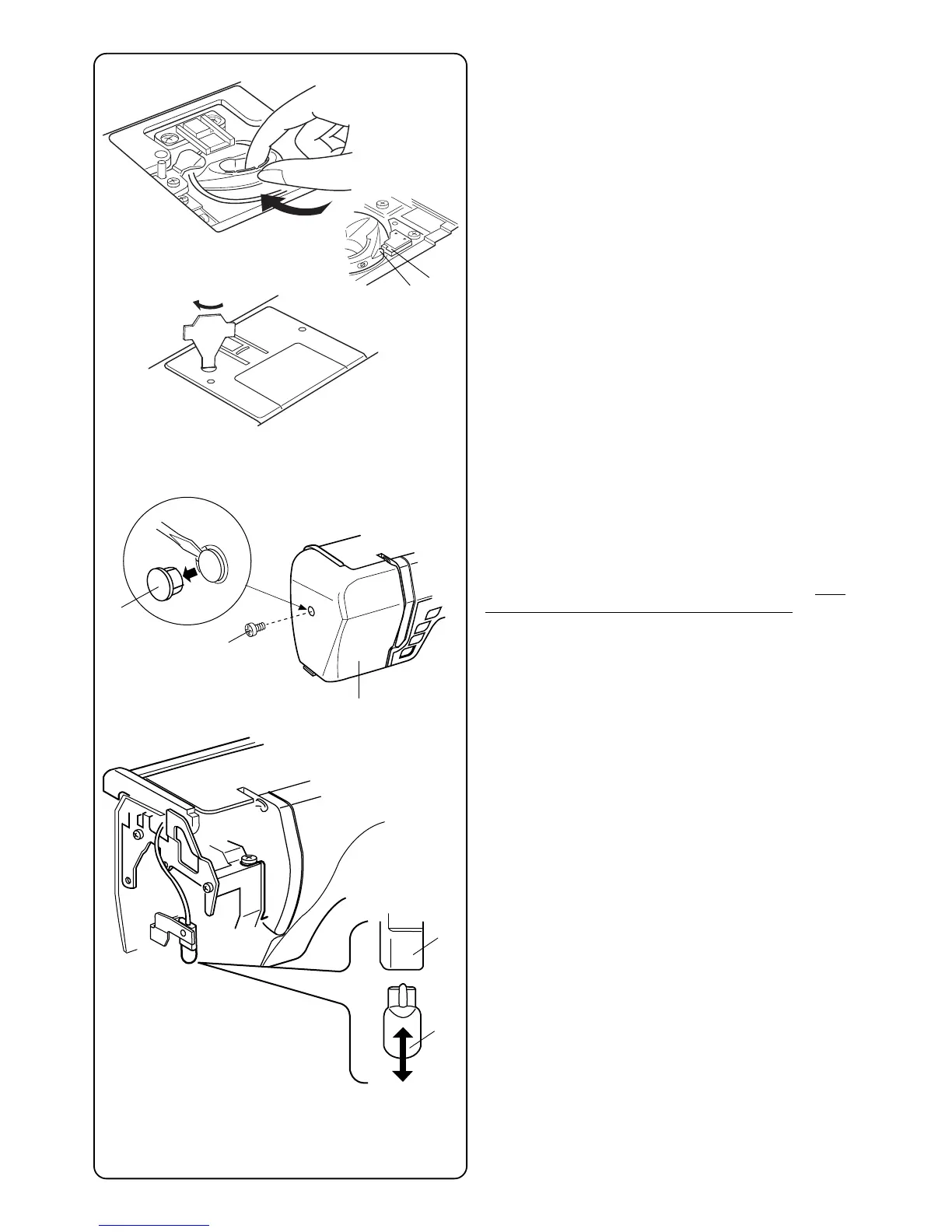
Replacing the Bobbin Case
Insert the bobbin case so the knob q fits next to the
stopper w in the hook area.
Attach the needle plate and tighten the screw.
After cleaning, be sure to replace the needle, presser
foot and bobbin.
Changing the Light Bulb
Turn OFF the power switch. Unplug the machine. Wait
until the bulb has cooled before touching it.
Remove screw cap q and set screw w. Pull away face
plate e.
Pull out light bulb t from the socket r.
Insert light bulb into light socket.
Replace face plate, screw and screw cap.
NOTE: Only use same type light bulb rated 12 Volts, 5
watts.
q
w
e
r
q
w
t



 To Next Page