83
A Z
2 3
4
5 6
7 8 9
10
11 12
A
Auto
Adjust
3
1
SETSET
2 3
4
5 6
7 8 9
10
11 12
1
SET
?
Straight Stitch
SECTION IV
Embroidery Sewing
Getting Ready to Embroider
Turn OFF the power/light switch.
Insert an embroidery needle appropriate for the fabric
weight. See page 22.
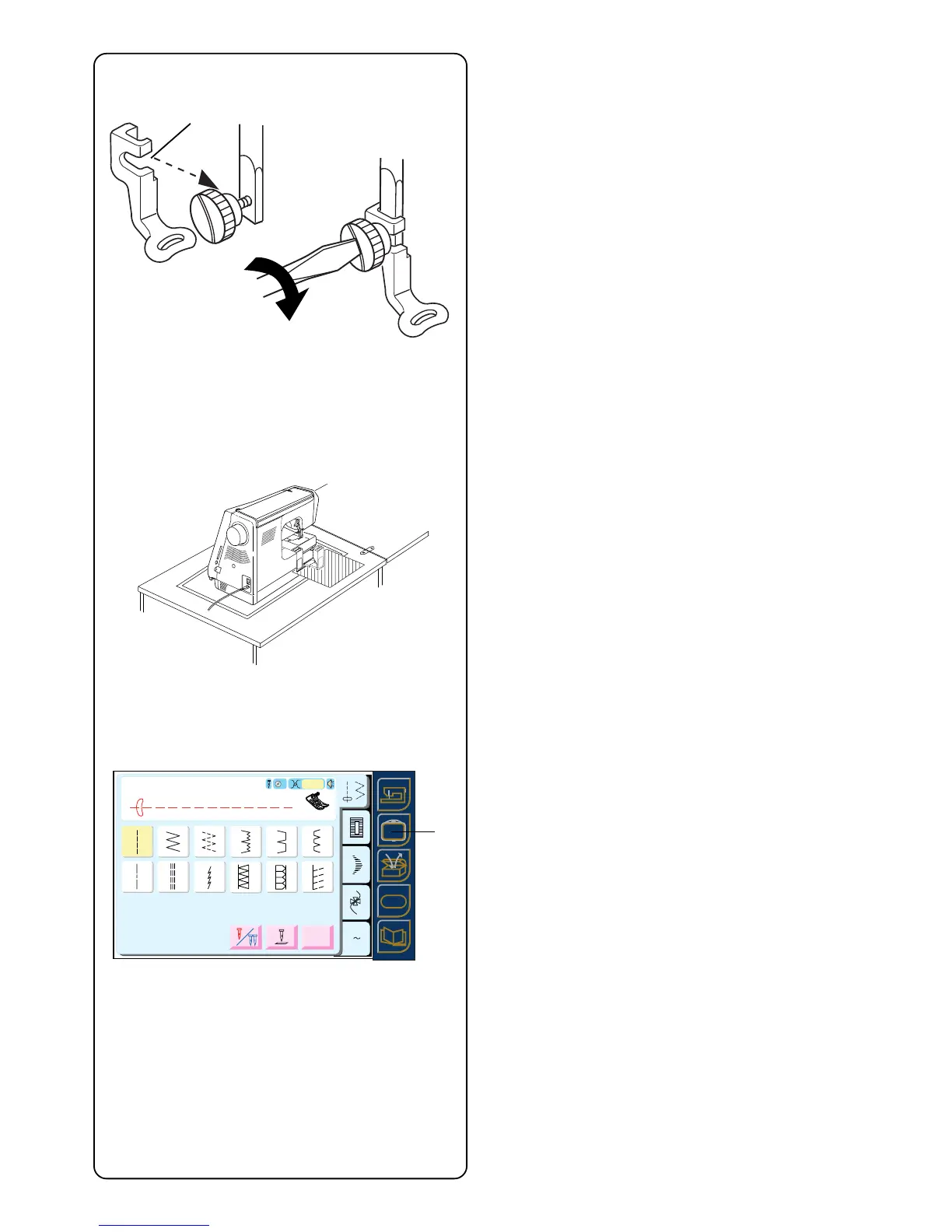
Attach embroidery foot “P”. Loosen thumbscrew and
remove shank. Place opening on embroidery foot “P” q
around the presser bar. Tighten the thumbscrew with
screwdriver.
IMPORTANT:
Before turning on your machine, clear your table
surface of anything that might obstruct the carriage
movement during embroidery sewing. If your
machine is in a cabinet, check that the machine is
even or above the cabinet surface. (The carriage
could possibly hit the cabinet and disturb the
sewing result.)
Turn ON the power/light switch.
Press the Embroidery Sewing key w.
q
w



 To Next Page