16
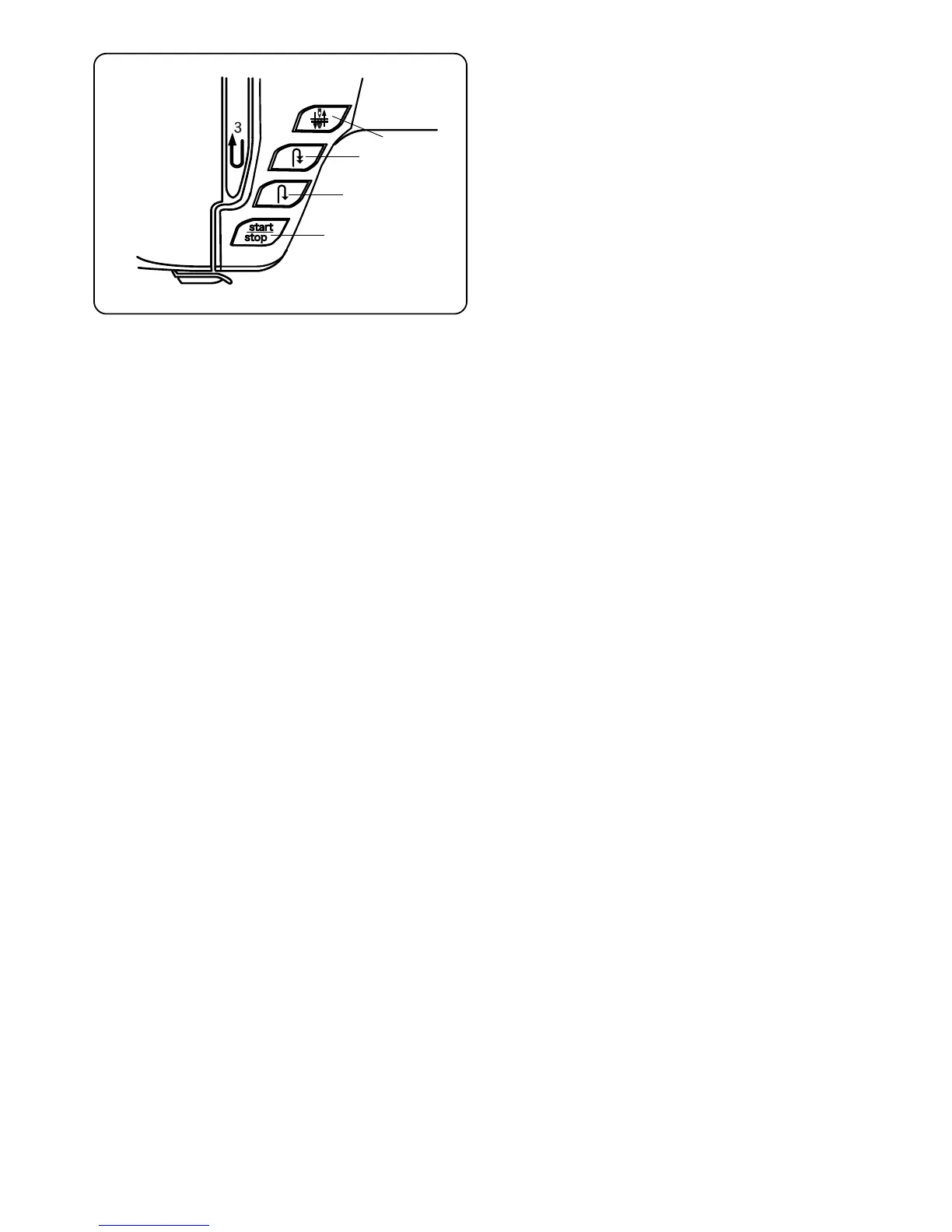
Main Function of Keys
q Start/Stop Key (changes color to indicate
function)
Press this (green) key to start the machine. In
traditional sewing, the first few stitches will be sewn
at a slow speed and then machine sews at the speed
set by the speed control lever. Press (red) key again
to stop machine.
NOTE: The foot control must be detached to use this
key in traditional sewing.
w Reverse Key
If you are sewing 1 (straight stitch), 2 (zigzag stitch)
or 3 (3-step zigzag stitch), press and hold this key.
The machine will sew in reverse until you release the
key while using either the foot control or Start/Stop
key.
* Press this key when sewing any other stitch
(except for stitches 13 to 22) and the machine will
immediately lockstitch and stop.
e Auto-Lock Key
Press this key while sewing 1 (straight stitch), 2
(zigzag stitch) or 3 (3-step zigzag stitch) and the
machine will sew a few stitches in place (lockstitch)
and stop automatically.
* Press this key when sewing any other stitch
(except for stitches 13 to 22) and the machine will
complete the stitch, lockstitch and stop.
r Up/Down Needle Key
If the needle is up when you press this key, the
needle will go down to its lowest position.
If the needle is down when you press this key, the
needle will go up to its highest position.
NOTE: The Elna 8600 is equipped with a safety feature
that will automatically shut down the machine to prevent
overheating if it is running overloaded. Follow the
instructions that appear in the LCD touch screen should
this occur.
q
w
e
r



 To Next Page