48
Buttonholes (Totally Automated)
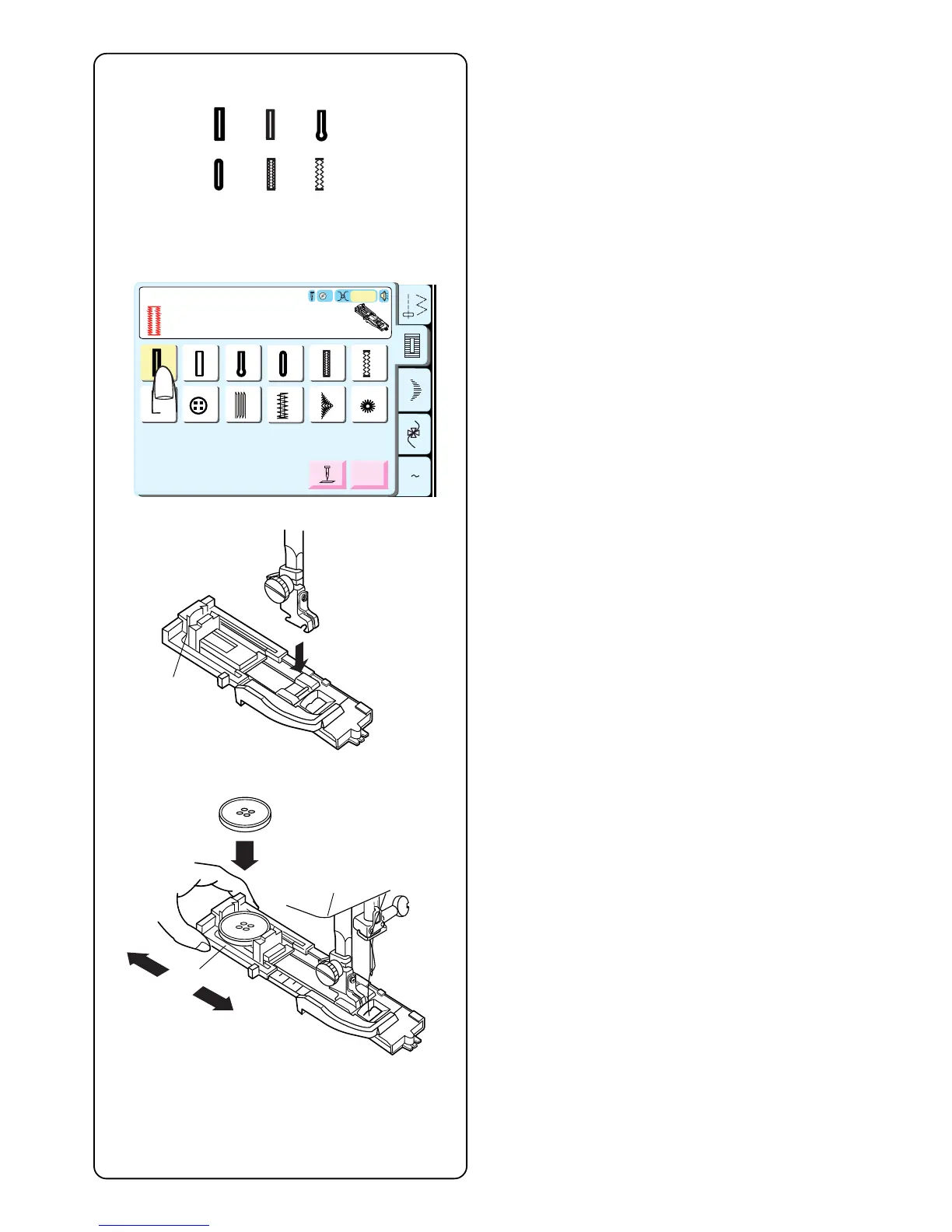
Select a buttonhole – 13 thru 18.
The LCD screen will show a message advising that the
buttonhole lever must be lowered. Alter the buttonhole
width to match the fabric and thread. See page 52.
Attach buttonhole foot R with the buttonholder q to the
back.
Pull open the buttonholder q to the back and place the
button in it. Push the holder together tightly around the
button.
Placing the button in the automatic buttonhole foot R
sets the size of the buttonhole. The buttonholder adjusts
for buttons with a diameter between 0.5 cm (3/16˝) to 2.5
cm (1˝). If your button is larger than 2.5 cm (1˝), see
page 53.
A Z
Classic BH
14 15 16 17 18
19
20 21
22
23
24
R
Adjust
Pull down BH Lever.
Auto
3
13
PROG.
q
q
14 15
18
16 17
13



 To Next Page