59
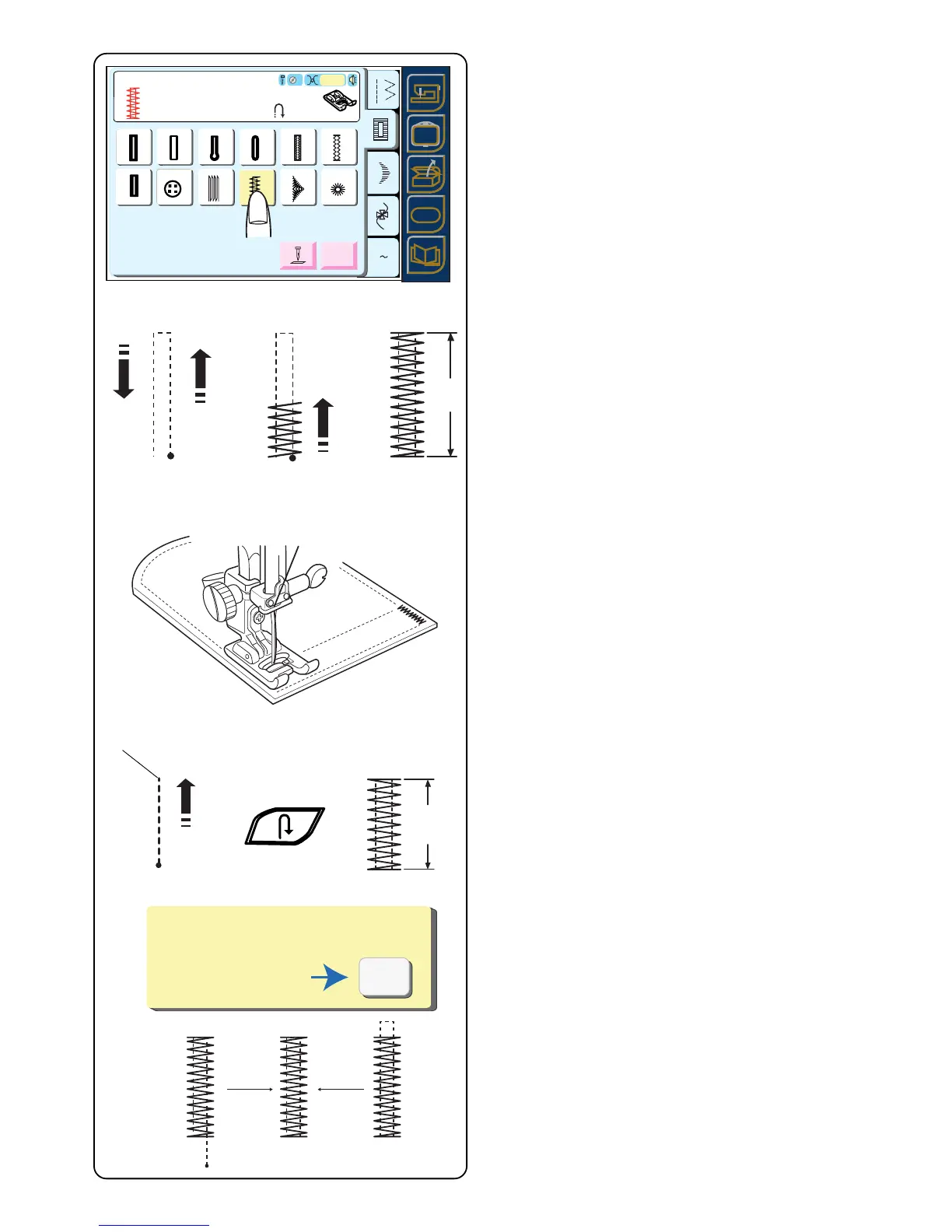
Bartacks
A bartack is a reinforced stitch used on garment areas
that receive extra stress like pockets, belt loops and
zippers.
Select 22.
Automatic Bartack
Place the fabric under presser foot. Lower presser foot.
Sew until the machine automatically stops.
A 1.5 cm (5/8˝) bartack is sewn.
Touch the “Adjust” key to change bartack width or
density.
Make a longer bartack by combining bartacks until
desired length is obtained.
Setting Memory Bartack Size
It is possible to sew a bartack length shorter than 1.5 cm
(5/8˝).
Place the fabric under presser foot. Lower presser foot.
Sew until the desired bartack length q is sewn. Stop
and press the “Reverse” key. Sew until the machine
automatically stops.
To sew another bartack the same size - raise foot, move
fabric, lower foot and sew.
Reset Bartack Size
To sew a bartack a different size (or after using Adjust
key), reset the machine by touching “Cancel” key. Sew
new bartack size using same method.
Fine Adjustment Screw - Very heavy fabrics may require
the use of the fine adjustment screw. See page 13.
A Z
14
Adjust
Auto
13
Sensor
SET
19
20
21
15 16 17 18
22
23
24
Bartack
Sew to length
required, then press " ".
F
Auto
3
SETSET
SET
?
SET
SET
SET
?
14
Auto
13
Sensor
19
20
21
15 16 17 18
22
23
24
14 15 16 17 18
19
20
21
22
23
24
13
PROG.
Restart for the same size.
Different size
Cancel
q



 To Next Page