93
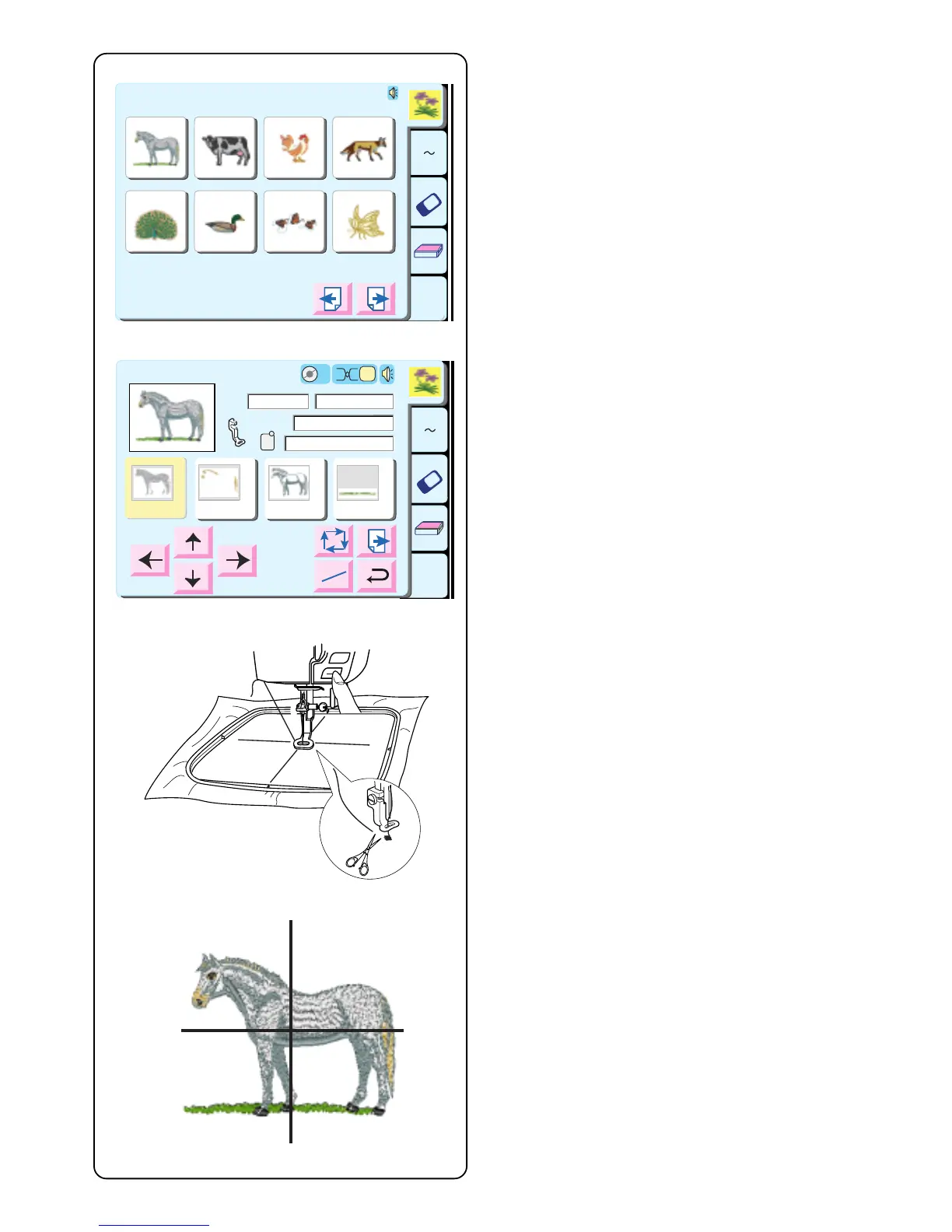
Sewing a Single Built-in Design
Select a design.
Touch “Return” key in the hoop size warning message.
Hoop fabric and attach hoop to carriage. Position needle
directly over centerlines on fabric. Thread machine with
first thread color. Lower presser foot.
Press “Start/Stop” key and sew 5 or 6 stitches. Stop
machine by pressing “Start/Stop” key.
Raise presser foot. Cut away beginning thread tail close
to the start point. Lower presser foot.
Press the “Start/Stop” key and let the machine sew until
it stops automatically for the thread change.
Sew entire design using method described above for
each thread change.
When design is finished, the word “Completed” will
appear. Touch the “Return” key.
The design should be aligned with the centerlines on the
fabric.
HINT: You can check the design positioning before
sewing with the tracing key or template sheets.
start
stop
A Z
Edit
1 2 3 4
5 6 7 8
Designs
Hoop Size A(F): 126
X
110 mm
A Z
Edit
1
2
3 4
Ready to Sew
2
P
Jog
ST
2
A(F):126x110mm
Size
30 min 5 Colors
109x84mm
1
Snow
White
5597
Seashell
5776
GS
Gray
5802
Green
Dust
5757



 To Next Page