69
Editing a Sequence
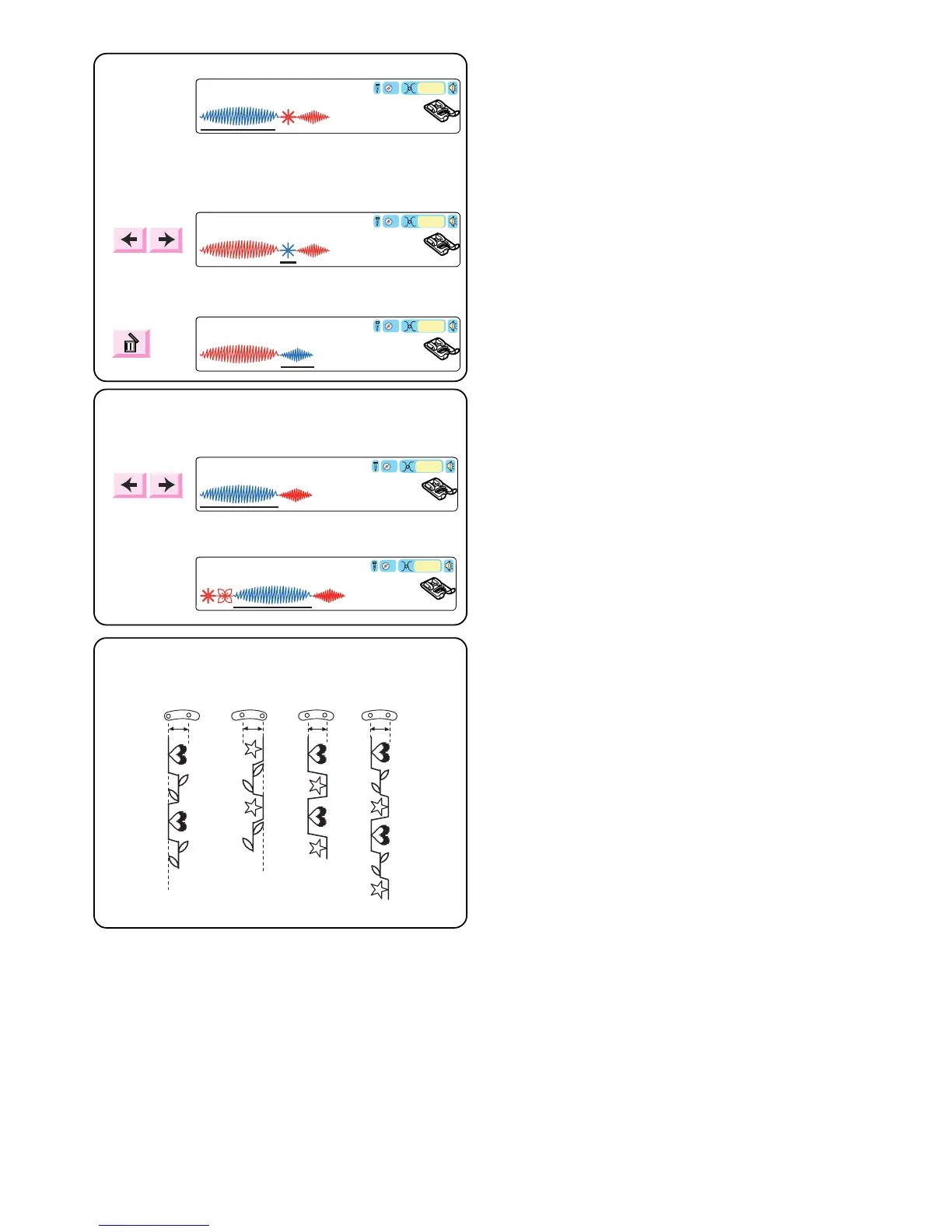
Deleting a Stitch
Example: Delete stitch 60
Touch the “Move Cursor” keys until the stitch that you
want to delete is located above the cursor.
Touch the “Delete” key.
Inserting a Stitch
Example: Inserting stitches 60 and 90
Touch the “Move Cursor” keys until the cursor is under
the place where you want to insert the new stitch.
Select 60 and 90.
3/7
French Knot
F
Auto
3
Satin Stitch
3/7
French Knot
F
Auto
3
Daisy
3/7
French Knot
F
Auto
3
Satin Stitch
3/7
French Knot
F
Auto
3
Satin Stitch
3/7
French Knot
F
Auto
Satin Stitch
6/7
qwer
Alignment of Stitches Within a Sequence
Often stitches in a sequence have different needle start
positions – left, center or right. Your machine will
automatically determine a common alignment point
based on the stitches in the sequence. There are 4
possibilities:
q Left and center needle positions are aligned to left.
w Right and center needle positions are aligned to
right.
e Left and right needle positions are aligned to center.
r Left, center and right needle positions are aligned to
center.



 To Next Page