70
Alphabet Key
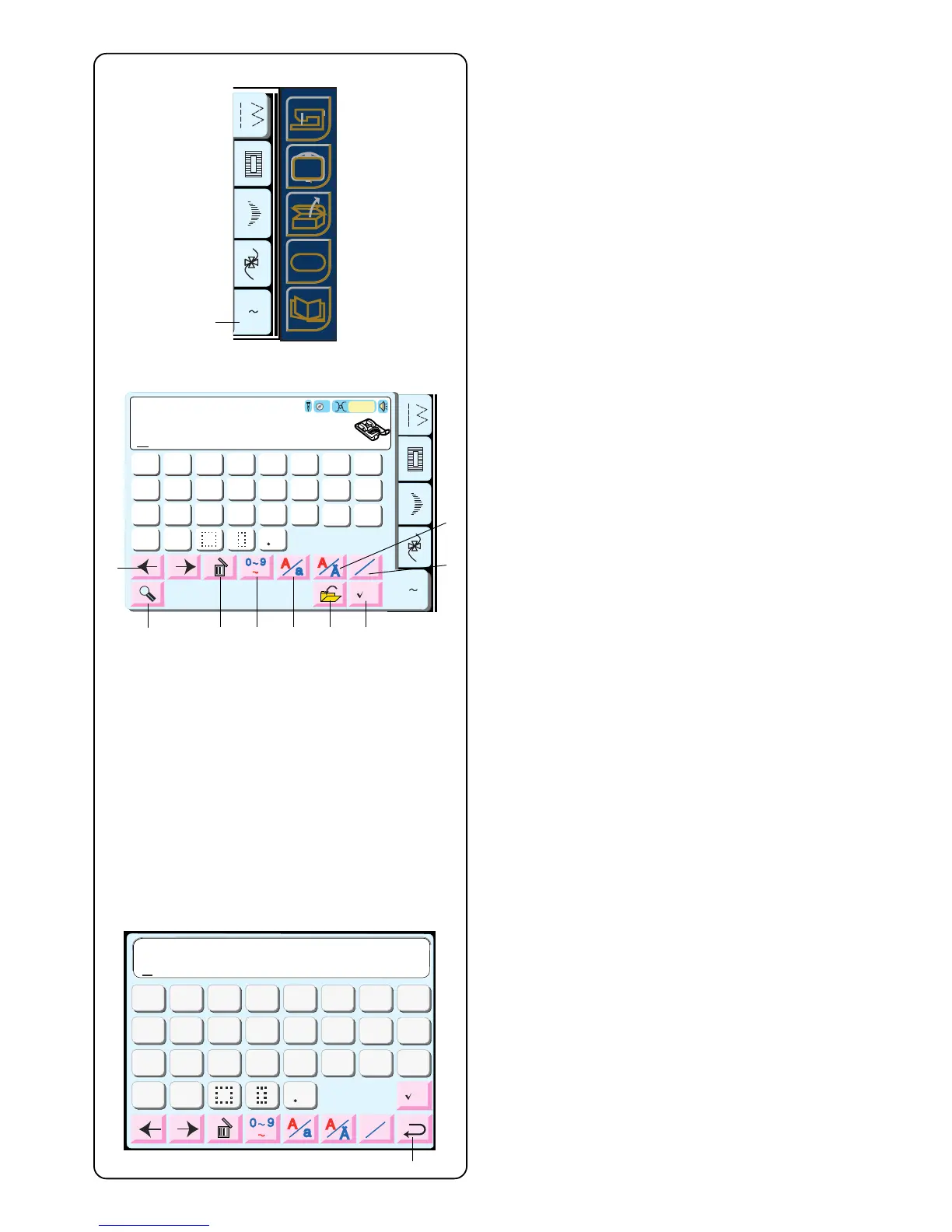
Touch the “A~Z” key q.
Alphabet Selection Window Keys
w Move Cursor keys
Touch either of these keys to move the cursor
(underline). The cursor location allows you to edit the
text. To add a letter, number or punctuation
(character), move the cursor until it is under a
character. When the new character is selected it will
be inserted on the left side of the cursor (underlined
character). See page 69.
e Delete key
A character can be deleted if the cursor (underline) is
under it. Use the Move Cursor keys until the
character to be deleted is underlined. Touch “Delete”
key. See page 69.
r Numbers/Punctuation key
Touch this key to switch between letters and
numbers/punctuation keys.
t Upper/Lower Case key
Touch this key to switch between lower case and
upper case lettering. See page 71.
y Diacritical Letter key
Touch this key to open/close diacritical letters.
(Letters with accents, umlauts, etc.)
u Alphabet Size key
Touch this key to change the letters between full size
and approximately 2/3 size.
i Save File Key (See page 72.)
A memorized sequence can be saved into a file for
future use by touching this key. You can save up to
100 files in the built-in memory.
o Check Memorized Sequence Key (See page 72.)
The LCD touch screen can display a maximum of
eight characters in a memorized sequence at one
time. Touch this key to view all characters. When
sewing begins, this key changes to a “B” key. Touch
the “B” key to reset sequence to beginning.
!0 Magnifier key
Touch this key to enlarge the keys so they are easier
to select !1. Touch the “Return” key !2 to go back to
regular sized keys.
A Z
Block
G
H
IJKL
M
N
O
P
Q
R
S
T
U
V
W
X
YZ
A
B
C
D
EF
L



 To Next Page