84
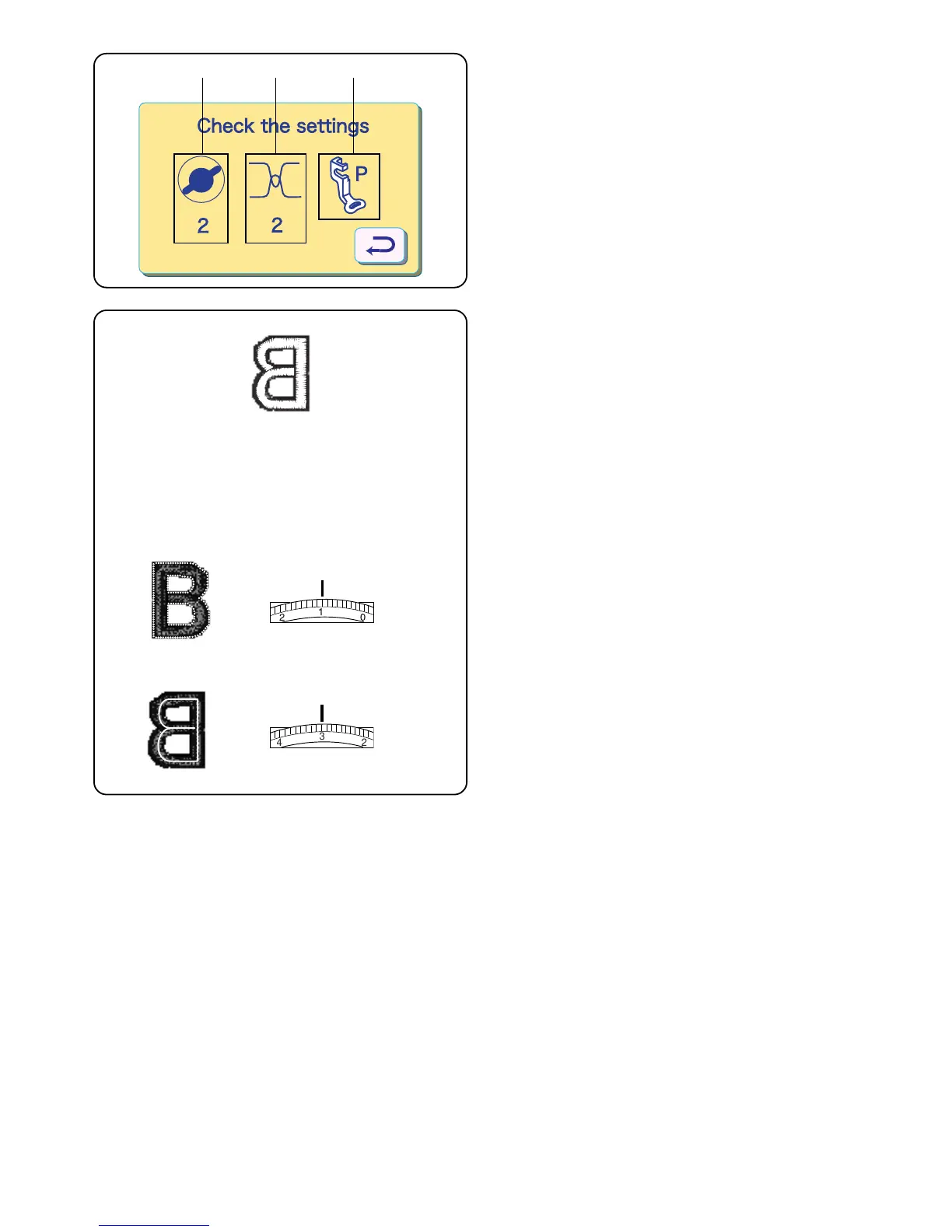
A message window will appear for a few seconds to
remind you to change machine set-up.
q Reduce the foot pressure dial to “2” for embroidery.
(See page 9.)
w Set the needle thread tension dial on “2”. (See
below.)
e Remove the shank and attach embroidery foot “P”.
(See page 83.)
3
2
4
q
q
Adjusting the Needle Thread Tension
Align the number 2 on the tension dial with the setting
mark q.
Balanced thread tension:
A small portion of needle thread should appear on the
underside of the fabric.
When adjusting needle thread tension, the higher
numbers tighten, the lower numbers loosen.
•Tension is too tight
The bobbin thread shows through on the topside of the
fabric.
Turn the dial to a lower number to loosen the needle
thread tension.
•Tension is too loose
The needle thread forms loops and looks ragged.
Turn the dial to a higher number to tighten the needle
thread tension.
qw e



 To Next Page