99
Alphabet Corrections
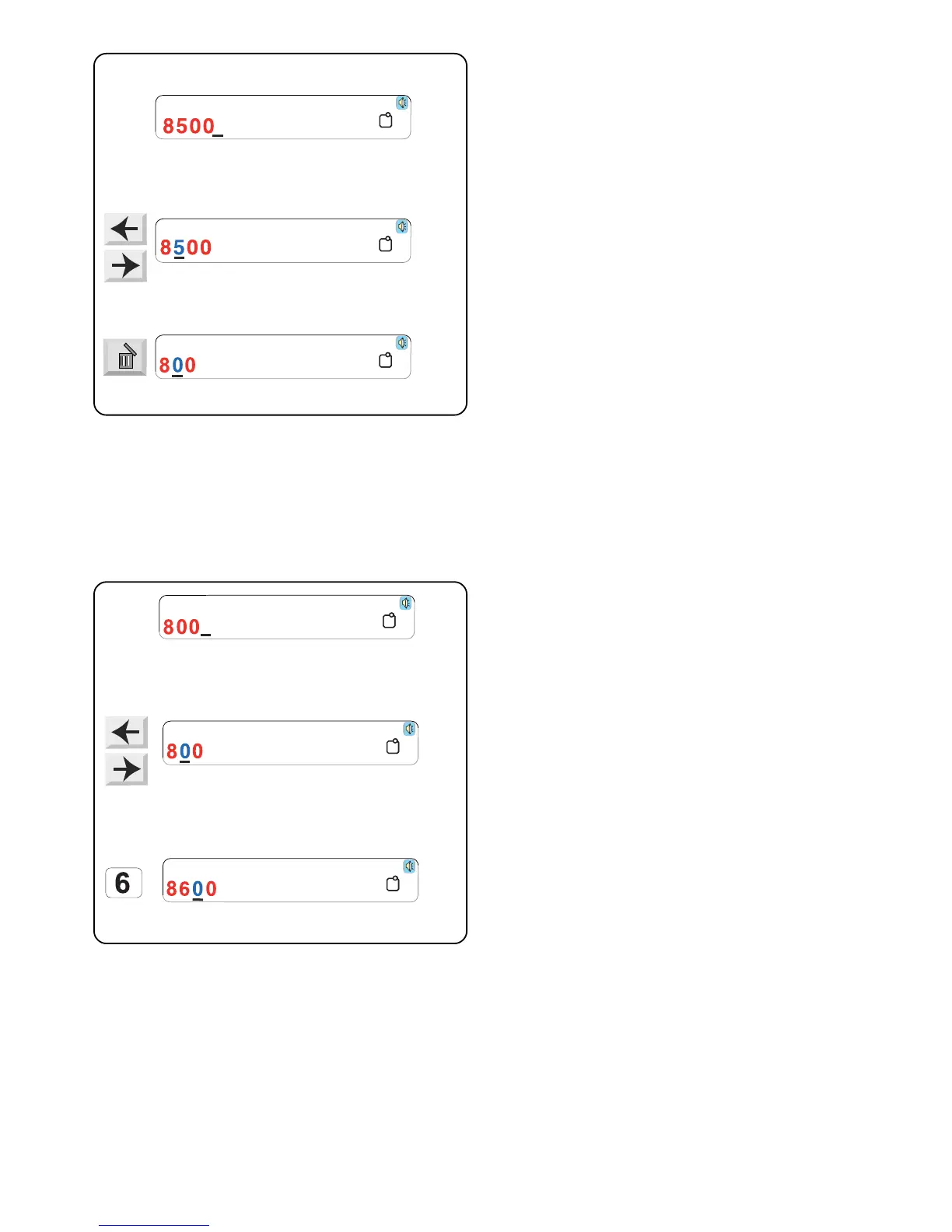
Deleting a letter
Example: Delete the “5” from “8500”
Touch the “Move Cursor” keys until the cursor (underline)
is under the 5.
Touch the “Delete” key. The “5” is deleted.
Gothic
A(F)
AB
A(F)
A(F)
Gothic
A(F)
AB
A(F)
A(F)
Gothic
A(F)
AB
A(F)
A(F)
Gothic
A(F)
AB
A(F)
A(F)
Gothic
A(F)
AB
A(F)
A(F)
Gothic
A(F)
AB
A(F)
Inserting a letter
Example: Insert “6” into 800
Touch the “Move Cursor” keys until the cursor (underline)
is under the number where you want to insert the new
number.
Select “6”. The “6” will be inserted between the “8” and
“0”.



 To Next Page