98
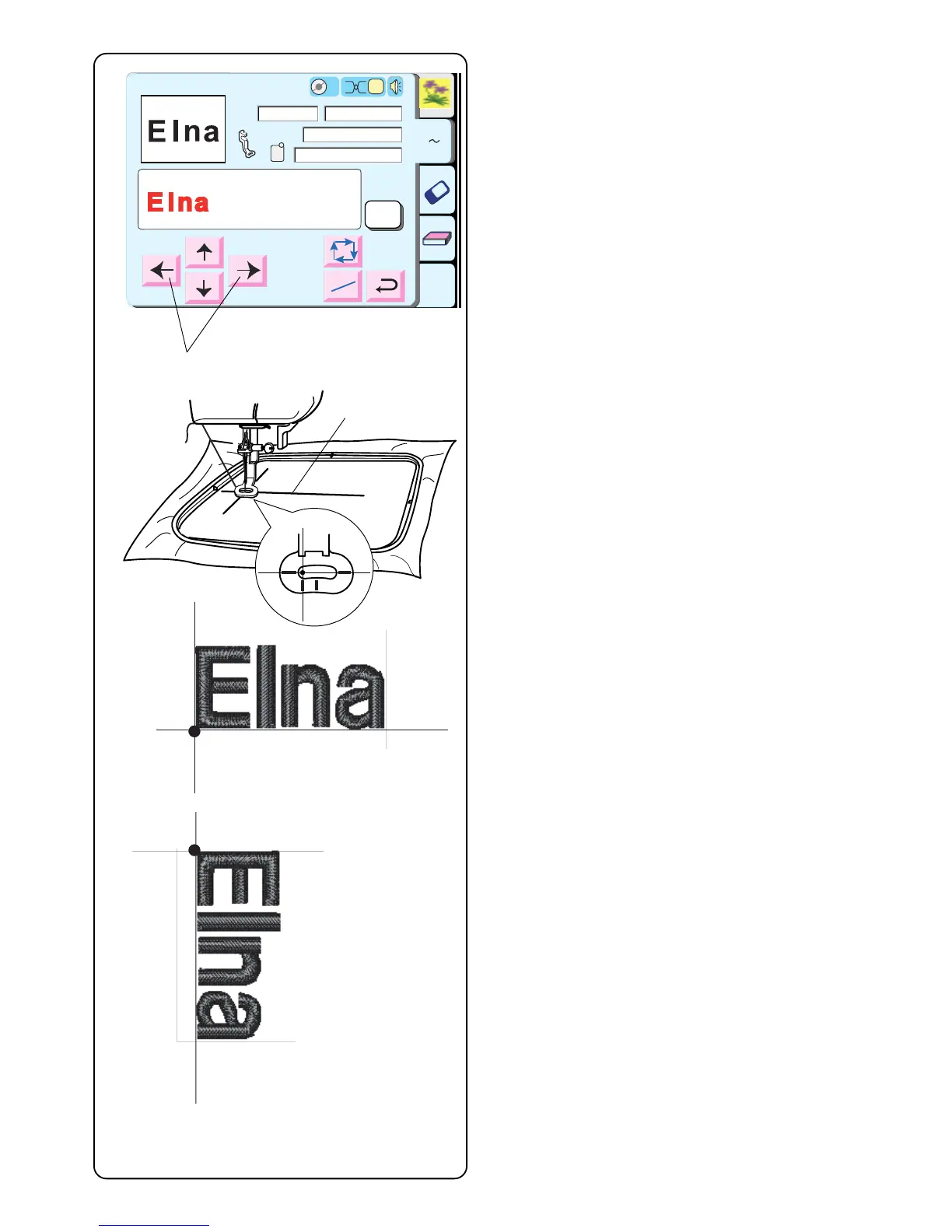
Hoop fabric with the centerlines located on left side.
(Remember the start position for horizontal alphabets is
on the left side of template. See page 86.)
Use the Jog keys q to position hoop and align needle
directly over the centerlines w.
Lower presser foot. Press “Start/Stop” key and sew 5 or
6 stitches. Stop machine by pressing “Start/Stop” key.
Raise presser foot. Cut away beginning thread tail close
to the start point. Lower presser foot.
Press the “Start/Stop” key and let the machine sew until
it stops automatically.
NOTE: Vertical orientation of alphabets would sew out
like illustration e.
Edit
A Z
Size
P
A(F): 126x110mm
43x18mm
1 Color
3 min
Jog
ST
Color
Change
Ready to Sew
2
Jog
ST
2
q
w
e



 To Next Page