33
A Z
2 3
4
5 6
7 8 9
10
11 12
A
Auto
Adjust
3
1
SETSET
2 3
4
5 6
7 8 9
10
11 12
1
SET
?
Straight Stitch
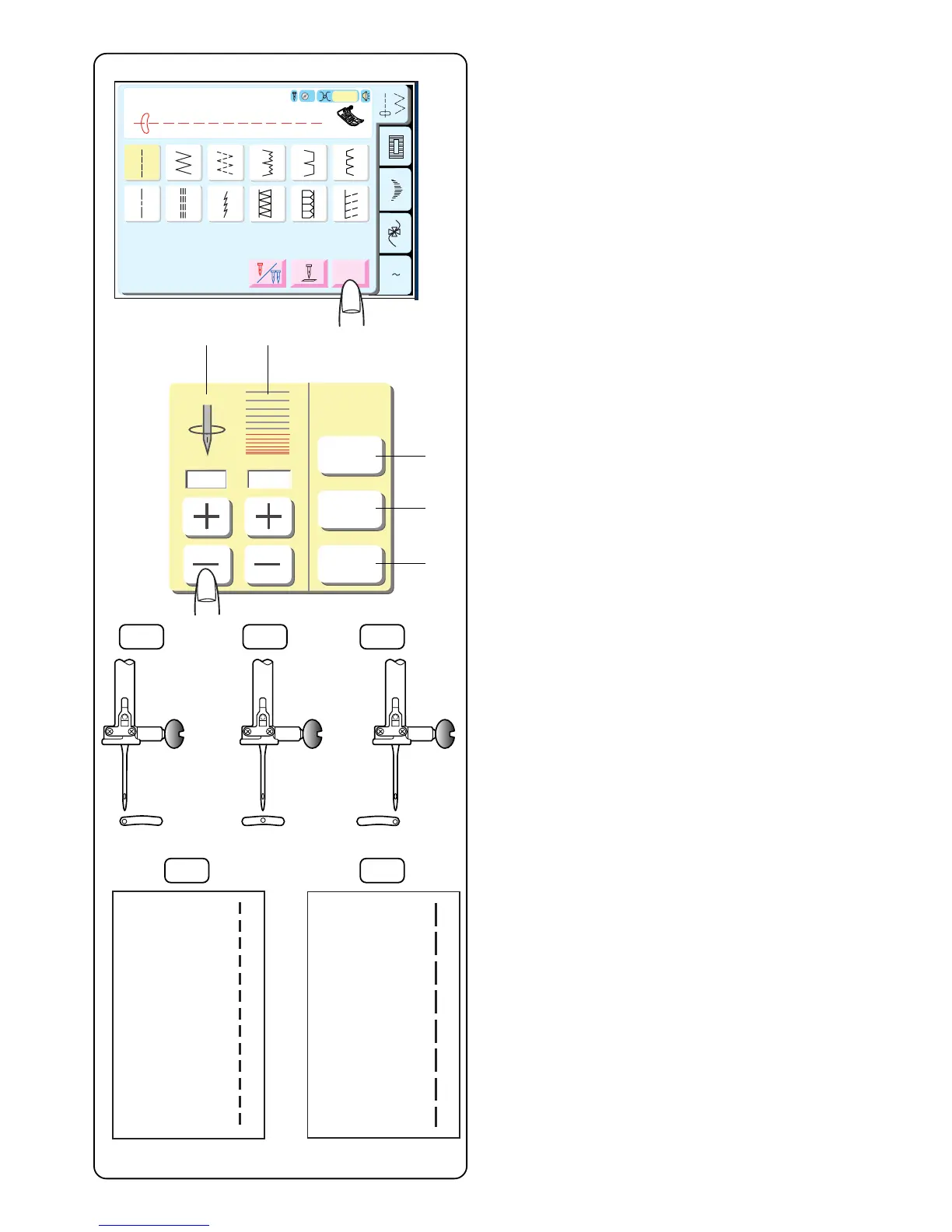
Adjusting Needle Position or Stitch Length
Touch the “Adjust” key.
q Needle position is changed with the “+” or “–” keys
located below display window.
w Stitch length is changed with the “+” or “–” keys
located below display window.
e Default Key – Touch this key to change both settings
back to defaults.
r Cancel Key – Touch this key to cancel the last
changes made to the settings.
t OK Key – Touch this key to activate the new settings
and close this window. These new settings are a one
time override of the default settings and the new
settings will remain active for as long as the stitch is
selected.
Needle Position
Needle position can be set between 0.0 and 7.0. There
are 15 needle positions.
Touch the “+” key to move needle right.
Touch the “–” key to move needle left.
0.0 – Left position
3.5 – Center position
7.0 – Right position
The following stitches also have variable needle position:
7, 8, 35, 37 and 38.
Stitch Length
Stitch length can be set at 0.00 or between 0.50 and
5.00.
Touch the “+” key to lengthen the stitch length.
Touch the “–” key to shorten the stitch length.
NOTE: Fine fabrics should have a stitch length between
1.60 and 2.60, medium fabrics between 2.00 and 3.00
and heavier fabrics between 3.00 and 4.00.
3.5
2.20
Default
Cancel
OK
qw
e
r
t
0.0 3.5 7.0
2.20 5.00



 To Next Page