72
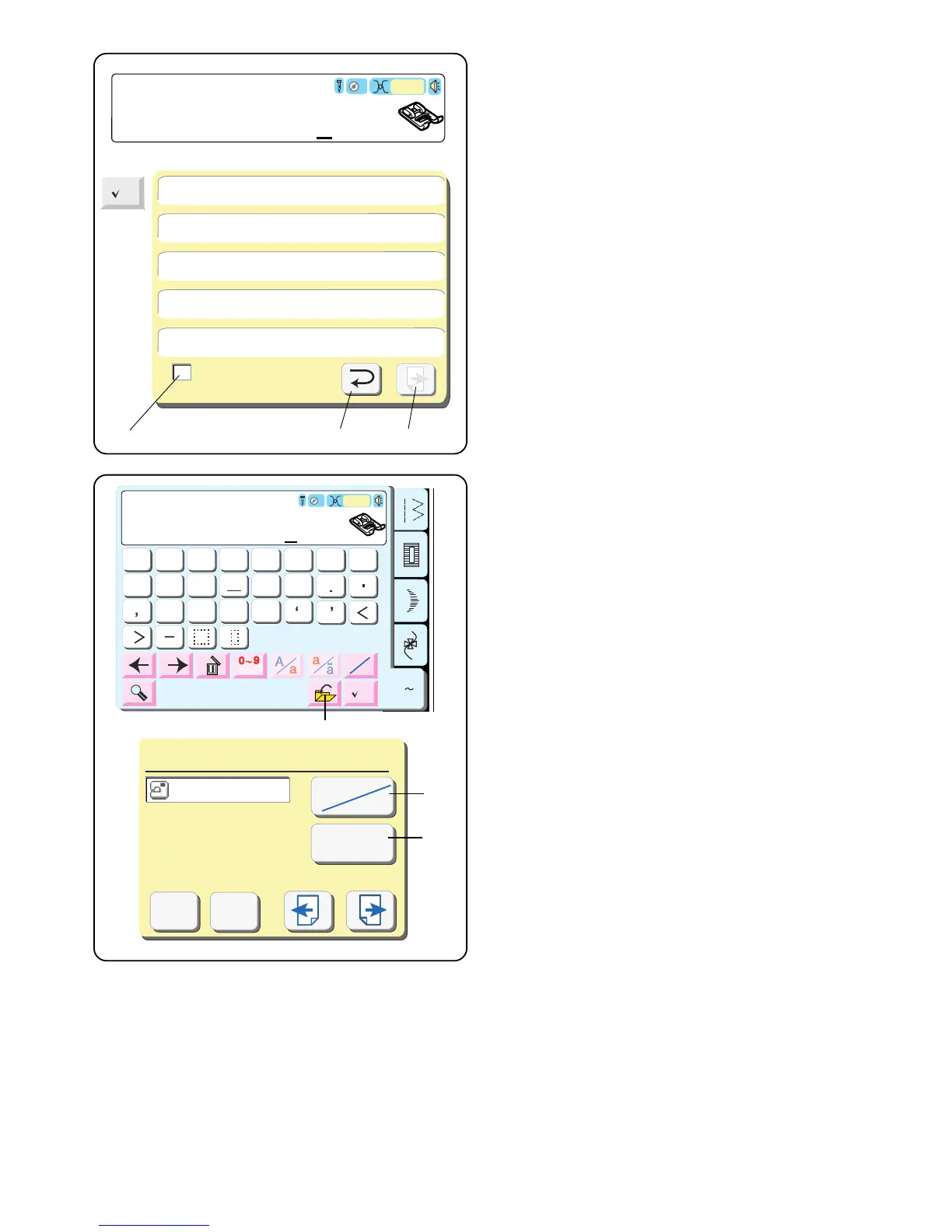
Check Memorized Sequence
View all the stitches within a single sequence by
touching “Check Memorized Sequence” key.
If the sequence is too long, touch the “Next” key q to
see the remaining stitches. Touch “Return” key e after
viewing all stitches in sequence.
NOTE: The number in the bottom left corner w indicates
which screen within the sequence is currently being
shown.
Block
Auto
F
6
7
89
0
1
2
3
45
&
?
?
!
!
$
@
2b
2
C
C
3
3
az
~
Save File (Built-in)
M_001
Cancel
OK
Built-in
Card
File Name
1
-
A 1 a
1
B 2 b
2
C 3 c
3
w e
q
M
q
w
e
Saving a Sequence in a File
q Save File key
Touch this key if you want to save your sequence so
it can be used in the future.
The save file window will open.
Select the location of where the file will be saved by
touching the “Built-in/Card” key w.
• Built-in: the file will be saved in the internal
memory of the machine.
• Card: the file will be saved onto the ATA PC
(Compact Flash) card.
File names are automatically assigned in numerical
order, beginning with M_001.
Touch the “File Name” key e to label the file with a
different name.



 To Next Page