91
How to Select a Built-In Design
The built-in designs have been organized by
recommended hoop size (A or B) and subject matter
(animals, floral, ocean life, etc.).
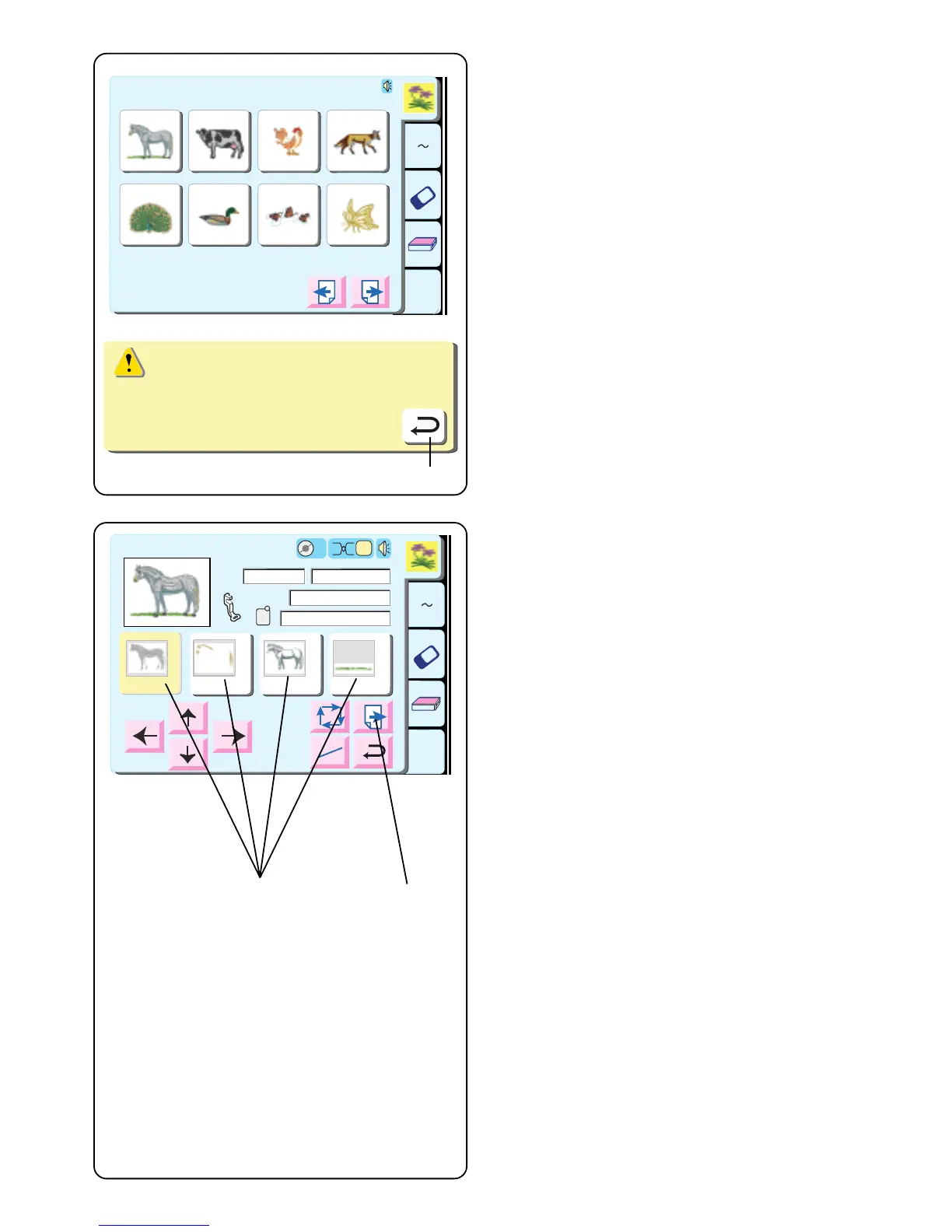
To select a design, touch the key that represents the
design you desire.
Hoop size warning message appears. Touch “Return” q
key.
The ready to sew window opens. The LCD touch screen
now shows the design information like the image, thread
colors, sewing time, etc.
q Color/Part key
The design is separated into parts based on thread
color changes. The parts are sewn in the order
displayed. Thread color names and numbers are
shown based on your thread brand preference (see
page 20). The part that will be sewn is darkened.
After a part is sewn, the machine will automatically
stop and the next color part key will darken. Change
thread to next color and continue sewing.
How to Sew a Specific Part (Skipping)
You can eliminate parts of the design by touching the
“Color/Part” key previous to the part you wish to sew.
All parts located before that color/part key will
lighten.
w Next key
This key will be displayed if there are more parts to
the design. Touch the key to view the other parts.
A Z
Edit
1 2 3 4
5 6 7 8
Designs
Hoop Size A(F): 126
X
110 mm
A Z
Edit
1
2
3 4
Ready to Sew
2
P
Jog
ST
2
A(F):126x110mm
Size
30 min 5 Colors
109x84mm
1
Snow
White
5597
Seashell
5776
GS
Gray
5802
Green
Dust
5757
q
w
Hoop size A(F):126x110mm
q



 To Next Page