65
A Z
2 3
4
5 6
7 8 9
10
11 12
A
Auto
Adjust
3
1
SETSET
2 3
4
5 6
7 8 9
10
11 12
1
SET
?
Straight Stitch
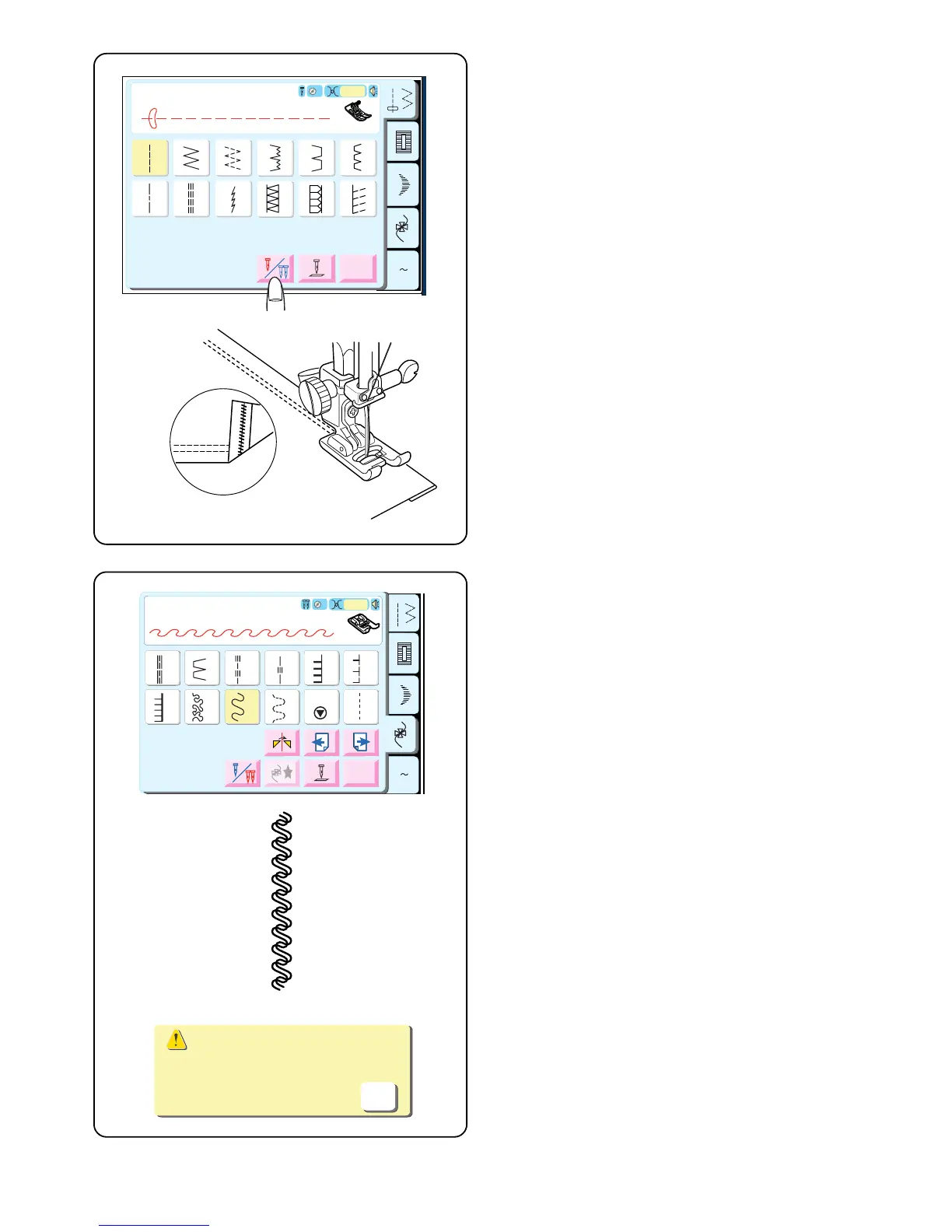
Twin Needle Hem
A twin needle hem is quick and easy. This is an excellent
hemming method for knit fabrics because the bobbin
thread zigzags, allowing the hem to stretch with the
fabric. Be sure to use a stretch twin needle when sewing
knit fabrics.
Select 1.
Touch the “Twin Needle” key.
Attach satin stitch foot F.
Fold the hem up desired amount and topstitch with the
twin needle. Carefully trim away excess fabric using
sharp scissors.
Twin Needle Decorative Stitches
Why not try two different thread colors in the needles?
“Twin Needle” key should still be selected.
Select a decorative stitch. (Reminder: If a stitch is not
suitable for twin needle sewing, the stitch key will be
gray and disabled.)
Hand turn flywheel to test if needles hit the foot.
Place fabric and stabilizer under foot and sew.
After completing twin needle sewing, turn OFF the power
switch. Remove twin needle. Set up machine for single
needle sewing.
NOTE: This warning message will appear when you
deactivate the twin needle key. Touch “OK” key or turn
OFF the power switch and remove twin needle.
A Z
35 36 37 38 39 40
41
42
43
44
Adjust
L.S
F
Auto
3
35
36 37
1/7
Decorative
38
39
40
41
42
43
44
Adjust
L.S
35 36 37 38 39 40
41
42
43
44
L.S
35
36 37
38
39
40
41
42
43
44
L.S.
5
Check the needle.
Twin needle setting was canceled.
OK
NOTE: If you first select a stitch (before touching the
twin needle key), and it is not suitable for twin needle
sewing, the twin needle key will be gray and disabled.



 To Next Page