Chapter 4 99
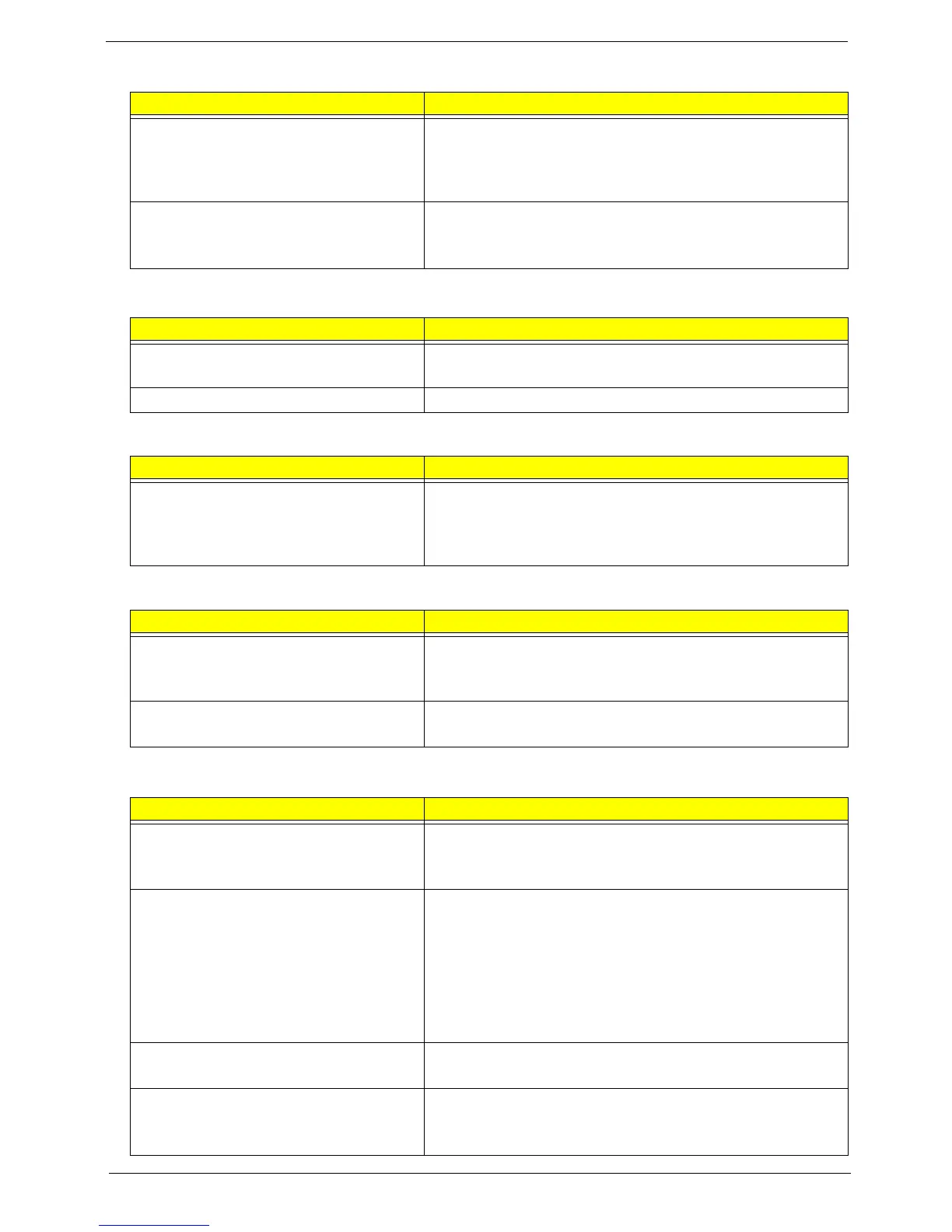
The system doesn’t power-off. • Power source (battery pack and power adapter). See “Power
System Check” on page 89.
• Hold and press the power switch for more than 4 seconds.
• Mainboard
Battery can’t be charged
• See “Check the Battery Pack” on page 89.
• Battery pack
• Mainboard
PCMCIA-Related Symptoms
Symptom / Error Check or do the following in sequence
System cannot detect the PC Card
(PCMCIA)
• PCMCIA slot assembly
• Mainboard
PCMCIA slot pin is damaged. PCMCIA slot assembly
Memory-Related Symptoms
Symptom / Error Check or do the following in sequence
Memory count (size) appears different from
actual size.
• Run “Load Setup Defaults” in BIOS Setup Utility, then reboot
system.
• DIMM
• Mainboard
Speaker-Related Symptoms
Symptom / Error Check or do the following in sequence
In Windows, multimedia programs, no
sound comes from the computer.
• Audio driver
• Speaker
• Mainboard
Internal speakers make noise or emit no
sound.
• Speaker
• Mainboard
Power Management-Related Symptoms
Symptom / Error Check or do the following in sequence
The system will not enter hibernation
• Keyboard (if control is from the keyboard)
• Hard disk drive
• Mainboard
The system doesn't enter hibernation mode
and four short beeps every minute.
• Press Fn+o and see if the computer enters hibernation
mode.
• Touchpad
• Keyboard
• Hard disk connection board
• Hard disk drive
• Mainboard
The system doesn’t enter standby mode
after closing the LCD
• LCD cover switch
• Mainboard
The system doesn't resume from
hibernation mode.
• Hard disk connection board
• Hard disk drive
• Mainboard
Power-Related Symptoms
Symptom / Error Check or do the following in sequence



 To Next Page