100 Chapter 4
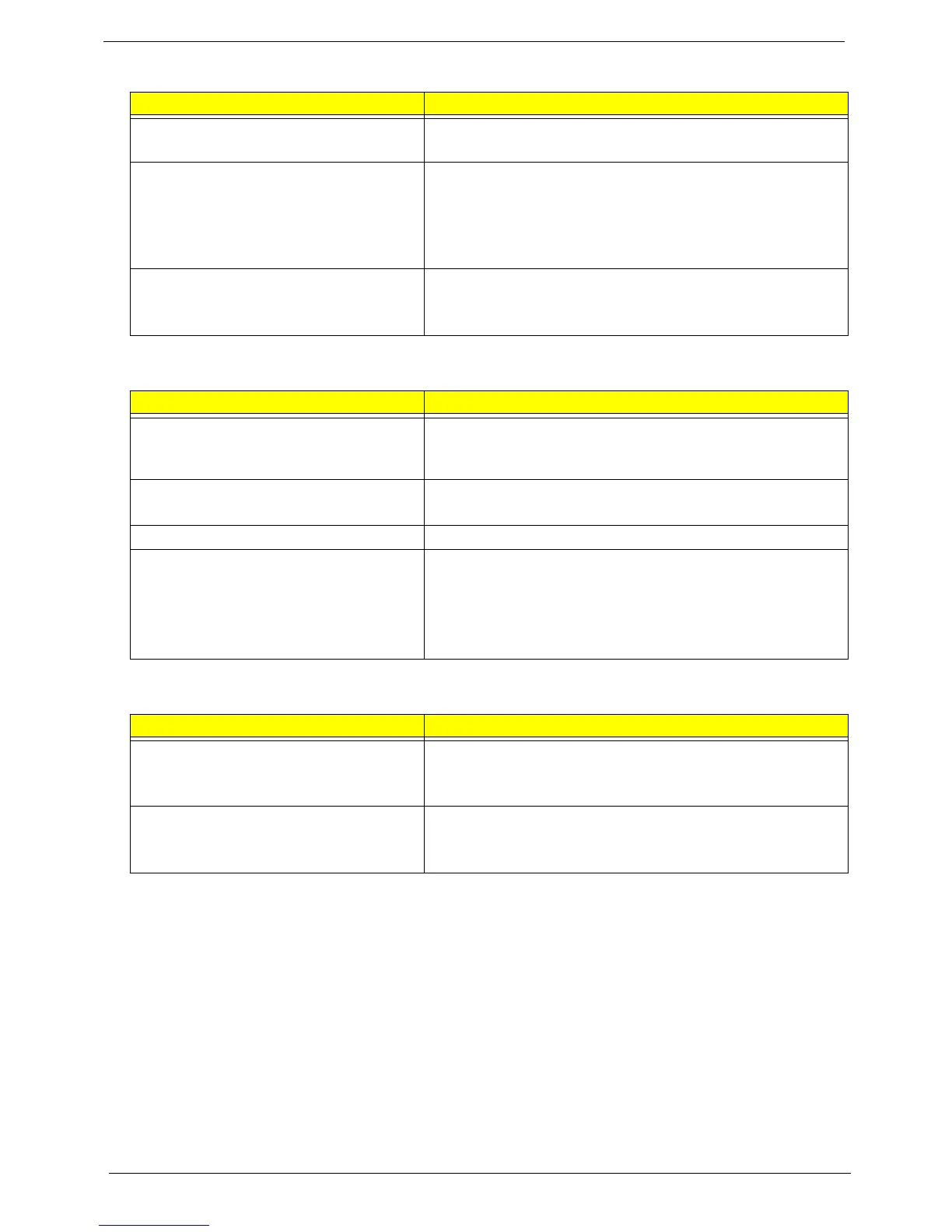
The system doesn't resume from standby
mode after opening the LCD.
• LCD cover switch
• Mainboard
Battery fuel gauge in Windows doesn’t go
higher than 90%.
• Remove battery pack and let it cool for 2 hours.
• Refresh battery (continue use battery until power off, then
charge battery).
• Battery pack
• Mainboard
System hangs intermittently.
• Reconnect hard disk/CD-ROM drives.
• Hard disk connection board
• Mainboard
Peripheral-Related Symptoms
Symptom / Error Check or do the following in sequence
System configuration does not match the
installed devices.
• Run “Load Setup Defaults” in BIOS Setup Utility, then reboot
system.
• Reconnect hard disk/CD-ROM/diskette drives.
External display does not work correctly.
• Press Fn+F5 to switch to LCD or CRT
• Mainboard
USB does not work correctly
• Mainboard
Print problems.
• Run printer self-test.
• Printer driver
• Printer cable
• Printer
• Mainboard
Keyboard/Touchpad-Related Symptoms
Symptom / Error Check or do the following in sequence
Keyboard (one or more keys) does not
work.
• Reconnect the keyboard cable.
• Keyboard
• Mainboard
Touchpad does not work.
• Reconnect touchpad cable.
• Touchpad board
• Mainboard
Power Management-Related Symptoms
Symptom / Error Check or do the following in sequence



 To Next Page