29
Manual: Transport, Installation and Start-Up: DC CompactCharger ECC 320 ©EnerCharge GmbH
ELECTRICAL INSTALLATION ECC 320
Connection Communication (WAN) Terminal Labeling
WAN
1
COM ECC
7.7.2 Connection of the Communication (WAN)
> The ECC 320 may only be installed, started up and serviced by qualied electrici-
ans in accordance with the applicable national regulations. See: „3.2 Qualification of
Staff“ on page 7.
> Before connecting the ECC 320, ensure that no voltage is present or take suitable
protective measures (see „7.1 De-Energizing the Supply Line“ on page 22 and „7.5 Dis-
connect the ECC 320 from the Power Supply“).
> See section „7.6.2 Connection Data for Cable Entry Plate“ for available outer cable
diameters.
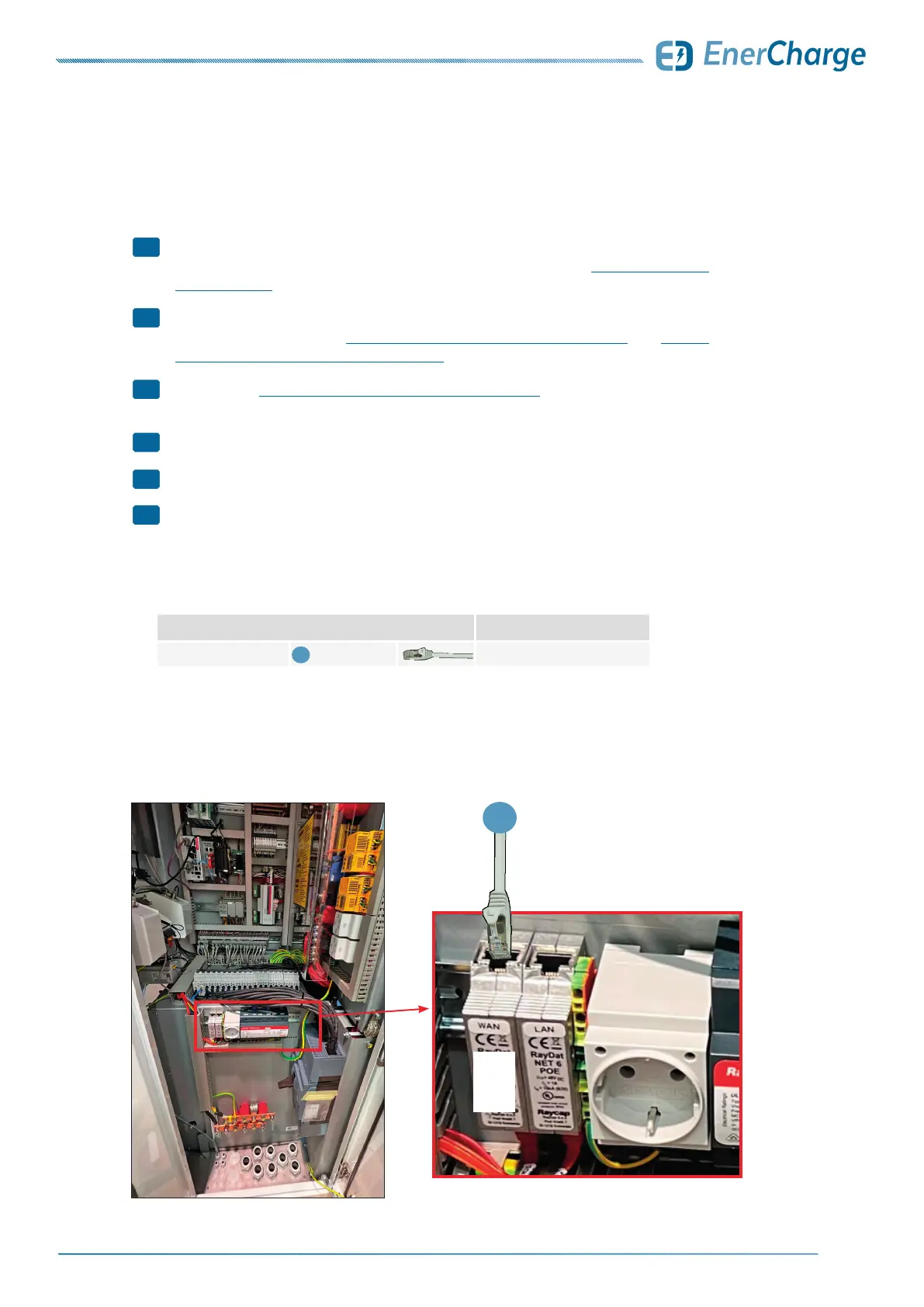
> Connect the RJ45 connectors of the communication (WAN) as pictured.
> Check whether the RJ45 plugs are correctly engaged in the plug sockets.
> Communication (WAN) successfully connected.
Observe the following points when connecting communications (WAN):
Fig. 31: Connection
of communication
ECC 320
Table 3: Communication (WAN)
1
2
3
4
5
>
1
WAN



 To Next Page