34
Manual: Transport, Installation and Start-Up: DC CompactCharger ECC 320 ©EnerCharge GmbH
ELECTRICAL INSTALLATION ECC 320
7.10 Make the Network Settings
7.10.1 Network Settings
The ECC 320 offers two options for local customization of network settings:
> Local access via LAN (see „7.7.2 Connection of the Communication (WAN)“ on page 29)
> Local access via Router over WiFi (see „7.10.1 Network Settings“ on page 34)
> Establish Internet connection via WiFi or Ethernet:
• Connection WiFi:
WiFi Name = "SN000XXXX" (XXXX = serial number of charger)
WiFi Password = "Admin382976"
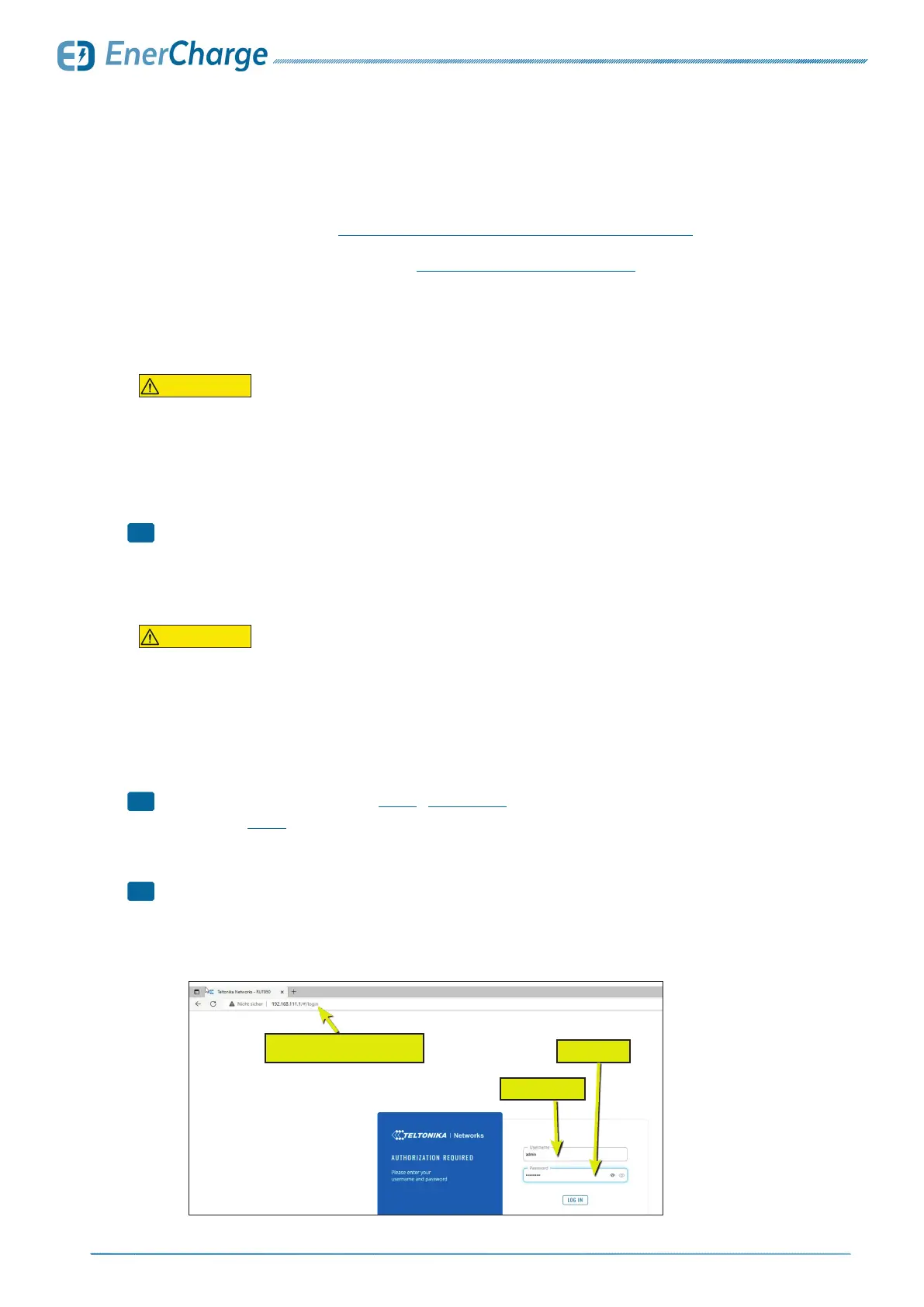
> Enter IP address in browser (see Fig. 38): "192.168.111.1"
• Log in (see Fig. 38):
User: "admin"
Passwort: "Admin382976"
> Make settings only with appropriate network knowledge!
• Adjustments and changes are not the responsibility
of EnerCharge GmbH!
• Do not upgrade the router firmware!
1
2
!
Fig. 39: access to router via WiFi
user name
password
enter IP address
CAUTION
The conguration of the network requires specialist knowledge. Changed network settings
can restrict the functionality of the charging station or, in the worst case, cause damage to the
charging station.
• Make settings only with appropriate network knowledge.
• Do not update the router rmware.
Configuration of Network
CAUTION
The default WiFi password "Admin382976" does not provide comprehensive protection against
unauthorized access. This can restrict the functionality or, in the worst case, lead to damage
of the charging station.
• Change the WiFi WPA2 standard password "Admin382976" immediately after your rst
log-in in the subsection WLAN.
• A secure password should consist of at least 8 characters and contain upper and lower
case letters as well as special characters.
Default WiFi Password



 To Next Page