THIS DOCUMENT CONTAINS CONFIDENTIAL INFORMATION PROPRIETARY TO ENERGATE INC. NO PART OF ITS CONTENTS MAY BE DISCLOSED OR CONVEYED TO,
USED BY, OR COPIED TO A THIRD PARTY WITHOUT PRIOR WRITTEN CONSENT BY ENERGATE INC. PRINTED COPIES WILL BE CONSIDERED UNCONTROLLED.
AW000873-G 11
By default, the thermostat follows a schedule. Use the following steps to override the schedule using a temporary hold:
1. Press the Up or Down buttons to adjust the target temperature.
This setting remains until the next setpoint change in your schedule. A setpoint is the start time for the change
and its target temperature.
2. To cancel a hold, press the Up or Down buttons, and then press the Menu/Select button and follow the
prompts.
The Foundation thermostat can also operate using a fixed temperature, without a schedule. For information, see the
user guide.
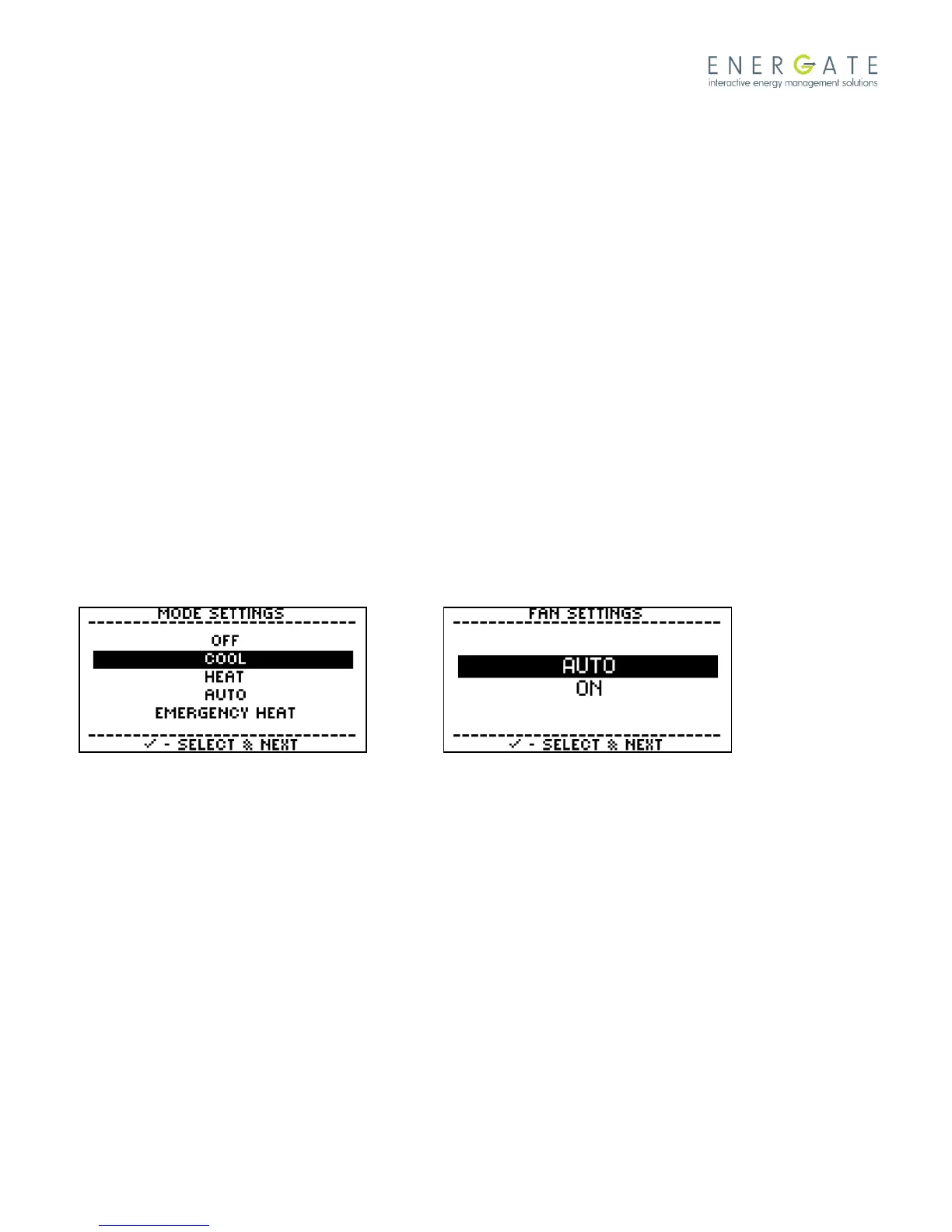
1.1.6 Changing the Thermostat Operating and Fan Modes
From the Thermostat home screen:
1. Press the Menu/Select button to wake up the thermostat, and press it again to display the main menu.
2. Press the Menu/Select button to select Mode & Fan Settings.
3. Use the Up or Down buttons to select the thermostat mode, and then press the Menu/Select button.
4. Use the Up or Down buttons to select Yes and then press the Menu/Select button to save the changes.
Note: Refer to the thermostat user manual for complete operating instructions.



 To Next Page