THIS DOCUMENT CONTAINS CONFIDENTIAL INFORMATION PROPRIETARY TO ENERGATE INC. NO PART OF ITS CONTENTS MAY BE DISCLOSED OR CONVEYED TO,
USED BY, OR COPIED TO A THIRD PARTY WITHOUT PRIOR WRITTEN CONSENT BY ENERGATE INC. PRINTED COPIES WILL BE CONSIDERED UNCONTROLLED.
AW000873-G 44
9.4 Heat Pump Fault Sensor
HVAC equipment can have a heat pump fault sensor that closes a contact to 24 VAC to signal a problem with the heat
pump.
You can wire this sensor to the thermostat’s FAULT terminal. When it receives the signal, the thermostat displays a
Heat Pump Fault message and does not engage the heat pump until the fault is corrected.
Note: Energate thermostats may not be compatible with all heat pump fault sensors.
9.5 ZIP Connect
Energate ZIP Connect is a ZigBee device that allows the thermostat to receive information about utility events and
consumption via the Internet.
The ZIP Connect uses a home’s broadband Internet connection, such as a DSL connection supplied by a phone company
or a cable internet service. It does not work with a dial-up connection.
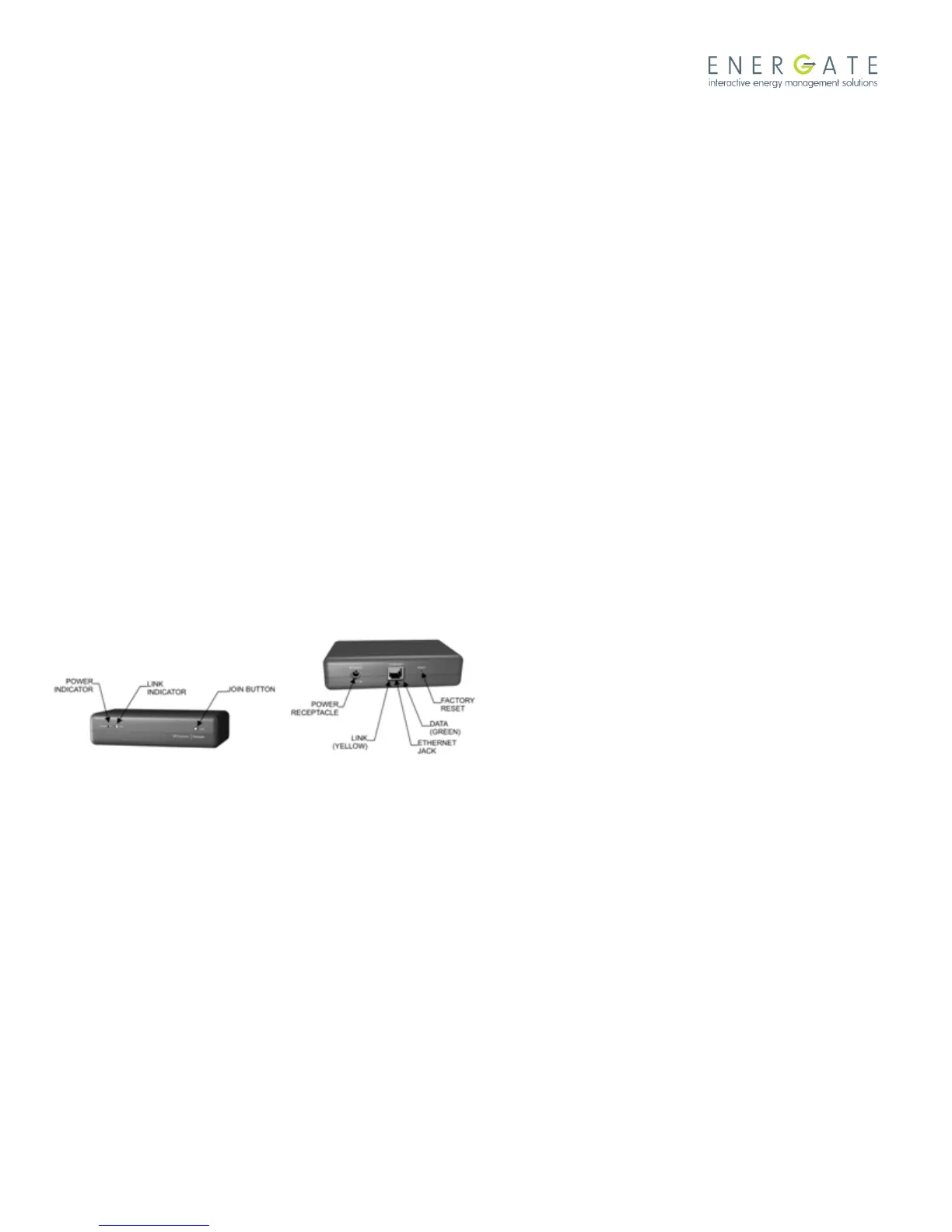
The ZIP Connect RESET button clears the memory of the ZIP Connect to its factory defaults. Use it only when you are
instructed to by your service provider.
9.5.1 ZIP Connect Placement
The ZIP Connect contains a powerful 100 mW wireless ZigBee radio transceiver. However, like a cordless phone, its
operation can be affected by its placement in the home. For best results, choose a spot away from other wireless
equipment, computers, televisions and large appliances.
9.5.2 Install ZIP Connect
1. Plug the 9Vdc power supply into a wall outlet and connect it to the ZIP Connect. The amber light (LINK) on the front
illuminates.
2. Use the Ethernet cable to connect the ZIP Connect to your broadband router.
3. Ensure that the router is powered up and operational, and that the amber light on the ZIP Connect’s Ethernet jack (at
the back) illuminates to indicate a connection to the router.
4. Under normal operating conditions, both lights at the front (amber LINK and green POWER) should be on
continuously (not flashing). It may take a few minutes from power-up for this condition to be reached.



 To Next Page