THIS DOCUMENT CONTAINS CONFIDENTIAL INFORMATION PROPRIETARY TO ENERGATE INC. NO PART OF ITS CONTENTS MAY BE DISCLOSED OR CONVEYED TO,
USED BY, OR COPIED TO A THIRD PARTY WITHOUT PRIOR WRITTEN CONSENT BY ENERGATE INC. PRINTED COPIES WILL BE CONSIDERED UNCONTROLLED.
AW000873-G 59
11.3 Provisioning the Pager Module
The optional pager module is supported by Foundation models FZ100 and FZ100C only.
You provision the pager module to allow the utility’s pager network to communicate with the thermostat. To provision
a pager module:
Using the website provided by the utility, add the pager module to the configuration for the home.
Complete the provisioning by entering the verification code that the thermostat generates.
Test one-way communications by sending a message from the website to the thermostat via the pager module.
11.3.1 Provision Thermostat Communication with a Pager Module
1. Obtain the thermostat’s MAC address from one of the following three locations:
The thermostat box label.
The radio module on the back of the thermostat.
The Pager Link Info screen. (To access the Link Info screen, in the Installer Setup menu, select Pager and
then Link Info.)
2. Using the website provided by the electric utility, add the pager module to the configuration for the home.
For information on how to associate the pager module with the home using LMS, see 11.3.2 Use LMS to Associate a
Pager Module with a Home.
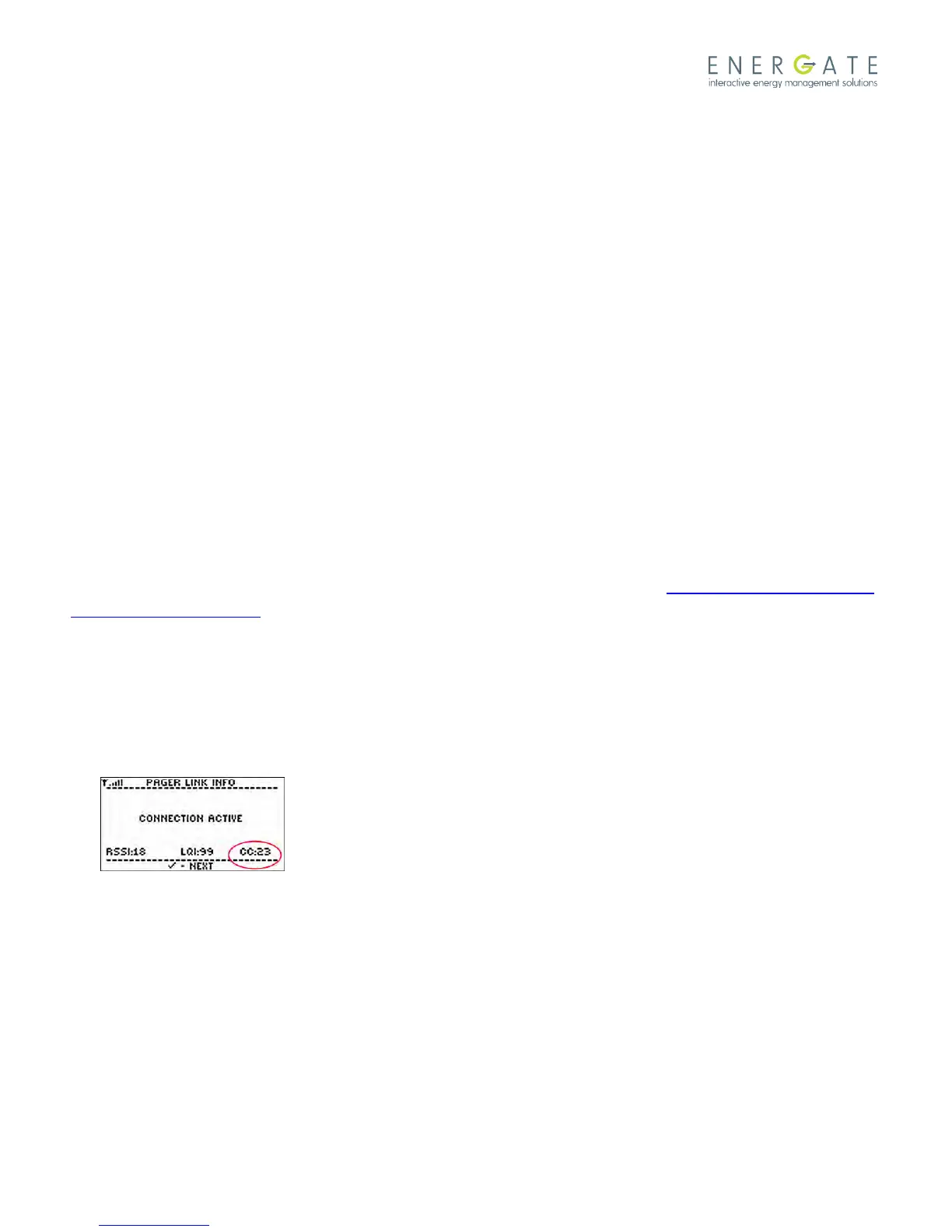
3. To obtain the verification code that the thermostat generates, in the thermostat’s Installer Setup menu, select
Pager, and then select Link Info.
The screen displays the message “Waiting for Commission”.
Within a minute of when you submit the pager module information using the website, the thermostat displays a
two-letter code in the bottom-right corner of the Link Info screen.
4. Use the verification code to complete the provisioning.
When provisioning is complete, the thermostat’s Pager Link Info screen displays the message "Connection Active".
In addition, the link status indicator at the top of the Pager Link Info screen changes from an “X” to a set of signal
strength bars.
If ZigBee is not provisioned, an "F" (for FLEX pager network) is displayed to the right of the signal bars.



 To Next Page