THIS DOCUMENT CONTAINS CONFIDENTIAL INFORMATION PROPRIETARY TO ENERGATE INC. NO PART OF ITS CONTENTS MAY BE DISCLOSED OR CONVEYED TO,
USED BY, OR COPIED TO A THIRD PARTY WITHOUT PRIOR WRITTEN CONSENT BY ENERGATE INC. PRINTED COPIES WILL BE CONSIDERED UNCONTROLLED.
AW000873-G 12
1.2 Operating the Z100 Pioneer Thermostat
1.2.1 Navigating the Controls
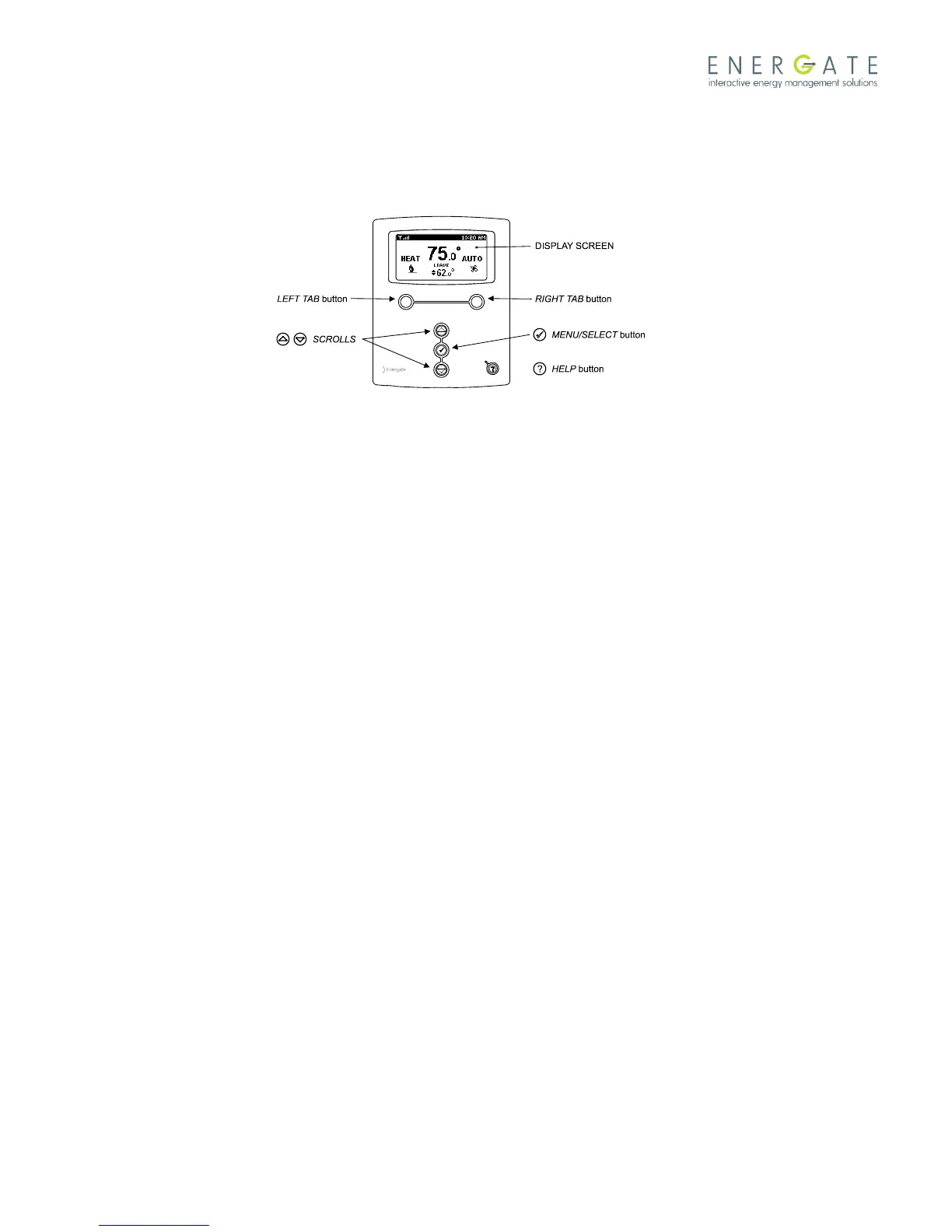
The function of the LEFT and RIGHT TAB buttons appears on the bottom of the display screen.
Use the SCROLL (▲ ▼) buttons to adjust the temperature, move through the menus options, and change highlighted
values. Press the MENU / SELECT (√) button to access the menu, and to select or accept highlighted menu items.



 To Next Page