11
4WirelessConfiguration
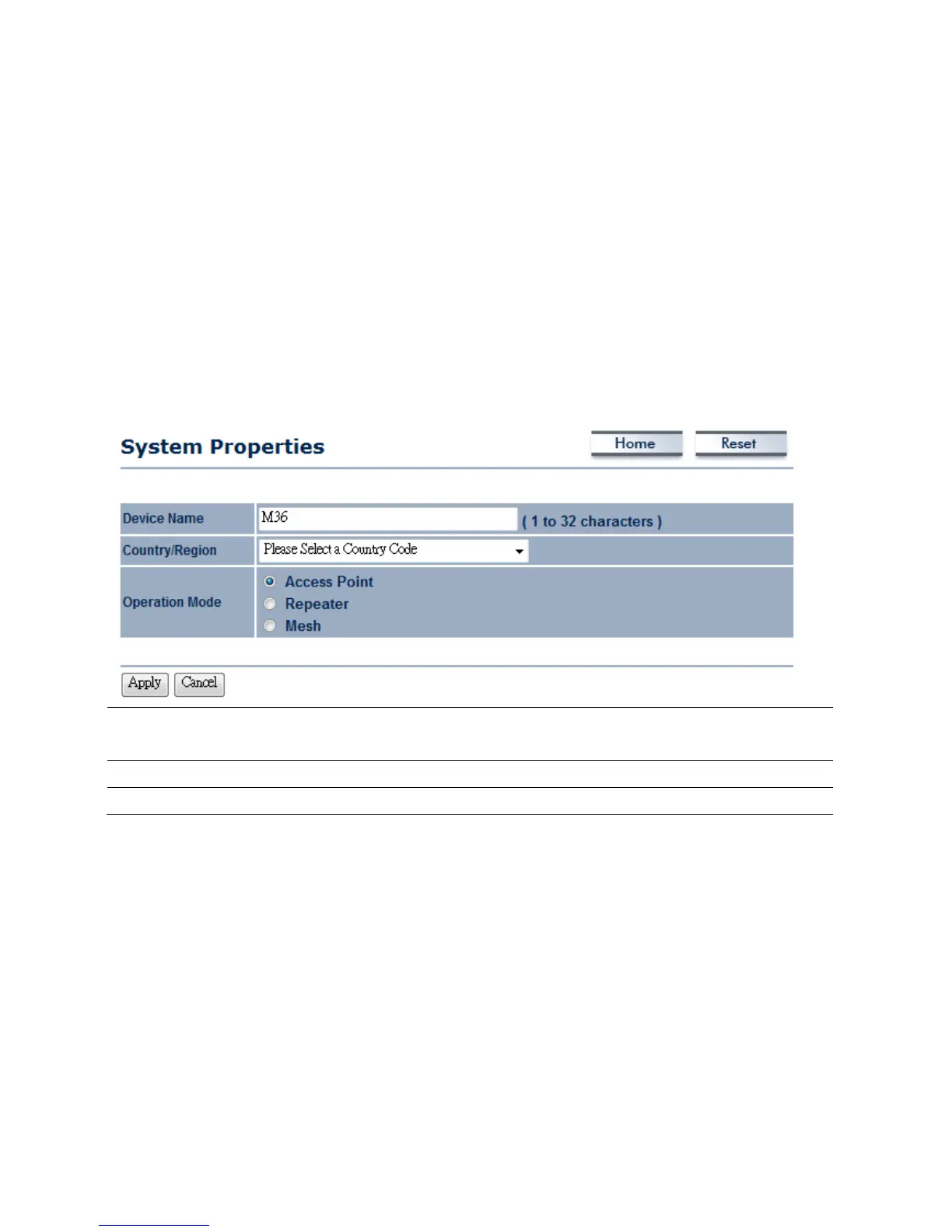
4.1SwitchingOperationMode
TheM36supports4differentoperationmodes:AccessPoint,AccessPointwithWDSBridge,
Repeater,andMesh.
ClickSystemPropertiesunderSystemSectiontobegin.
.
DeviceName
Specifyanameforthedevice,butitisnotthebroadcastSSID .Itwillbeshownin
SNMPmanagement
Country/Region
SelectaCountry/Regiontoconformlocalregulation
OperationMode
SelectanoperationmodeviaRadioButton
ClickApplytosavethechanged.
Note:IfyouwouldliketouseAccessPointwithWDSFunctionmode,pleaseselectAccessPoint
ModeandthenenableWDSLinkSettingsfunction.













 To Next Page