15
WirelessSecurity
PleaserefertotheWirelessSecuritysection.
Refresh
PressRefreshtoscanagain.
Auction:IftheAccessPointissuppresseditsownSSID,SSIDsectionwillbeblank,theSSIDmustbe
filledinmanually.
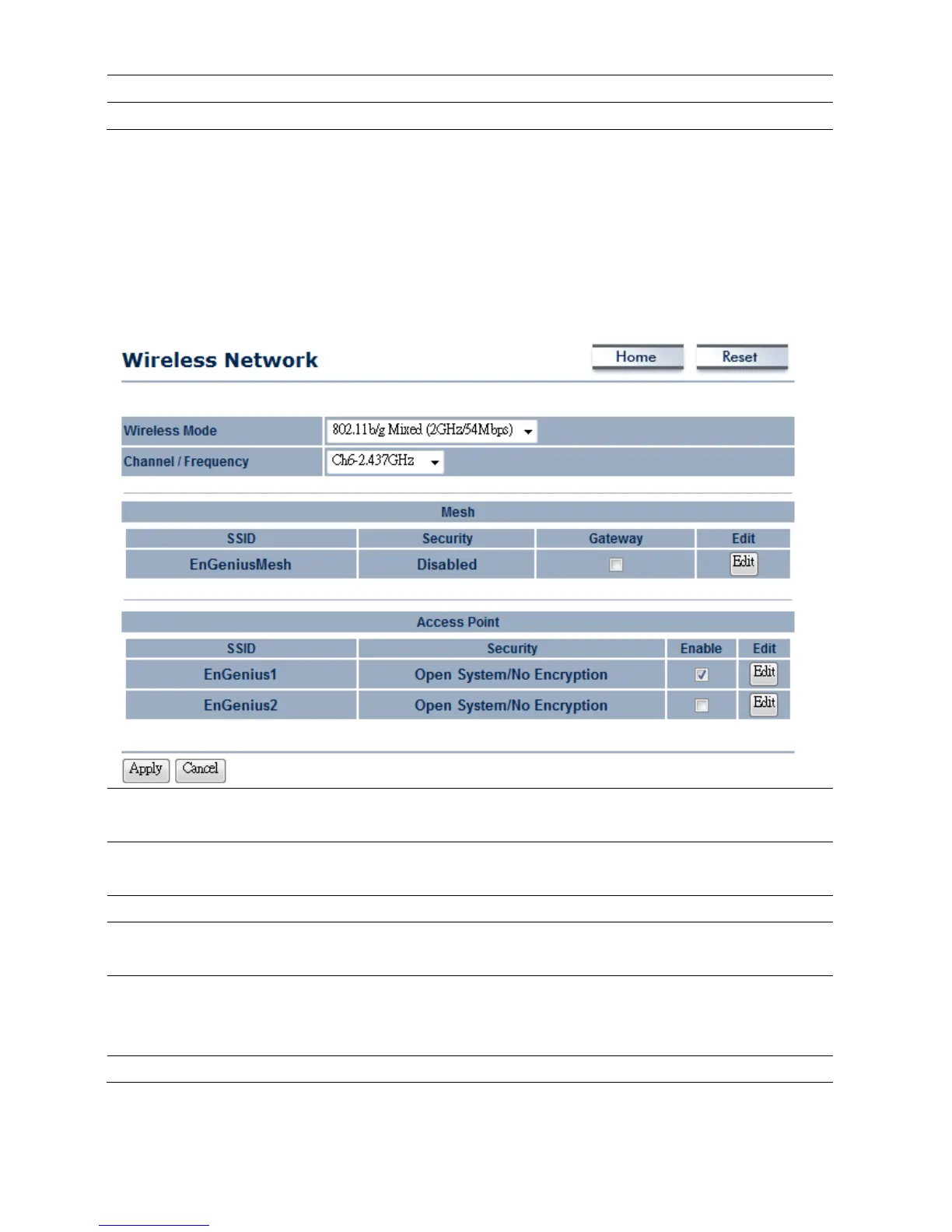
4.2.3MeshMode
WirelessMode
Selectthedesired802.11standardmodes.Therearethreedifferentmodesandthe y
are802.11b,802.11gOnly,and802.11b/gmixed.
SSID
SpecifytheSSIDifknown.SSIDtextboxwillbeautomaticallyfillinwhenselectanAP
intheSiteSurvey.
Channel/Frequency
Thechannelavailabilityisbasedonthecountry’sregulation.
MeshProfile
PlaceaChecktoactlikegateway.PressEdittoconfigurethemeshprofileandplace
aChecktoenableextraSSID.
AccessPointProfile
ConfigureuptotwodifferentSSIDs,itcanhelptodividegroupofclientstoaccess
thenetwork.PressEdittoconfiguretheprofileandplaceaChecktoenableextra
SSID.
Apply/Cancel
PressApplytoapplythechangesorCanceltoreturnprevioussettings.













 To Next Page