24
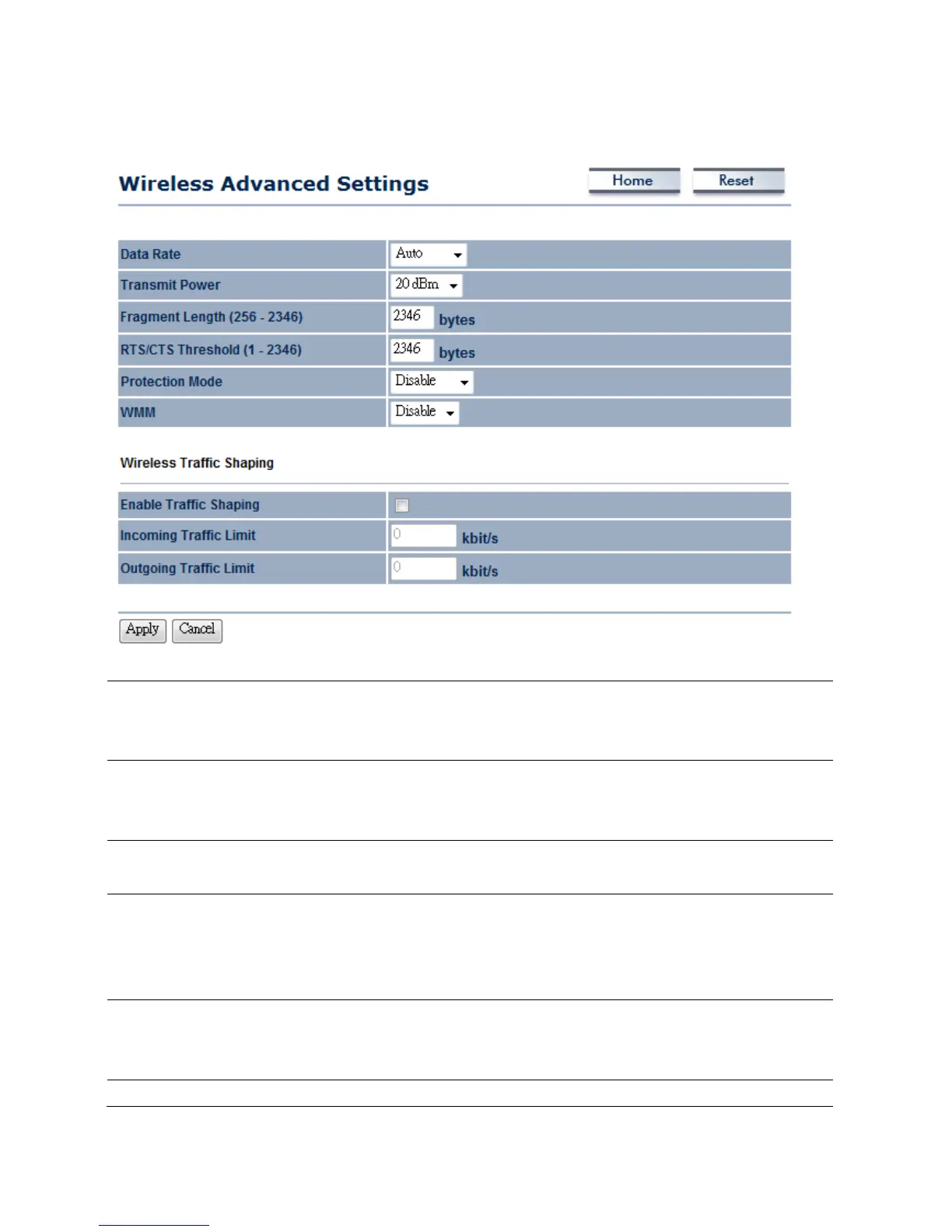
4.4WirelessAdvancedSettings
DataRate
SelectDataRatefromthedropdownlist.Dataratewillaffecttheefficiencyofthe
throughput.Ifthedatarateissettoasmallnumber,thelowerthroughwillgetbutit
cantransmittolongerdistance.
TransmitPower
SelectTransmitPowertoincreaseordecreaseTransmitPower.Highertransmit
powerwillsometimescauseunabletoconnecttothenetwork.Ontheotherhand,
thelowertransmitpowerwillcauseclientunabletoconnecttothedevice.
FragmentLength
Specifypackagesizeduringtransmission.Iflargeamountofclientareaccessingto
thenetwork,specifysmallnumberofthefragmentlengthinordertoavoidcollision.
RTS/CTSThreshold
SpecifyThresholdpackagesizeforRTC/CTS.Usingsmallnumberofthethresholdwill
causeRTS/CTSpacketstobesentmoreoftentoconsumingmoreoftheavailable
bandwidth.Inaddition,iftheheavyloadtrafficoccurs,thewirelessnetworkcanbe
recoveredeasilyfrominterferencesorcollisions.
ProtectionMode
SelectDisableorEnableProtectionMode.Iftherearelargeamountoferroroccur
duringthetransmission,pleaseenabletheprotectmodeotherwiseprotectmode
shouldremaindisable.
WMM
SelectDisableorEnableWMMfunction.WMMisbasedonthefourAccess













 To Next Page