38
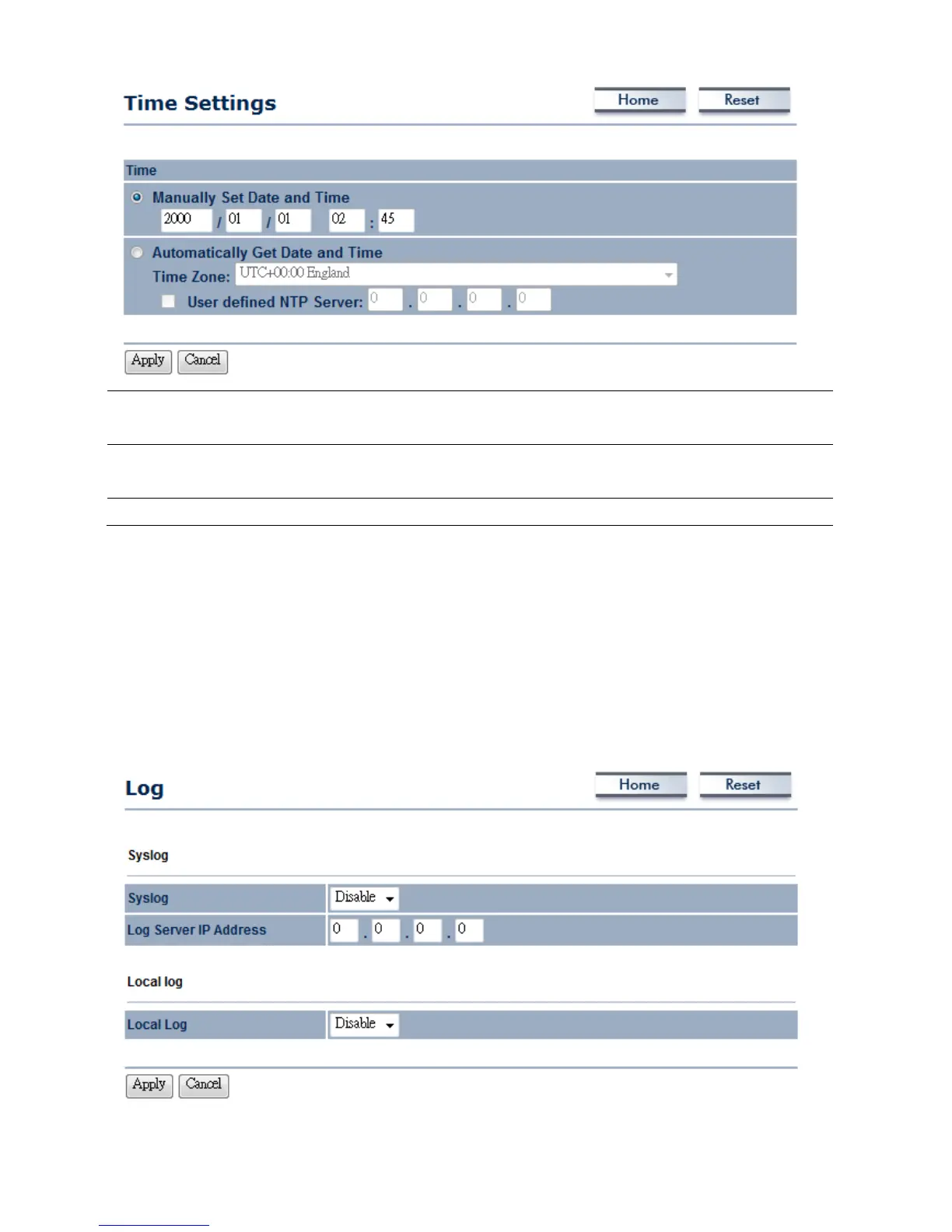
ManuallySetDateand
Time
Manuallysetupthedateandtime.
AutomaticallyGetDate
andTime
SpecifytheTimeZonefromthedropdownlis tandPlaceaChecktospecifytheIP
addressoftheNTPServermanuallyorusesdefaultNTPServer.
Apply/Cancel
PressApplytoapplythechangesorCanceltoreturnprevioussettings.
7.7Log
ClickontheLoglinkundertheManagementmenu.TheLogpagedisplaysalistofeventsthatare
triggeredontheEthernetandWirelessinterface.Thislogcanbereferredwhenanunknownerror
occursonthesystemorwhenareportneedstobesenttothetechnicalsupportdepartmentfor
debuggingpurposes.













 To Next Page