34
7ManagementSettings
Managementsectionisonthenavigationdrop‐downmenu.Youwillthenseesevenoptions:
administration,managementVLAN,SNMPsettings,backup/restoresettings,firmwareupgrade,time
settings,andlog.Eachoptionisdescribedbelow.
7.1Administration
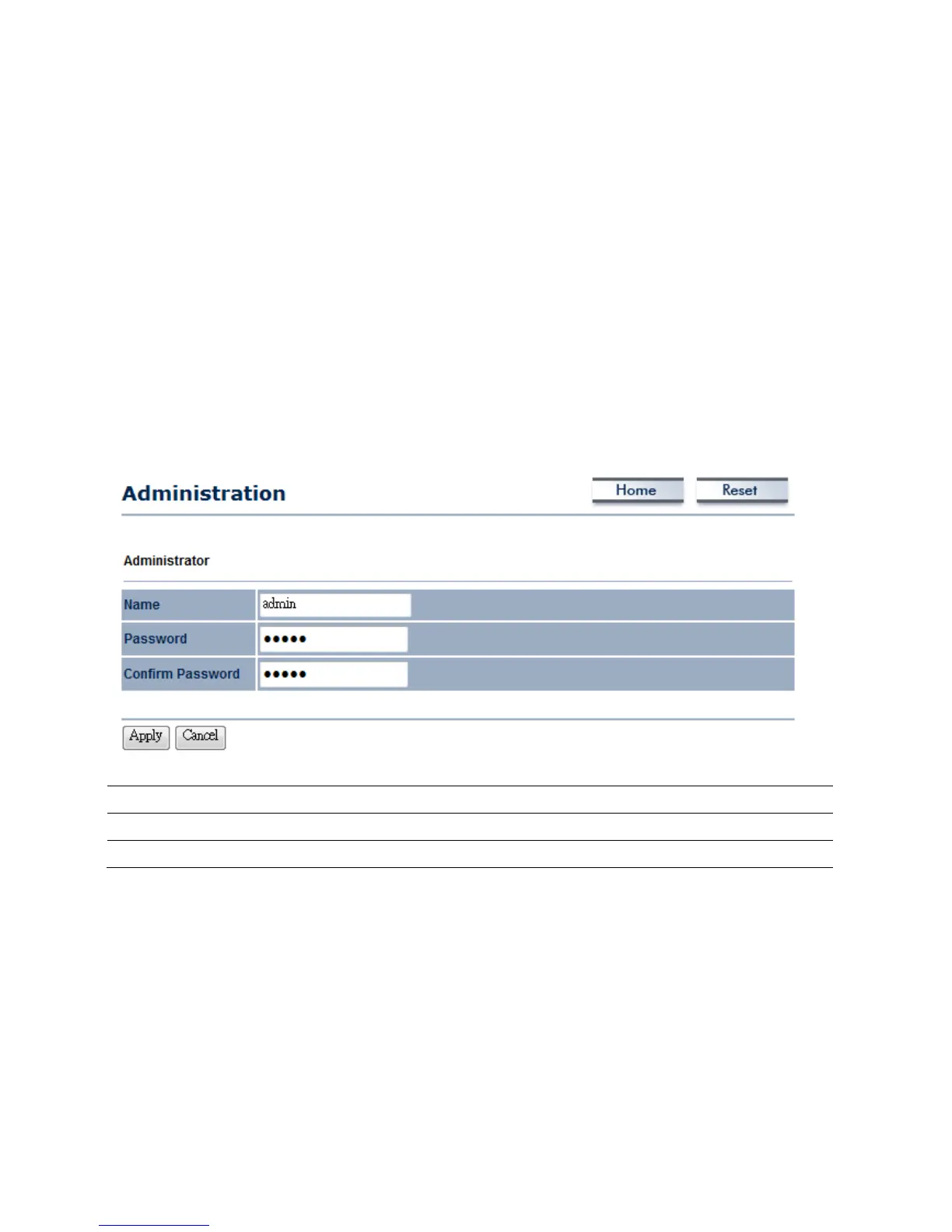
ClickontheAdministrationlinkundertheManagementmenu.Thisoptionallowsyoutocreatea
usernameandpasswordforthedevice.Bydefault,thisdeviceisconfiguredwithbothusername
andpasswordareadmin.Forsecurityreasonsitishighlyrecommendedthatyoucreateanewuser
nameandpassword.
Name
SpecifyUsernameforlogin.
Password
SpecifyaPasswordforlogin
ConfirmPassword
Re‐enterthePasswordforconfirmation.
7.2ManagementVLAN
ClickontheManagementVLANlinkundertheManagementmenu.Thisoptionallowsyoutoassign
aVLANtagtothepackets.AVLANisagroupofcomputersonanetworkwhosesoftwarehasbeen
configuredsothattheybehaveasiftheywereonaseparateLocalAreaNetwork(LAN).Computers













 To Next Page