27
5LANSetup
ThissectionwillguideyoutotheLocalAreaNetwork(LAN)settings
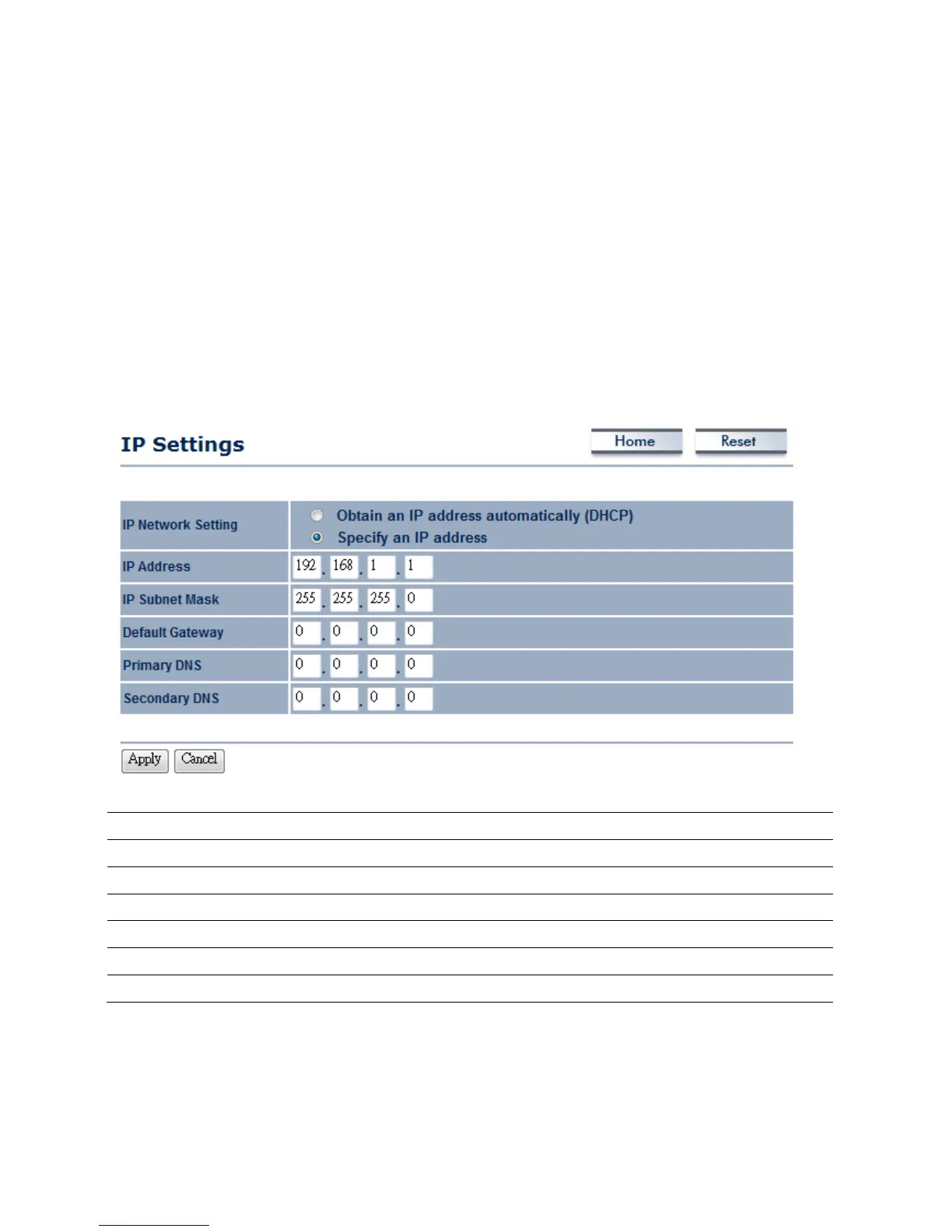
5.1IPSettings
ThissectionisonlyavailableforNon‐RouterMode.IPSettingsallowsyoutoLANportIPaddressof
theM36.
Auction:ChangingLANIPAddresswillchangeLANInterfaceIPaddress.Webpagewillautomatically
redirecttothenewIPaddressafterApply.
IPNetworkSetting
SelectRadiobuttonforObtainanIPaddressautomaticallyorSpecifyanIPaddress.
IPAddress
SpecifyLANportIPaddress.
IPSubnetMask
SpecifySubnetMask.
DefaultGateway
SpecifyDefaultGateway
PrimaryDNS
SpecifyPrimaryDNS
SecondaryDNS
SpecifySecondaryDNS
Apply/Cancel
PressApplytoapplythechangesorCanceltoreturnprevioussettings.
Auction:ObtainanIPaddressautomaticallyisnotaDHCPserver.ItmeansautomaticallygetIP
addresswhendeviceconnectedtoadevicewhichhasDHCPserver.













 To Next Page